Text to Speech
2 min
Text to Speech (e.g., greeting message) is not supported. The greeting message must be
•converted to an audio file
•audio file is then uploaded to Azure
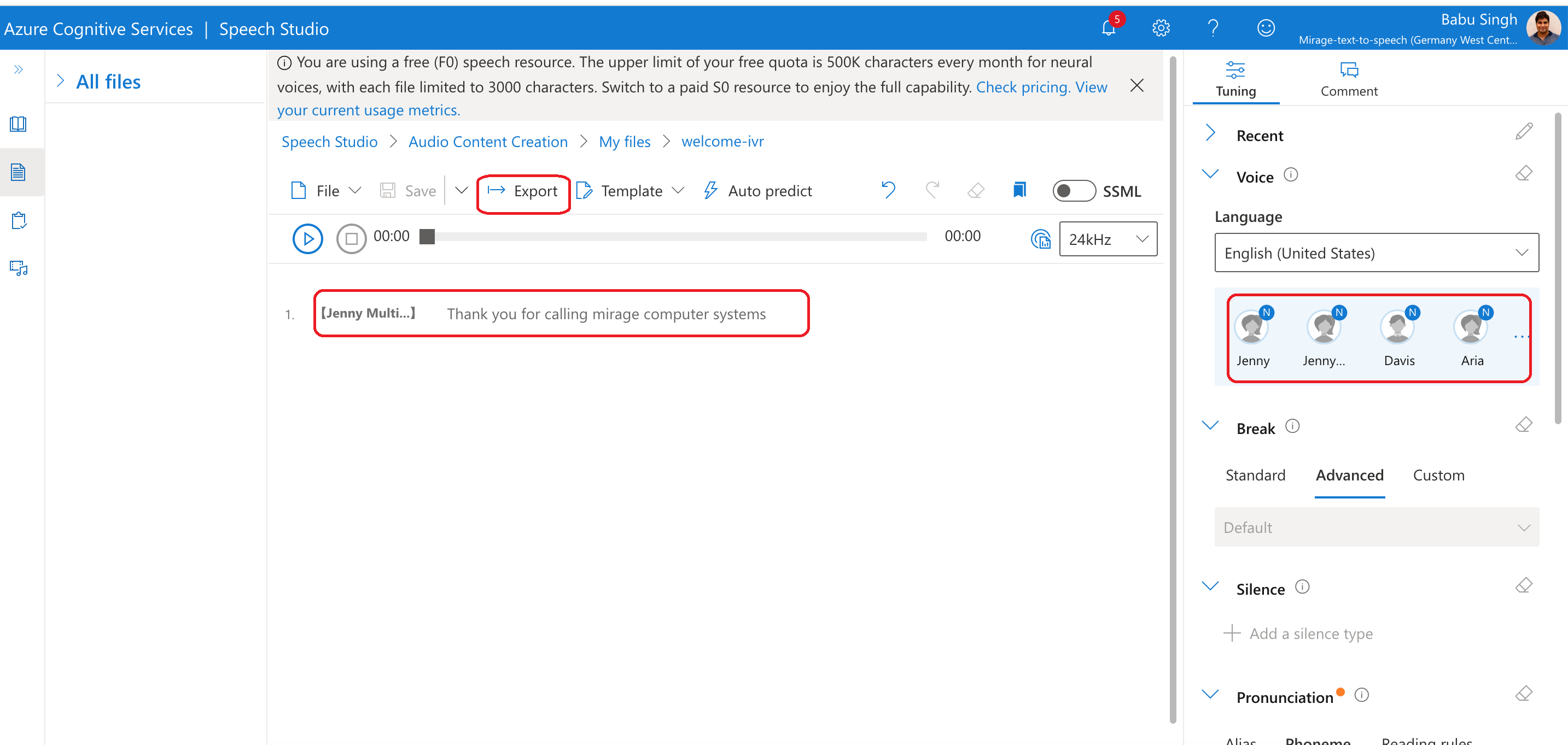
Step 1 - Convert Text to Audio file
The first step is to convert text to an audio file
•Sign in using Azure Credentials
•Copy the Greeting text into text area. Then click on export and select 16kHz and WAV format for the download file
Step 2 - Replace greeting message
In the queue settings, you need to replace the greeting message with the newly generated audio file.
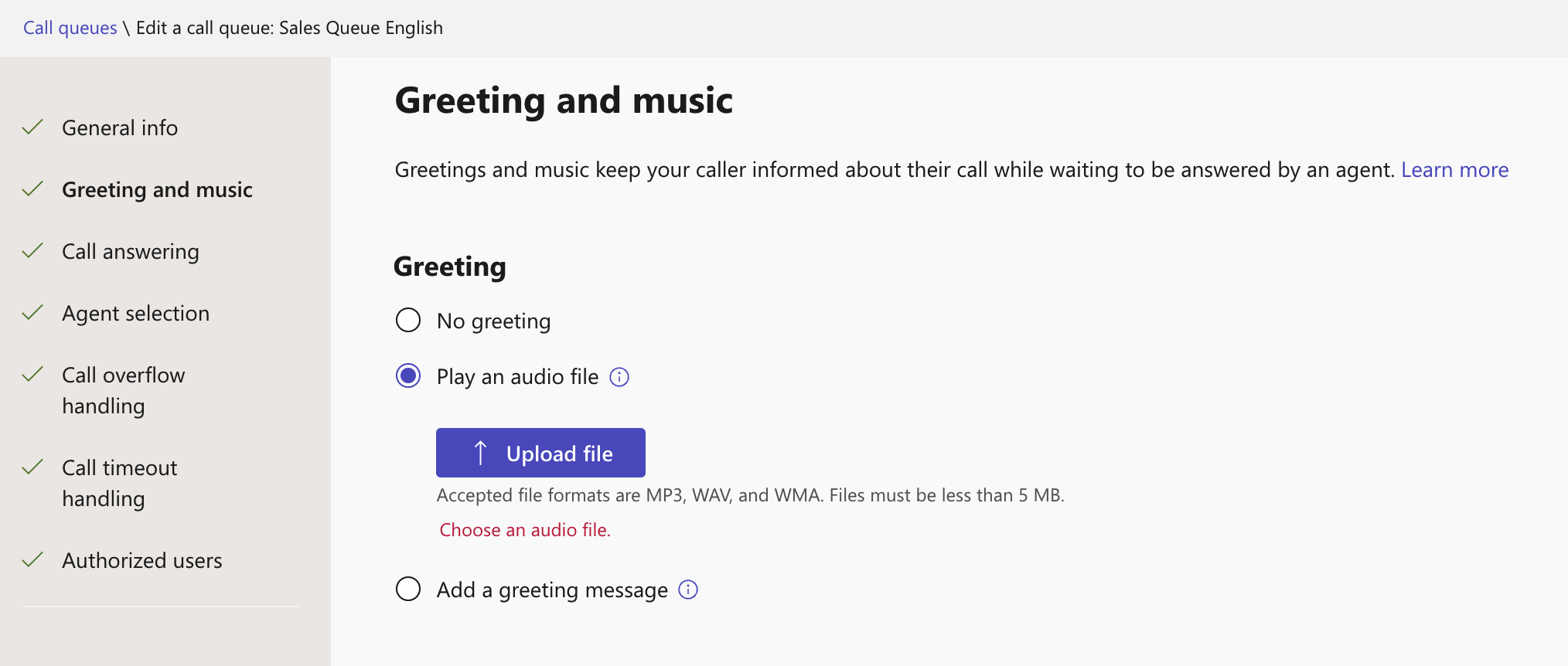
Step 3 - Audio file
Proceed with the steps for Audio files.