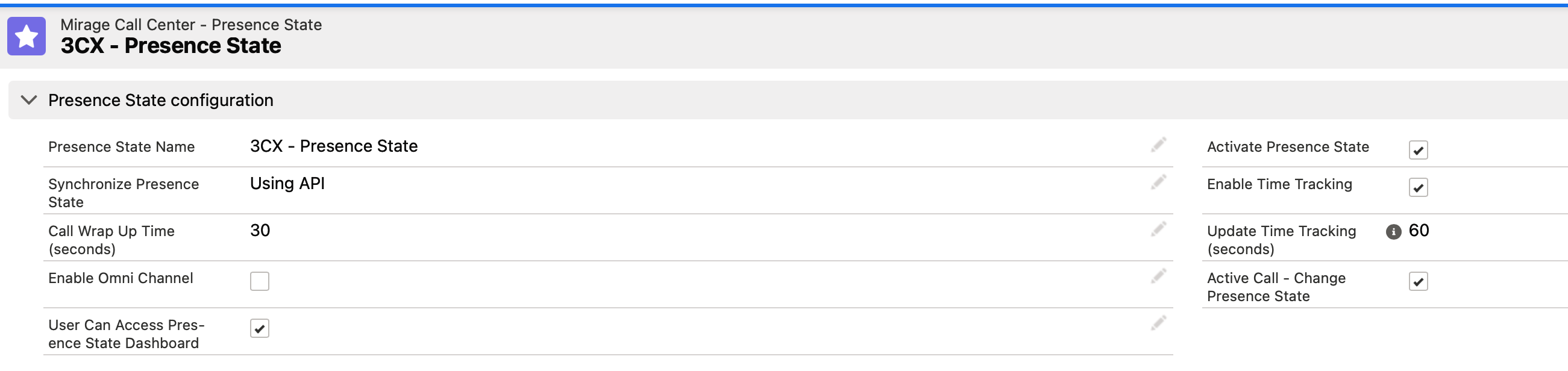
3CX Presence State
1 min
Select the 3CX Call Center - this will automatically add all required default values for 3CX.
The presence state is synchronized in 2 ways:
•From Salesforce to 3CX
•From 3CX to Salesforce
3CX only supports 5 presence states (including Custom 1 and Custom 2) while CTI Data Connector for Salesforce® supports 15 presence states.
Therefore you have to map a presence state from CTI Data Connector for Salesforce® to a suitable presence state from 3CX.
Example
Lunch > Custom 2
Do Not Disturb > Out of Office
Find below the default settings with the 3CX configuration. The Reason Code Number is the presence state name in 3CX.