Install Update 7.4
Release Version (7.4.xx)
The Salesforce administrator either needs to be assigned to a Call Center or needs at least a CTI Data Connector for Salesforce®
Check installed version
In case your actual version is below 6.4, you need to install version 6.3.024.6 and 6.4032.5 before you can continue with version 7.4
Update to version 7.4
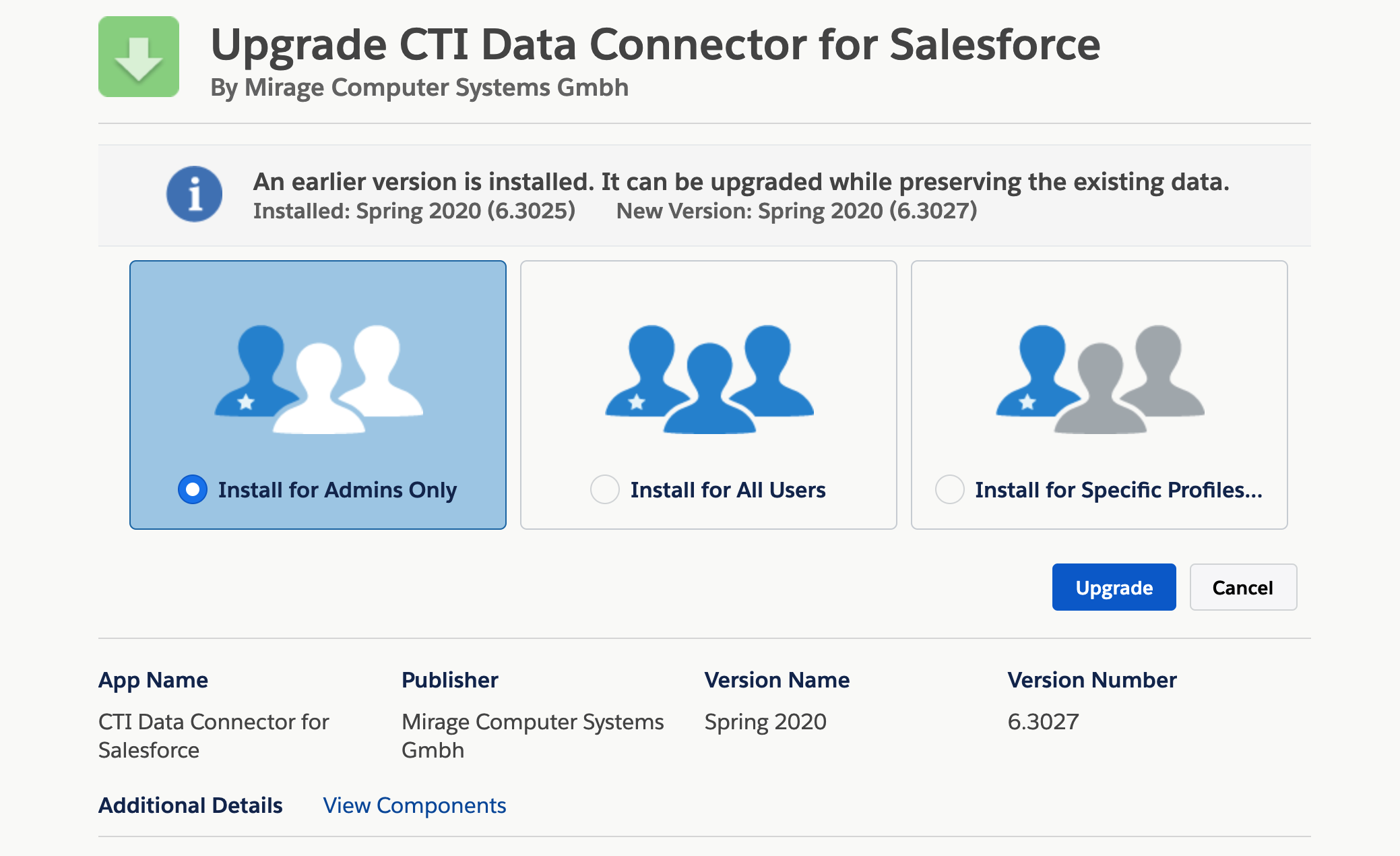
•Install version 7.4017.17 (Professional, Enterprise, Unlimited or Developer Edition ).
•If you are installing into a sandbox organization you must replace the initial portion of the URL with http://test.salesforce.com - click on the link to start the installation in a sandbox
•Login with your salesforce admin credentials
•Install either for for Specific Profiles or for all users. All users will get the permission but as long as they are not assigned to the call center adapter the installation does not have any impact for this user.
Run update scripts
This is a mandatory step. If skipped, fields and options are missing.
Select the App Launcher, then Mirage Call Center - Configuration, TAB Call Center Setup

Now click on the Start Update button, which will run the update scripts.
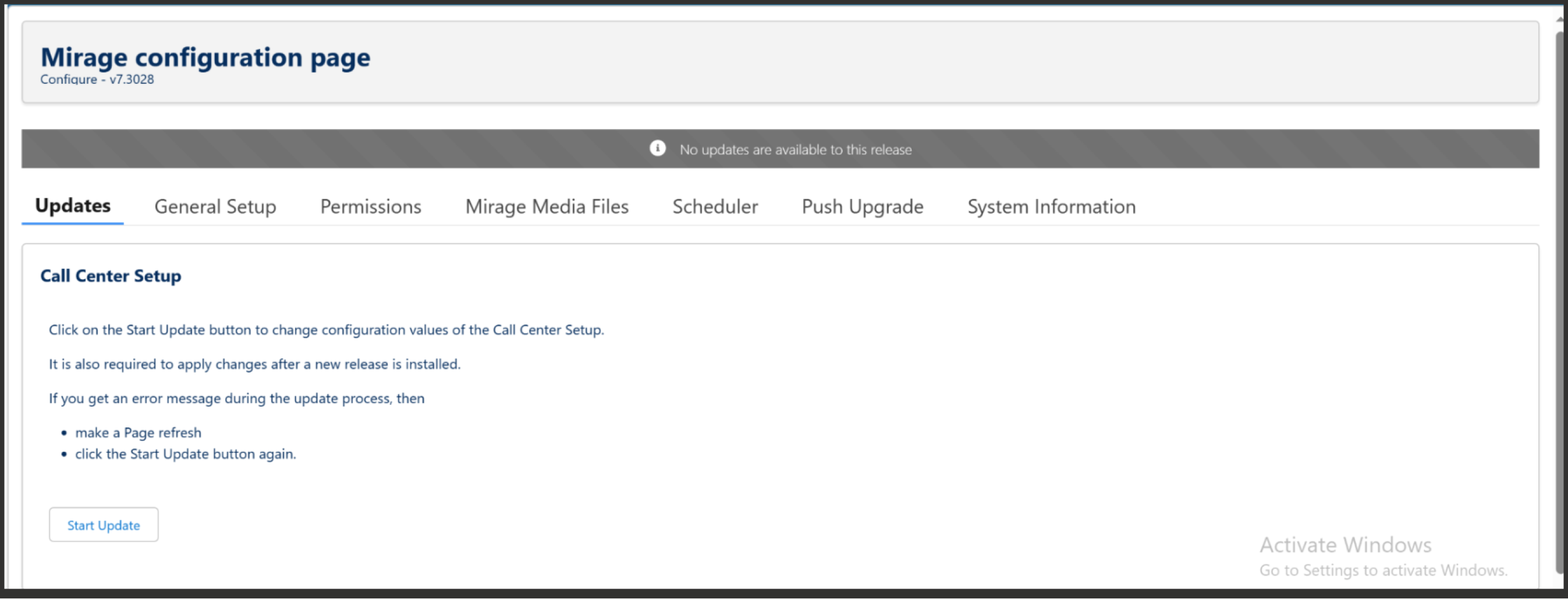
If there is an error message which includes the text: admin operation already in progress then wait for a few minutes and try again.
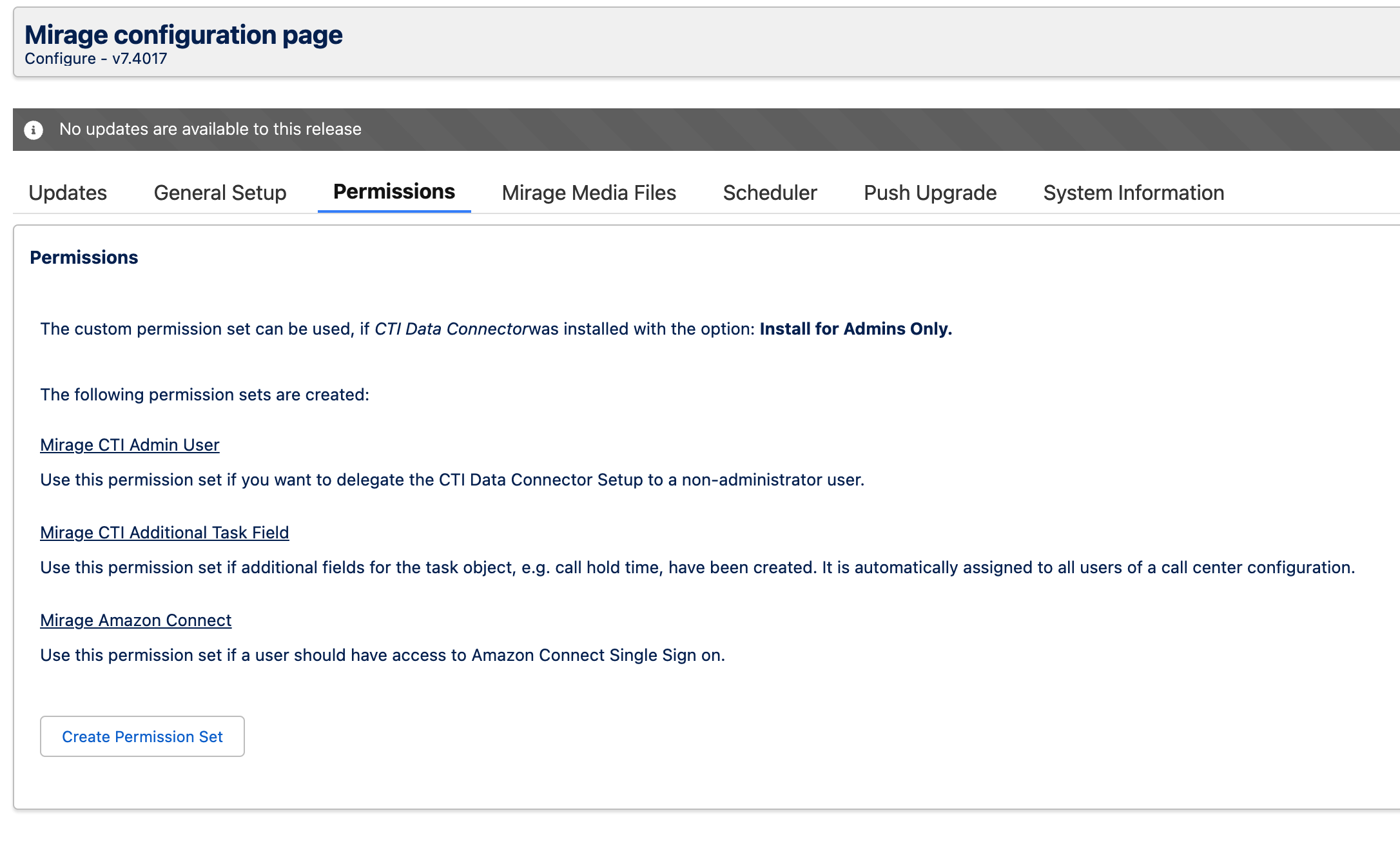
Permission Sets
Click on the TAB Permissions and then on the button Create Permission Set to update the existing permission sets.
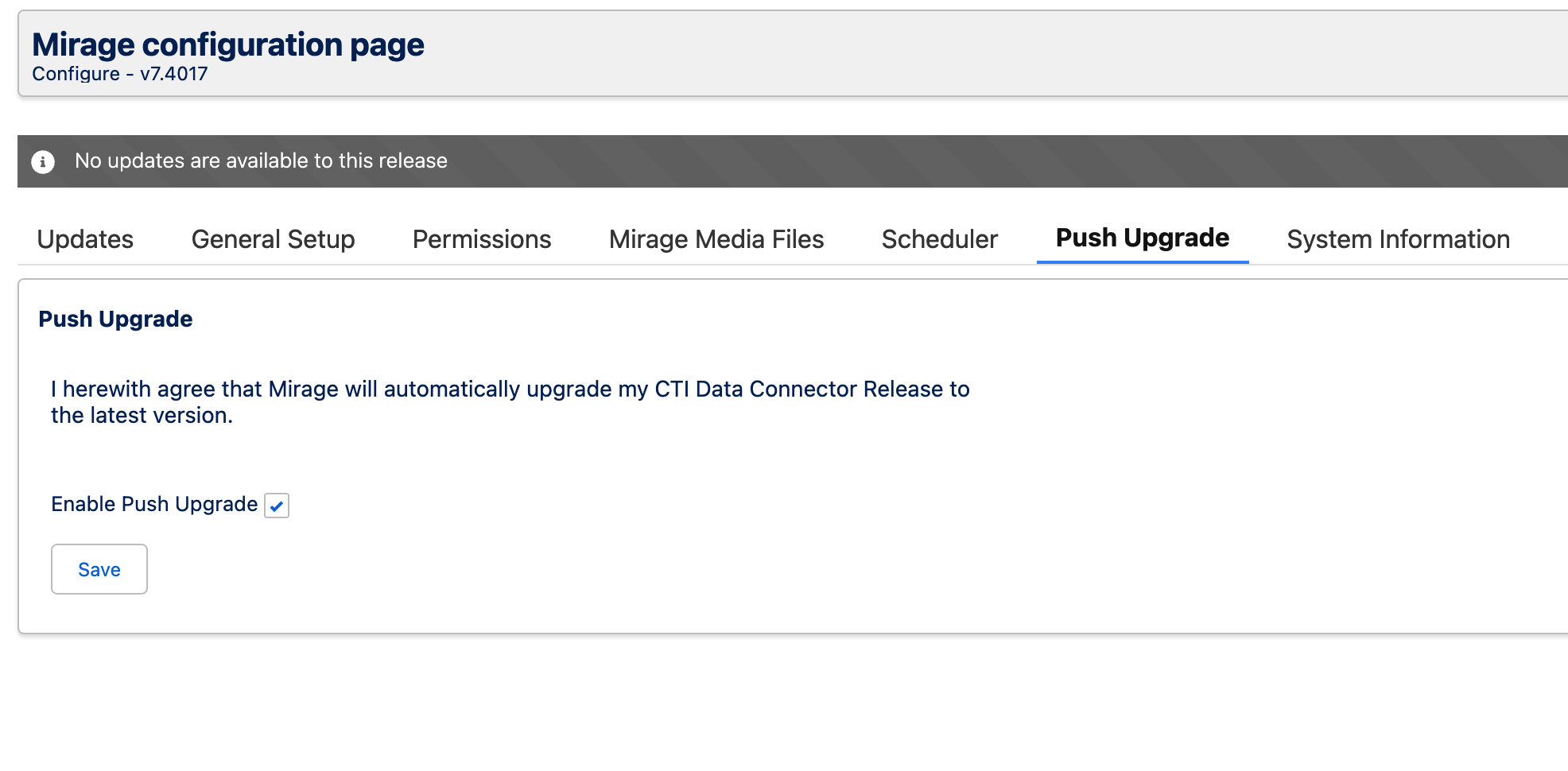
Push Upgrade
Activate the Push Upgrade option.