Sales Engagement (HVS)
To use CTI Data Connector for Salesforce® with Sales Engagement (formerly High Velocity Sales), the following configuration is required.
Step 1 - Configure Call Results
In setup, search for Sales Engagement. You need to match the Call Results from Sales Engagement with the call results from CTI Data Connector for Salesforce® .
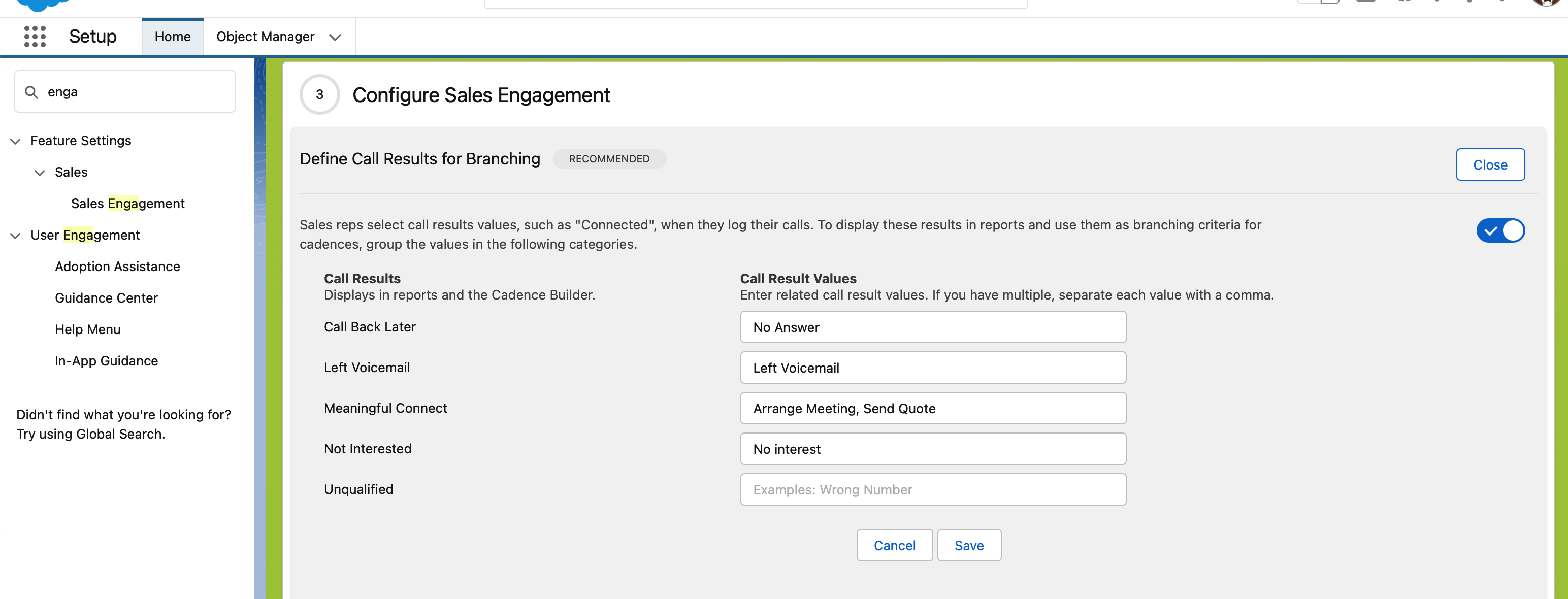
With CTI Data Connector for Salesforce® different users could have different call results, and there can be different call results for in- and outbound calls. For Sales Engagement, you need to specify the values for outbound.
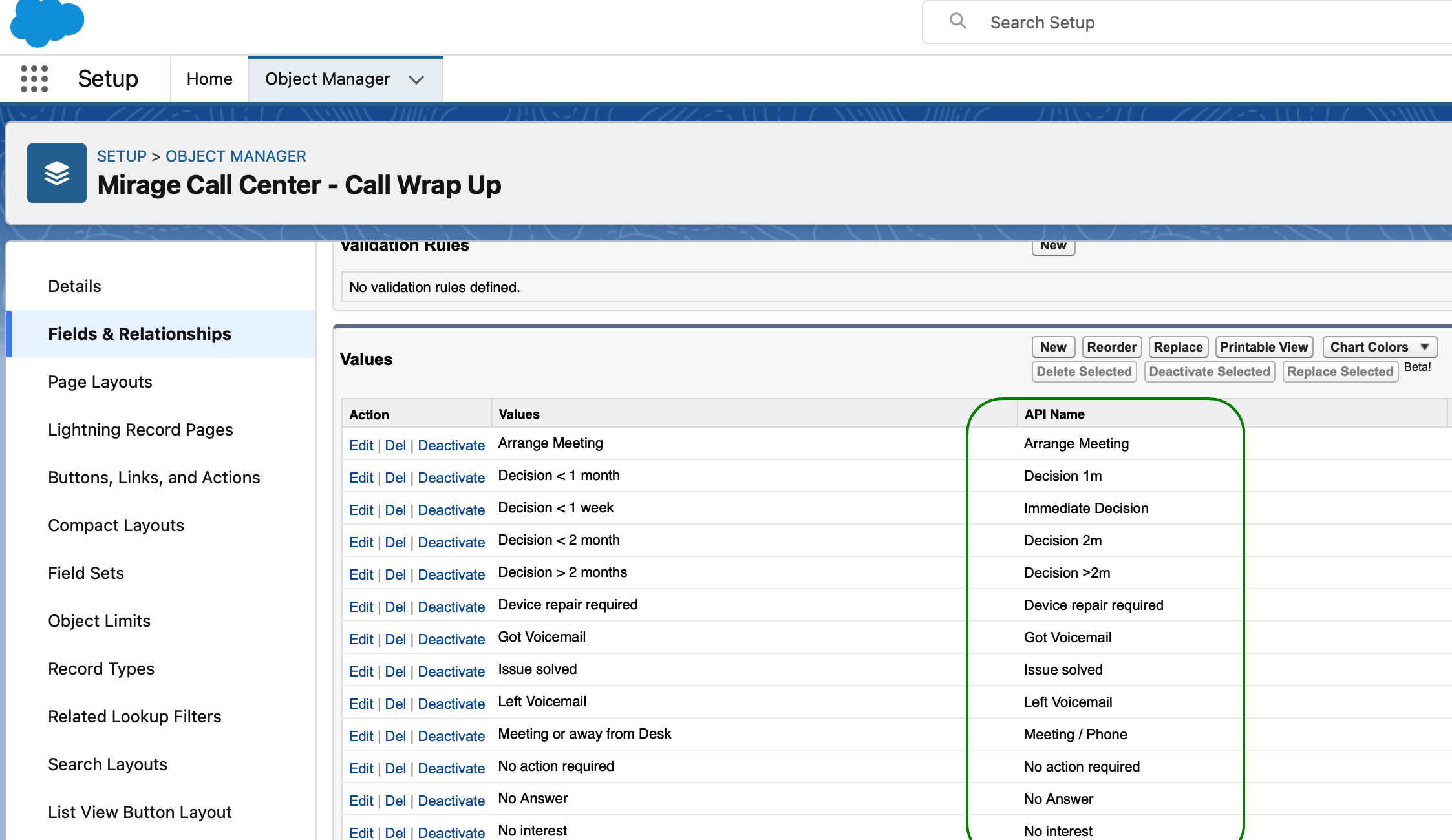
Setup > Object and Fields > Object Manager > Mirage Call Center - Call Wrap-Up > Fields - Outgoing call - default value
You need to use the API Name of the call result to ensure that the mapping works for all languages. You can add multiple CTI Data Connector for Salesforce® call results separated with a comma.
Step 2 - Required Call Center settings
For Sales Engagement, the following settings are mandatory:
•Call Wrap-Up > Outgoing call > Default Value = must be set to any value other than 'NO SELECTION' . This value is used if the user does not select a call result while the call is active.
•SoftPhone > Show Call Wrap-Up on call answer must be checked
•Workflow > Automatically create activity at end of an call must be checked for outbound
Sales Engagement für ausgehende Gespräche mit CTI Data Connector for Salesforce® nutzen