Do Not Call
2 min
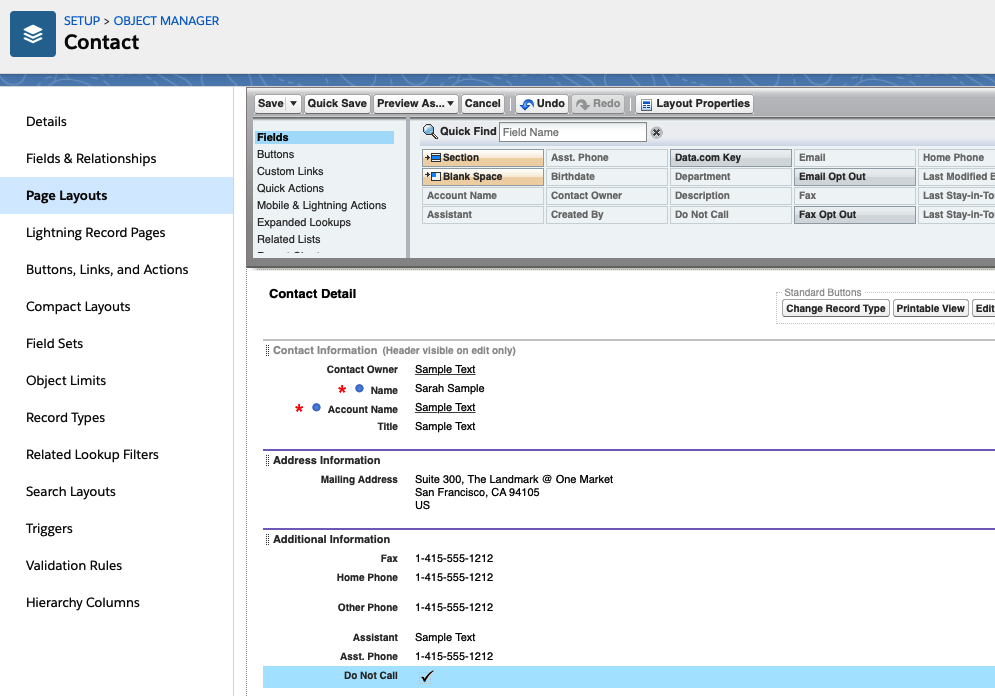
Lightning offers the option to add a Do Not Call field on the contact or lead page layout. If this field is ticked, CTI Data Connector SoftPhone will not dial a phone number for the contact / lead.
Step 1 - Make the field visible
Within Setup, navigate to the Object Manager - Contact - Field & Relationships and select the field: Do Not Call
Select Do Not Call
Then add the permission for the user profile
Set field to visible for a profile
Step 2 - Add the field to the contact page layout
Proceed with the same steps for Leads