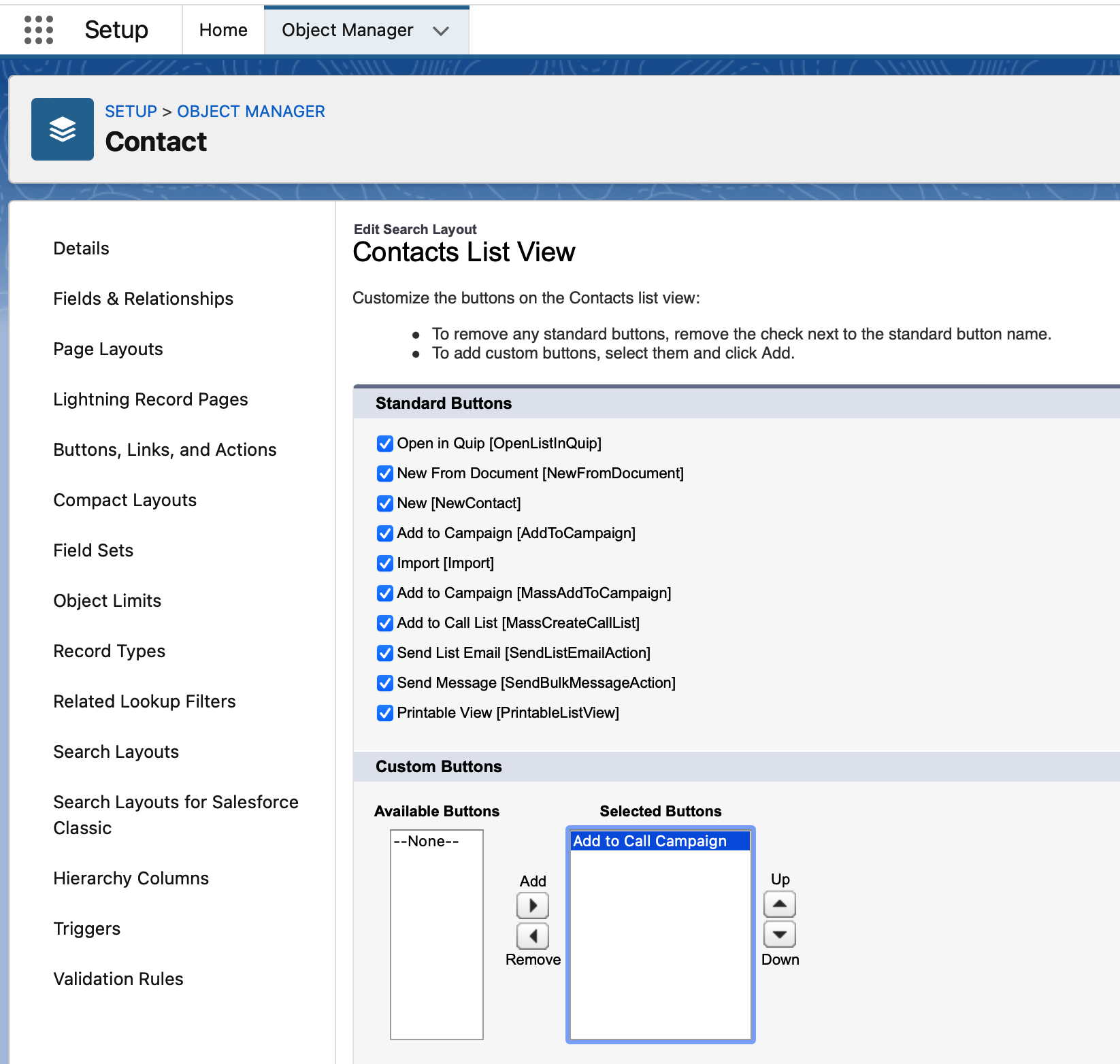
Customize Page Layout and Search for Power Dialer
3 min
To add buttons and a related list, you have to change the page layouts for contacts, accounts and leads.
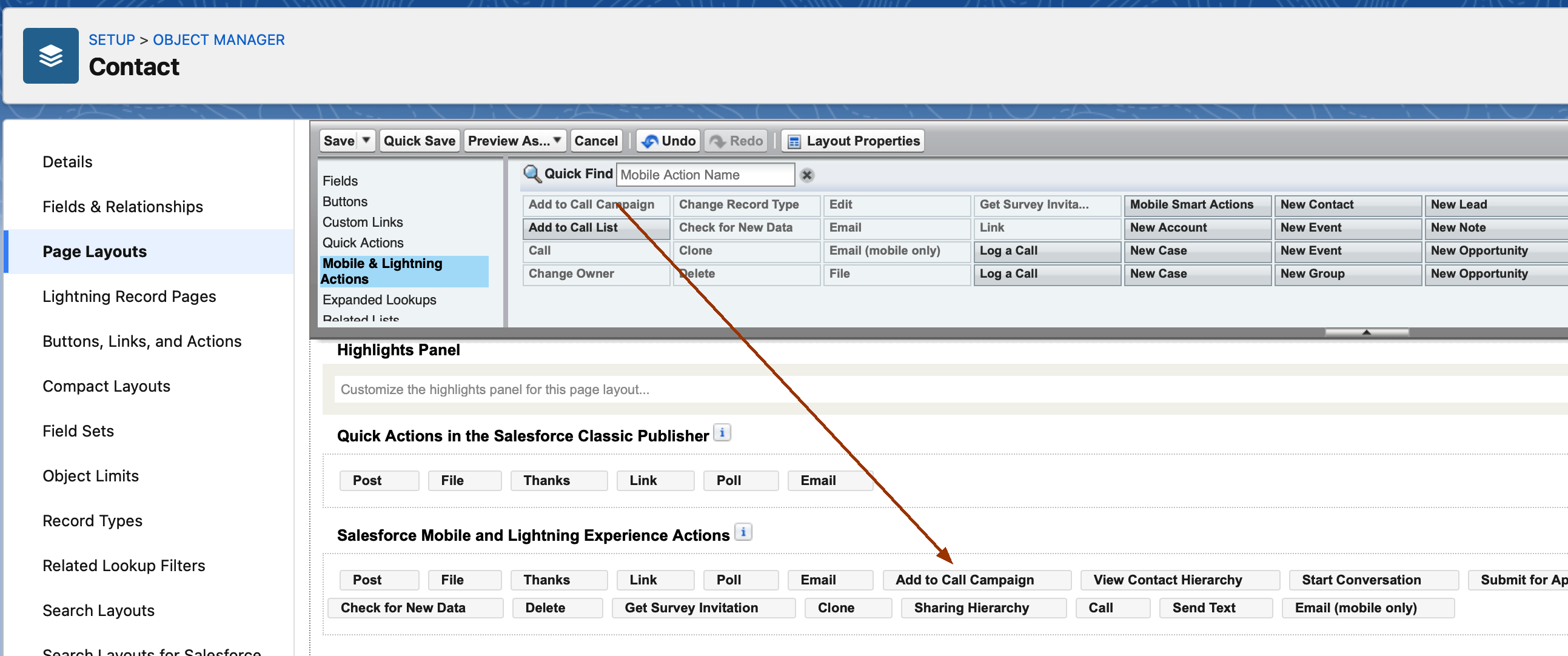
Step 1- Button: Add to Call Campaign
Add the button Add to Call Campaign to the Salesforce Mobile and Lightning Experience Actions
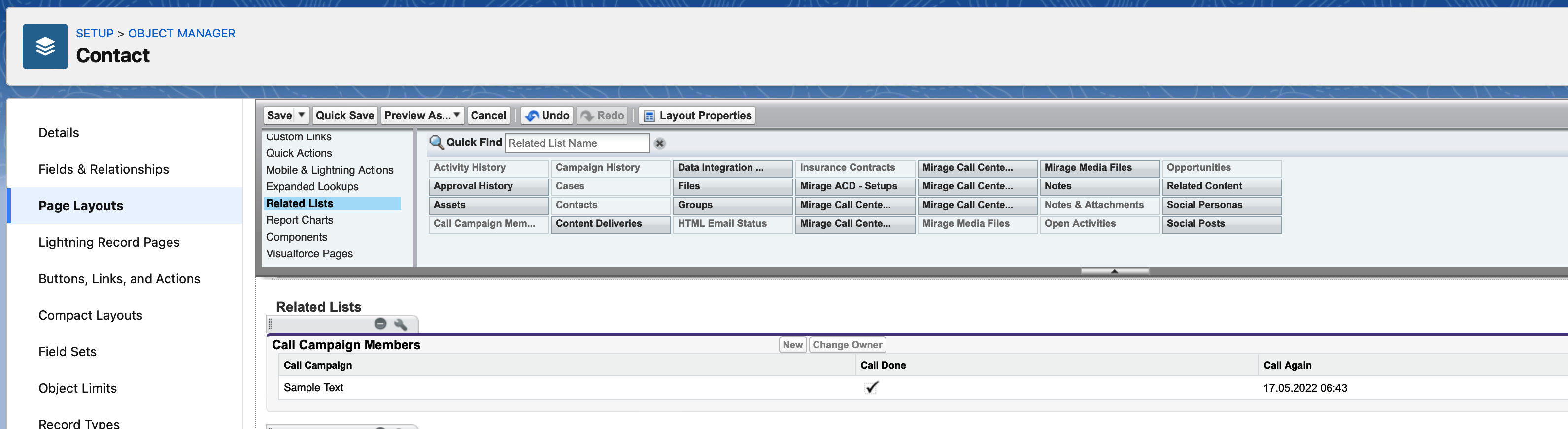
Step 2- Related List
Add the related list: Call Campaign Members
Step 3 - Search Layout
You need to edit the Search Layout for Salesforce Classic (also required for Lightning)
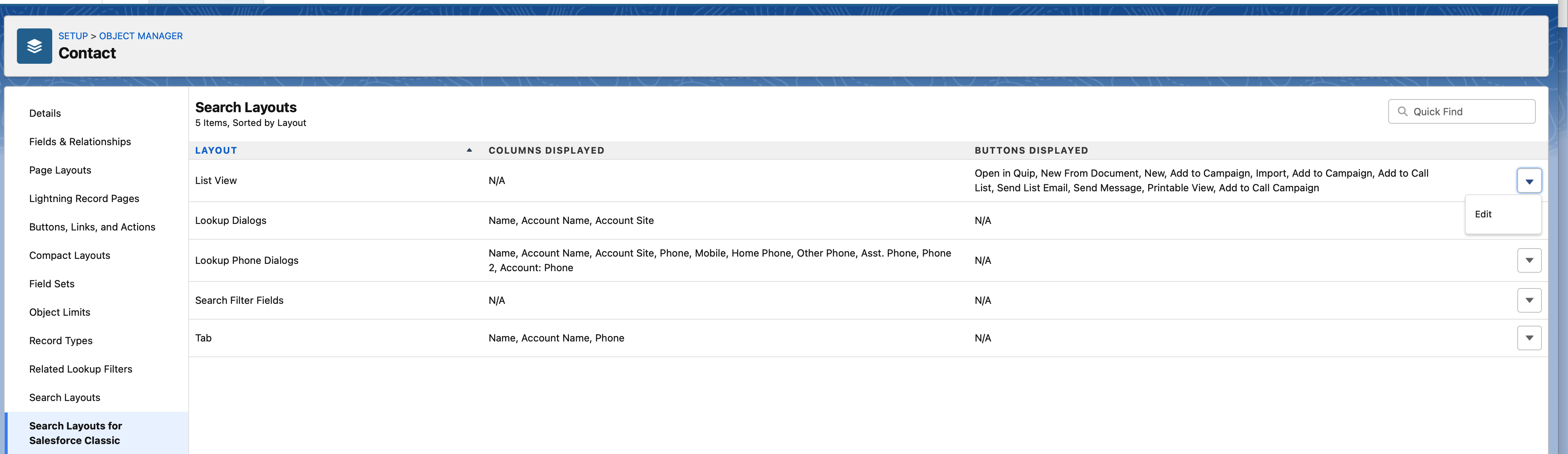
and add the button Add to Call Campaign in the Selected Buttons list.