Check CTI Data Connector SoftPhone
After login in Salesforce you should see the Salesforce CTI Data Connector SoftPhone at the left upper corner of the browser. The CTI Data Connector SoftPhone is only available on the main screens like Home, Lead, Account, Contact or Cases but not in screens like Setup.
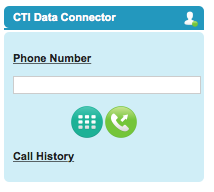
The connection icon must be green In case the icon has red or yellow sign there is a connection problem. Check: Errors - CTI Data Connector SoftPhone / Installation
Using the service cloud, the CTI Data Connector SoftPhone appears at the bottom right corner.
Service Cloud Console - Main Screen
•Check, if CTI Data Connector for Salesforce® is running ( icon at the bottom right - System Tray)
Check list to sort out errors with the CTI Data Connector SoftPhone
For all other errors browse the chapter: Errors - CTI Data Connector SoftPhone / Installation
Quick Test
Test with a mobile phone (the caller ID must be transmitted)