Selections
Selections are the core building blocks in Unaric Segment. They are advanced filters that allow you to:
- Select and filter data from Data Extensions and Data Views
- Apply complex filtering rules and relationships
- Define target Data Extensions for results
- Generate SQL queries that run in Salesforce Marketing Cloud
How it works
Pick or create Selection
Existing selections are available at the Home page. Here you can find Selections that you or your colleagues created. You can edit the existing Selections, copy them, or remove them.
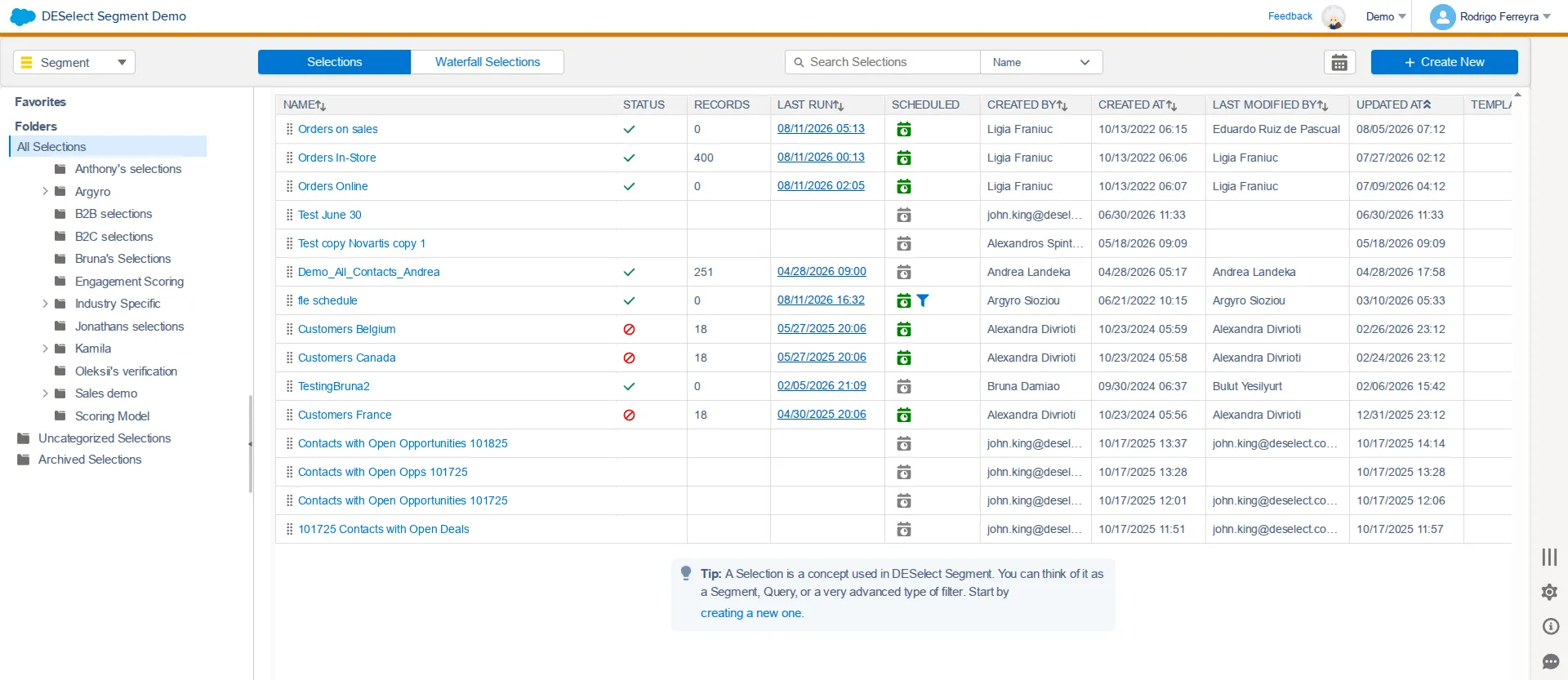
To create a new Selection:
- In the Home page, click the New Selection button.
- Provide a name for your Selection.
- Choose a folder for saving your selection and click Save.
Selection Criteria (Input)
Configure the input data to be segmented. You can provide an alias for your Data Extension or Data View at this moment for convenience purposes (the initial name of the data extension won’t be changed).
- Select your data sourcesData Sources: Drag and drop your input tables (including Standard, Shared, or Synchronized Data Extensions, System Data Views, or predefined Data Sets) from the Available Data Extensions panel to the Selected Data Sources area. You can optionally assign convenient aliases.
- Define relationships between data sourcesDefine relationships: Combine multiple tables by dragging one on top of another to establish SQL-like relationships (such as With Matching or Without Matching).
- Apply FiltersFilters: Drag fields to the Filter section to target specific audiences. You can combine criteria with AND/OR logic or leverage reusable Filter SetsFilter Sets and Behavioral Filter SetsBehavioral Filter Sets.
Target Definition (Output)
Define the output by choosing how data is written to the Target Data Extension.
- Create or choose Target Data ExtensionTarget Data Extension: Select an existing Data Extension or create a new sendable Target DE on-the-fly directly inside Unaric Segment.
- Create advanced Custom Valuescustom Values. These fields help you personalize data on-the-fly, including Fixed Values (static text), Dynamic Values (if/then conditional logic), Aggregations (sums, averages, counts), or Formula Fields (timestamps and date differences).
- Define which fields from your Selected Data Extensions will populate the fields of your Target Data Extension: Use Field MappingField Mapping to drag-and-drop source fields to map them to the Target Data Extension, or click Automap to match them automatically by name and type.
- Handle duplicate records: Set rules with Prio DeduplicationPrio Deduplication to handle duplicate records by selecting a unique field and defining priority criteria (e.g., keeping the order line with the highest quantity).
Preview and run your selection.
- Run PreviewRun Preview: Run a safe simulation of your query. This displays a sample results table in an empty, temporary Data Extension so you can validate joins, columns, filters, and record count before writing to production.
- Run Selection: Once validated, click Run to execute the query and permanently write the results to your actual Target Data Extension in Salesforce Marketing Cloud.
Automation
Leverage Query Activities: After running selections, Query Activities can be integrated directly into broader SFMC workflows.
- Set up Schedule Selections (Optional): Click the scheduling calendar icon on the top bar of your Selection to automate runs (once or recurringly at a specific time, date, and frequency).
- Integrate Journey Builder: Running a Selection automatically generates standard SFMC SQL Query Activities in Automation Studio > Activities > SQL Query > DESelect > Selections that you can easily drag into multi-step Automations.