Prio Deduplication
This feature is available in Unaric Segment Plus and Advanced.
Prio Deduplication allows users to apply smart rules to handle and remove duplicate records based on a unique field. Unlike with SQL's DISTINCT, which allows you to return only unique rows in your results, with deduplication you have control over which duplicate row is removed from the results using rules.
DESelect Segment always runs Prio Deduplication before Sort & Limit to ensure duplicate records are properly removed before the final sample limit is applied.
How it works
It’s possible that a selection you create contains duplicates. For example, when you want to email customers with orders in the last 3 months. In your email, you want to refer to the details of the order. However, it’s possible customers have multiple orders but you don’t want to email the same customer multiple times:
Order Id | Order Value | |
|---|---|---|
O-000134 | 146,26 EUR | |
O-000184 | 27,39 EUR | |
O-000253 | 39,59 EUR |
Order Id | Order Value | |
|---|---|---|
O-000134 | 146,26 EUR |
The SFMC default option is making the email address a Primary Key in your Target Data Extension. However, you’d have no control over which related order is shown. It’d be just the first one in the database.
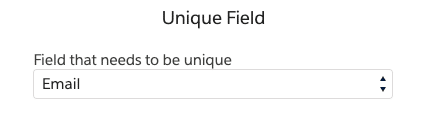
With Prio Deduplication, you can indicate that if one customer has multiple orders, you want to prioritize the one with the highest order value. You can achieve this by indicating that Email needs to be unique, and the field that determines the priority is Order Value, and the record with the highest Order Value gets priority.

Instead of sorting all values of a field to determine the priority, you can also determine and order values manually. For example, when you have a list of contacts with the VAT number of the company they work for. You want to email each company, preferably to the CEO if that role is available, otherwise to a director, and lastly to a manager.
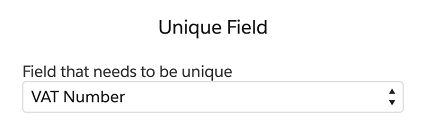
In Unaric Segment, you can do this by indicating that VAT is still the field that needs to be unique (it’s the unique identifier for the company), and the field that determines the priority is Title. You can then define the values for Title you want to use to determine the priority. Records with CEO as Title will get priority, then Director, and if none of those are available for a VAT number, a record with Manager is chosen.

For an example scenario on how to use deduplication, see13. Get the Order Line with the highest Quantity for each Product (basic deduplication)