Presence States
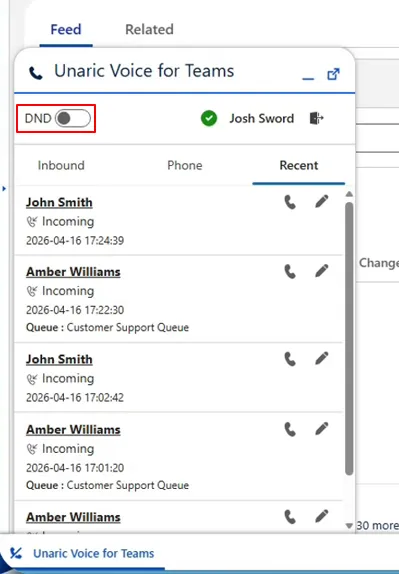
Unaric Voice for Teams synchronizes user availability with Microsoft Teams. However, aside from Do Not Disturb (DnD), you cannot change your presence status directly from the Unaric Voice for Teams; you are obliged to set these from Microsoft Teams.
While presence updates are synchronized automatically, updates may take a few seconds to appear.
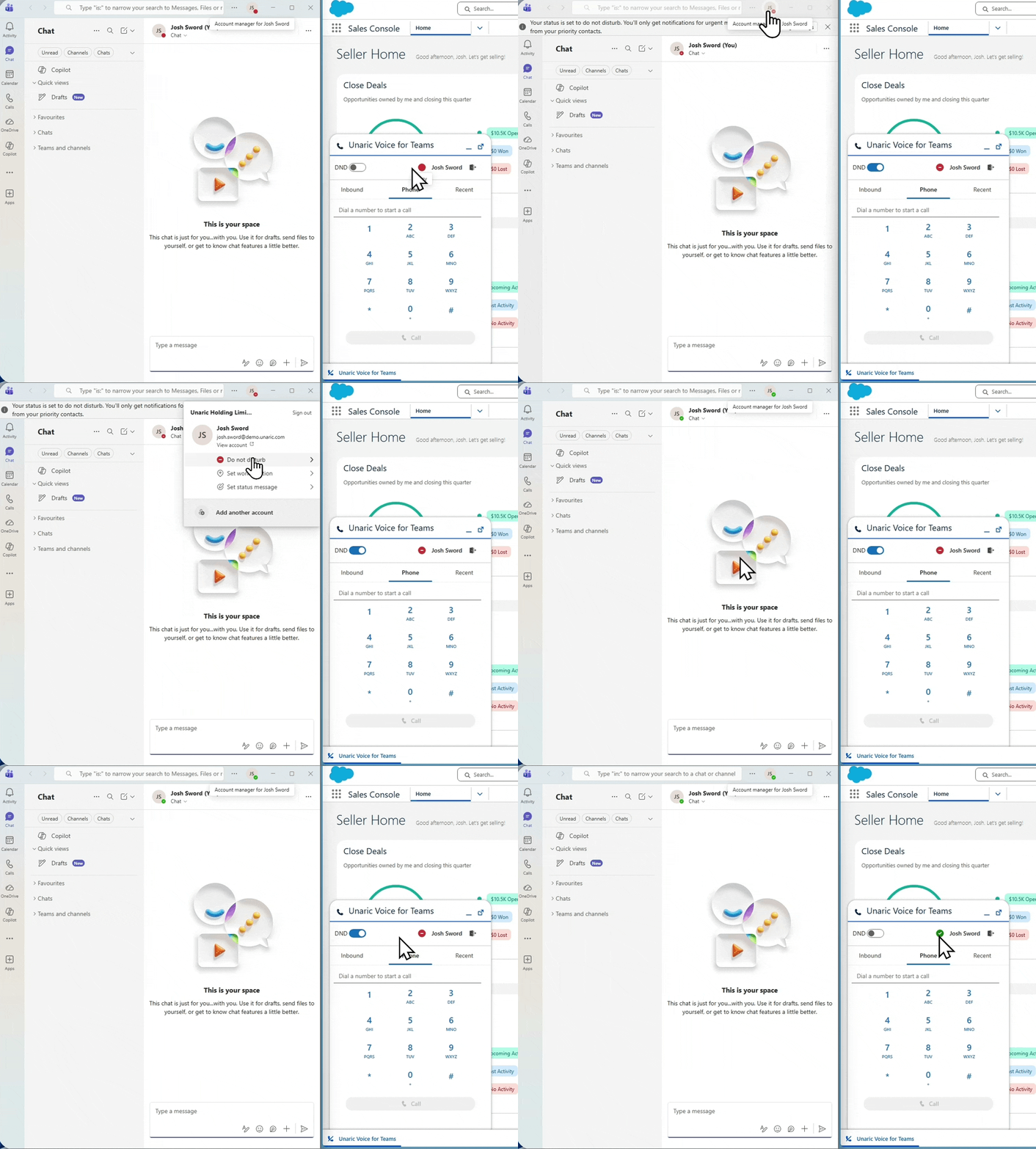
Presence states sync between MS Teams and Unaric Voice for Teams. State changes may take a few seconds to reflect on the other platform.
Do Not Disturb (DnD)
You can enable Do Not Disturb (DnD) to temporarily stop incoming calls.
- Open the Voice for Teams client.
- Toggle on DnD. This immediately updates your status in Microsoft Teams and blocks incoming calls. You can disable this option any time to resume receiving calls.