Receive Calls
Unaric Voice for Teams notifies you when an incoming call is received through Microsoft Teams. You can answer, decline, or ignore calls directly from the Unaric Voice for Teams call notification.
Answer calls
When a call is received, Unaric Voice for Teams displays an incoming call notification.
The incoming call notification pops up in the Voice for Teams client. Available caller information is shown.
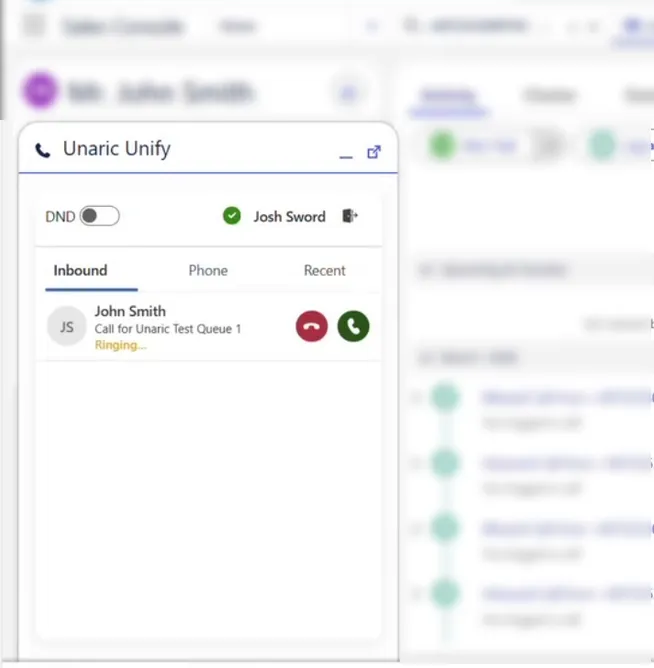
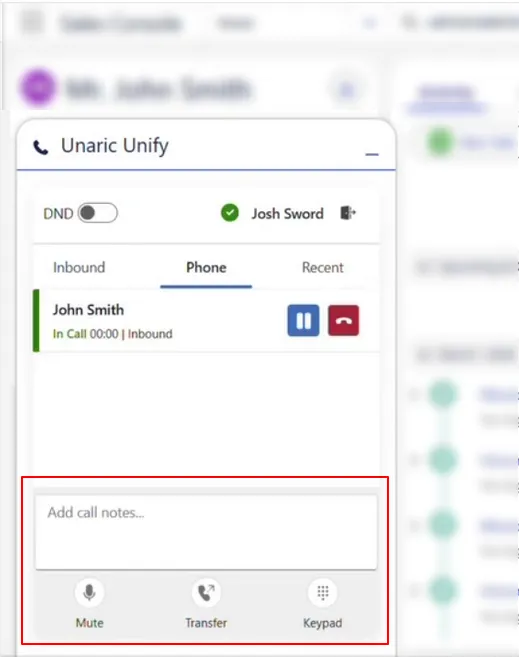
When you click Answer, the call becomes active in the Voice for Teams call panel, where you can manage the call with controls such as hold, mute, and transfer, and add call notes.
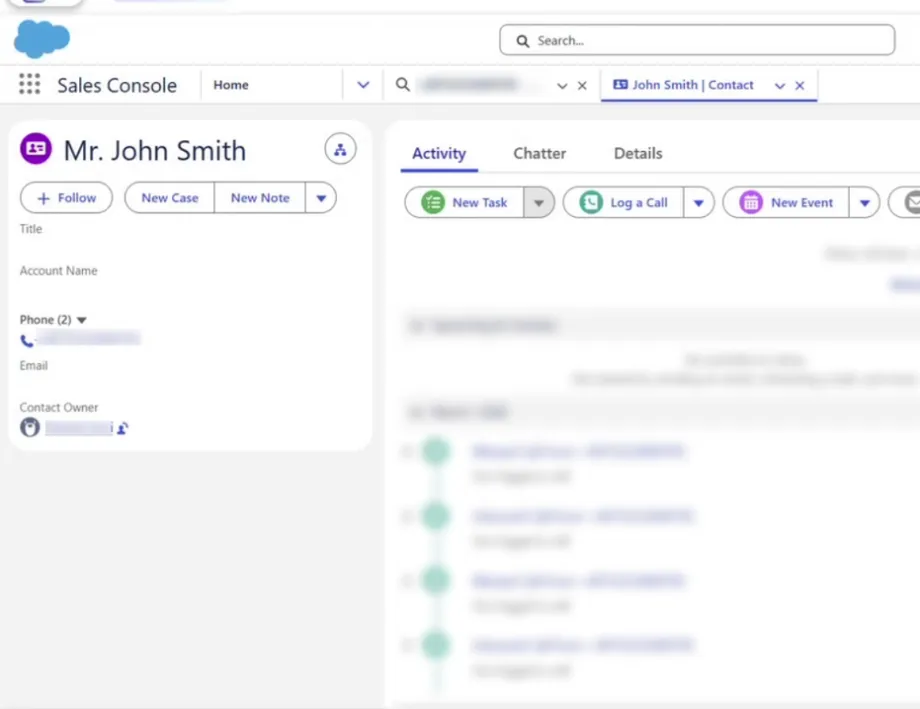
If the phone number matches a record in Salesforce, the associated contact record opens automatically.
Answer calls from Teams call queues
If you are part of a Microsoft Teams call queue, incoming calls from that queue appear in Unaric Voice for Teams.
- Wait for the call queue notification to appear.
- Review the queue name and caller information.
- Click Answer to accept the call. When the call is answered in Unaric Voice for Teams, Microsoft Teams automatically recognizes that the call has been picked up and stops ringing on other devices or clients.
Queue membership and behaviour, such as routing, overflow handling, and timeouts, is configured in Microsoft Teams. Unaric Voice for Teams automatically honours these settings when handling calls. For more information about configuration, visit Microsoft's documentation, Manage your call queue and auto attendant settings in Microsoft Teams.
Decline calls
You can decline or ignore incoming calls if you are unable to answer by clicking the Decline button in the incoming call notification. If you decline a call:
- For direct calls, the caller is typically redirected to voicemail depending on Microsoft Teams settings.
- For call queue calls, declining the call removes the notification for you but the call continues ringing for other available agents.
Ignore calls
If you take no action, the call will continue ringing until it is answered by another agent or handled according to the configured queue settings.