Theme Settings
The Unaric Voice Add-In allows you to change its display theme. Click the theme icon in the top-right corner to open the dropdown menu. The selected theme will be applied immediately.
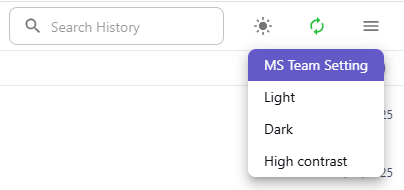
Available theme options
- MS Team Setting – Automatically adapts to the current Microsoft Teams theme
- Light – Bright standard view
- Dark – Dark mode for low-light environments
- High contrast – Enhanced visibility and accessibility