User Presence State
This documentation corresponds to the legacy version of Unaric Voice for Teams. The documentation for the current version is located at Unaric Voice for Teams.
User presence states display your current availability status for contacts in your phone book. Depending on your presence state, different calling rules will be enforced.
- Some MS-Teams presence states can be set manually, while others are automatically set by the application.
- App configured presence state like Presenting, In a Call, or In a Meeting are shown in Salesforce, but can not be selected in Salesforce or in MS-Teams.
- If you are using the Unaric Voice Teams Connector Service, some presence states are automatically set by Outlook (e.g. Out of Office).
For thorough information on MS Teams user presence states, see Microsoft's documentation, User presence in Teams.
Presence state synchronization
The Unaric Voice integration synchronizes your presence state between Salesforce and Microsoft Teams.
Presence state synchronization takes a few seconds. As such, for short calls, you might notice states are not synchronized. However, after a short delay, both systems will align automatically.
If presence states are not in sync, select Logout and then set your status to Available in the Unaric Voice SoftPhone to trigger synchronization.
If you are away for a long time from your computer, logout from the Unaric Voice SoftPhone or from Salesforce. Otherwise, there can be issues with calls because they would still be signalled in Salesforce and handled by the bot.
Presence state icons
Icon | Presence State |
|---|---|
🟢 | Available / Online |
🟡 | Away |
⛔ | Do Not Disturb, Presenting, Focusing |
🔴 | Busy, On a Call, Ring |
| Presence state is disabled, unknown or user does not have an Unaric Voice licence |
❌ | Logout, Offline, Offline / Outbound possible |
| Out of office, Available - Out of Office.* |
⭕️ | Busy - Out of office |
* Available - Out of Office appears as status when Out of Office is enabled but your MS Teams app is open and active.
Calls signalling
Inbound calls will not be signalled if the presence state is ⛔ (Do Not Disturb, Presenting, or Focusing). If the system sets (Out of Office), calls will still get signalled. You can manually set a presence state like Do Not Disturb, which would then show as Do Not Disturb, Out Of Office. In Salesforce, it will only show Do Not Disturb.
Incoming calls during an active call
If you are already on a call and someone dials your direct extension, you will still receive a notification for the new incoming call. The only exceptions are when your Microsoft Teams presence is set to Do Not Disturb or Presenting. In those cases, no new incoming call will be signalled.
The second call will be handled by the answering rules.
Logout state
You might choose to log out if you are away for a long time from your computer. Selecting Logout removes the Salesforce connection, and you can use MS-Teams without the Salesforce integration.
If you select the Logout presence state in Salesforce, calls from MS-Teams will no longer be signalled in Salesforce. Inbound calls will directly go to the MS-Teams App, and the answering rules configured in the MS-Teams App will be used without considering the configured answering rules.
Likewise, after logout, missed calls are not protocoled in Salesforce.
The top-right corner ❎ icon indicates there is no connection to MS-Teams.
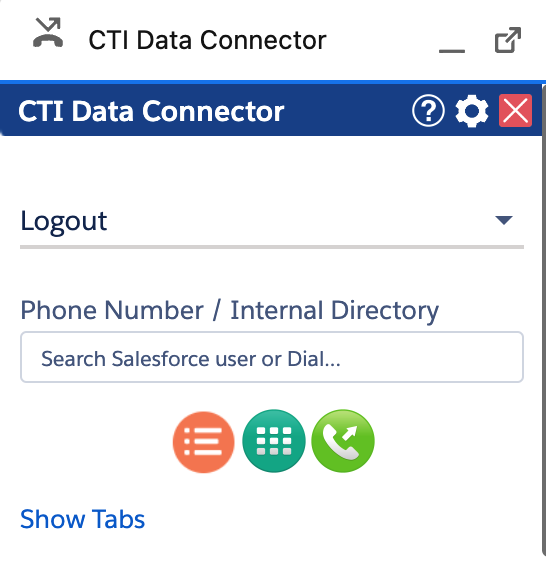
The presence state is configured in the Call Center - Presence State
Presence state synchronization
The presence state can be synchronized from Salesforce to MS Teams and vice versa. This is useful to prevent an incoming MS Teams call during a phone call and show the MS-Teams presence state in the Live Agent Dashboard for all users.
If your telephone system also offers MS Teams presence status synchronization (e.g. Swyx, 3CX, Webex Calling), the presence status can be changed from Salesforce to MS Teams to the telephone system and is thus always identical.
Presence state synchronization applies to the following connectors:
- TAPI
- GoConnect Server
- Go Integrator and Webex Calling
- Mirage MIA Phone
- 3CX
There is a 3 to 7 seconds delay until the presence state update is shown either in the Unaric Voice SoftPhone or MS Teams App.
Presence state in queues
The presence state logic for queues depends, if presence-based routing is enabled in the queue.
Calls will be signalled in the following presence states
- Available
- Be Right Back
- Busy
- Busy - Out of Office
- Available - Out of Office
- Offline
- Away
- Out Of Office
Direct extension calls will be signalled even if you are on a call.