ScreenPop
Starting a call in Omni-Channel (inbound and outbound) automatically pops up two records:
- The Voice Call record for the call
- The Contact or Account record matching the caller number.
You can view and edit these records during and after the call.
In case of duplicates, the last modified Contact or Account matching the phone number is chosen to pop up.
Change the matched record
- Open the call Voice Call record.
- Edit the Related Record field.
- Select the record under Related Record. Use the dropdown to select the object.
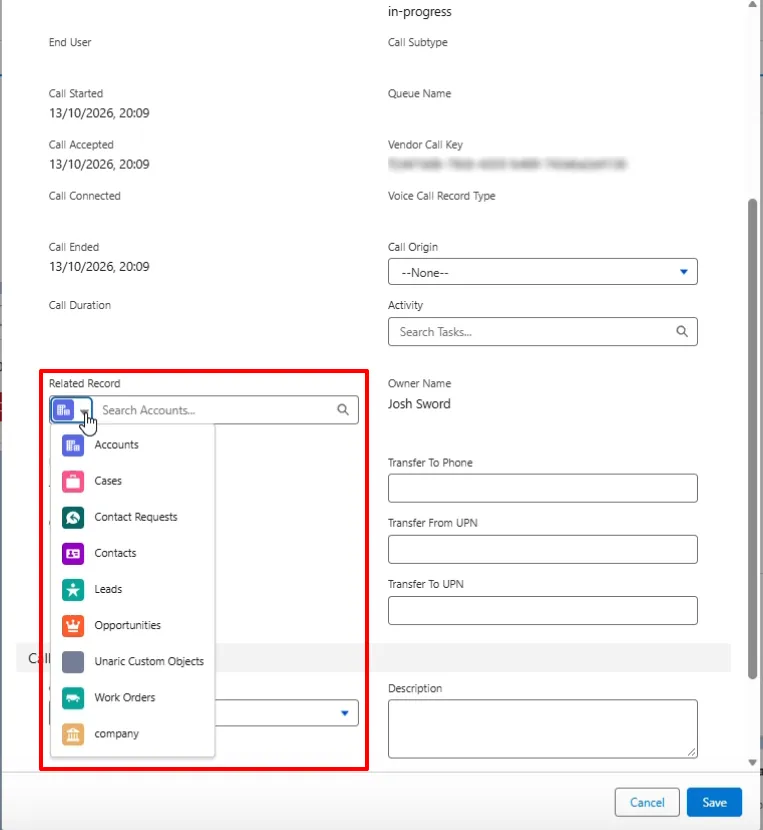
- Click Save to finish.