Live Sync Status
Monitor your emails, calendar events, and contacts synchronization status from the Connections page.
How it works
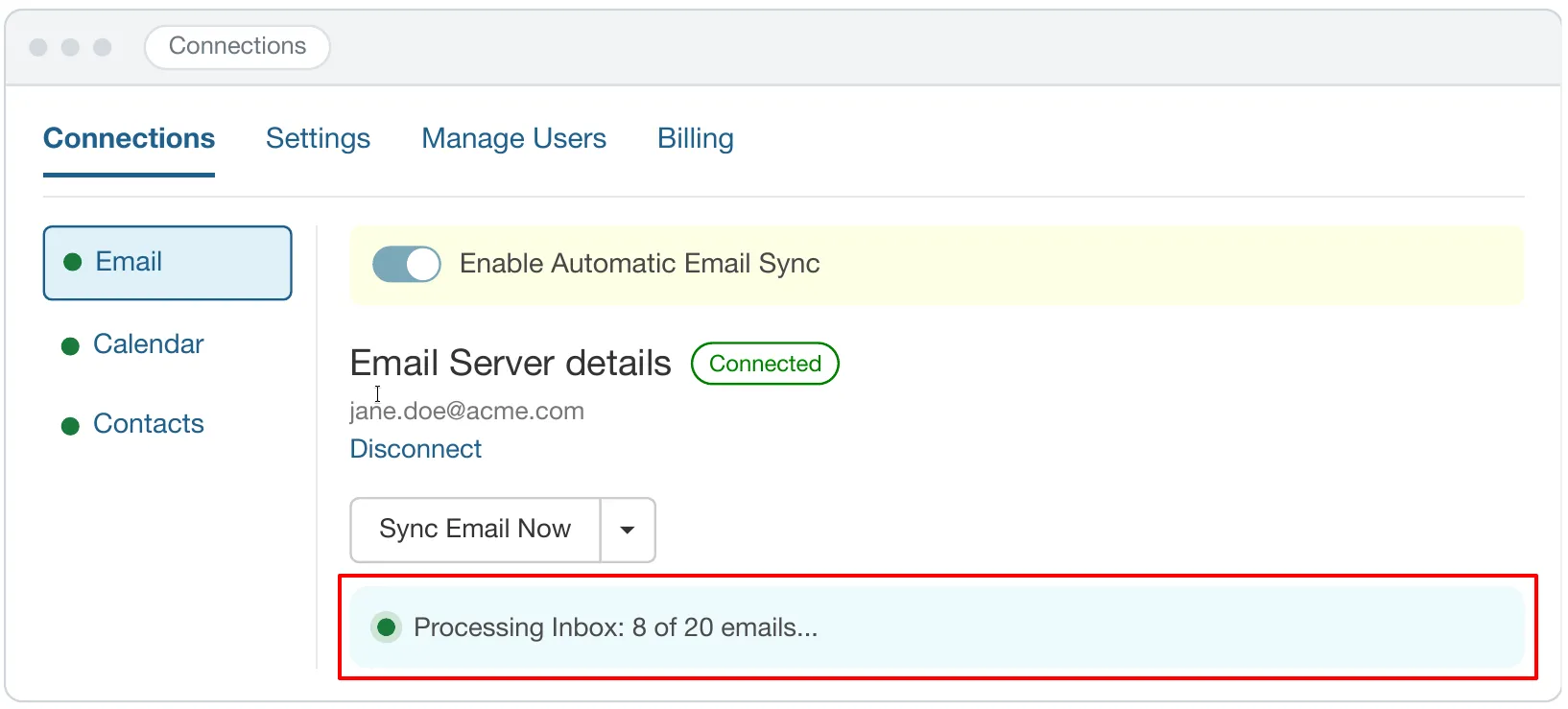
On the Connections page, each sync tab (Email, Calendar, and Contacts) features a live status bar located directly below the Sync Now button. This bar displays the active state of your sync and updates automatically.
Sync states
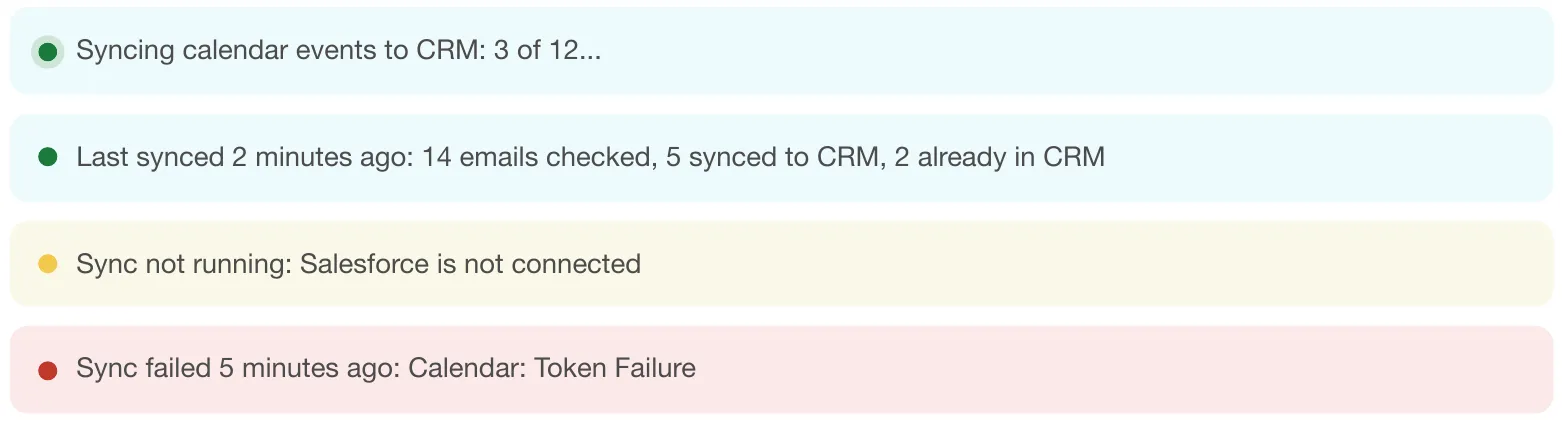
The status bar displays one of four distinct states based on the current sync condition:
- Syncing: Displays real-time progress text while synchronization is in progress (for example, Processing Inbox: 8 of 20 emails... or Syncing calendar events to CRM: 3 of 12...).
- Last synced: Shows the elapsed time since the last successful sync along with detailed record metrics (for example, Last synced 2 minutes ago: 14 emails checked, 5 synced to CRM, 2 already in CRM).
- Sync not running: Indicates that automatic sync is inactive and provides the specific reason (for example, Sync not running: Salesforce is not connected).
- Sync failed: Displays the time of failure alongside the exact error detail (for example, Sync failed 5 minutes ago: Calendar: Token Failure).