Dashboards
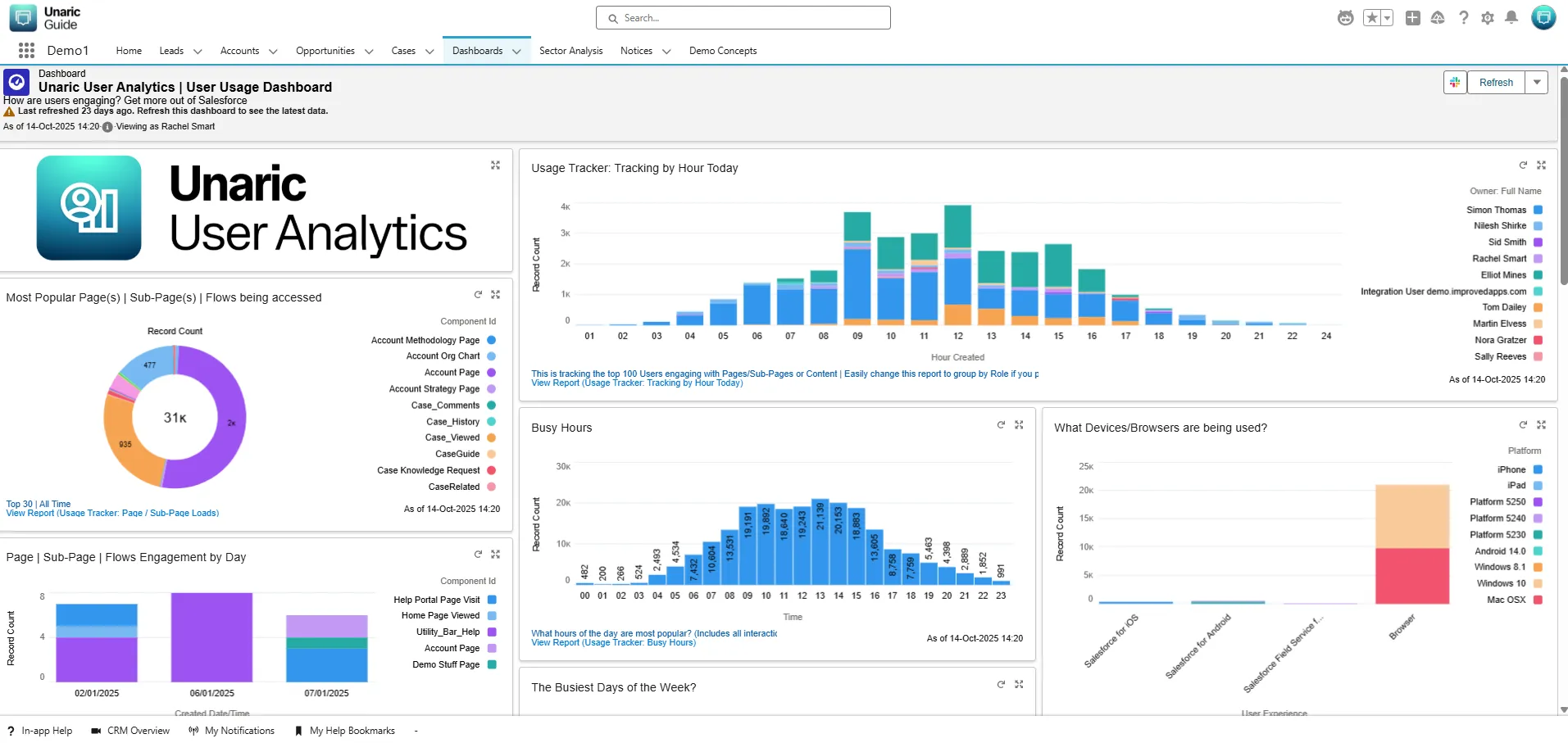
Preconfigured reports and dashboards let you track help usage across the entire organization. The main dashboard provided is Unaric User Analytics | User Usage Dashboard.
This dashboard includes:
- Top Viewed, Pages, Sub-pages, Reports & Dashboards, Knowledge Articles, Flows
- Pages or days and times with low engagement
- Breakdown of user activity by object
- Most active users/roles
You can also build custom Salesforce reports using the Help Interaction object and bring in data from other Objects. This allows you to filter by any field you choose in your custom report.
Available dashboards
Dashboard Name | Description |
|---|---|
Unaric Voice & Teams – User Analytics Dashboard | Provides detailed agent activity tracking for Unaric Voice and Unaric Voice for MS Teams. |
Improved Apps | TRACK | Usage Tracker Dashboard | Measures user engagement across Salesforce pages using Position Detector components, supporting analysis of user behaviour in standard apps, Experience Cloud, and mobile environments. |
Unaric User Analytics | Adoption Scorecard Dashboard | Provides a consolidated view of Salesforce adoption levels, helping identify overall usage performance, highlight areas requiring attention, and benchmark adoption against defined thresholds. |
View all interactions from multiple orgs in a single dashboard
It is possible to view interactions from multiple orgs in a single dashboard. We recommend using a BI tool like Tableau, Power BI, or BusinessObjects. You need to connect each org’s Help Interaction object to your chosen tool, and you’ll have a unified view of engagement across all orgs.