Scan & Create Asset
This feature provides a mobile-friendly way to scan a barcode or QR code and create or update Asset records in Salesforce. Powered by a Salesforce Flow, it allows you to guide users through scanning, reviewing, and saving asset data in a streamlined experience. The included Flow is delivered as a template that can be cloned and customized to fit your requirements.
How It works
Open the Scan & Create Asset page in the Salesforce mobile app.
Scan a barcode or QR code using your device camera. Unaric Scan will check for an existing Asset record:
- If a match is found → the record can be updated
- If no match is found → a new record is created
Review and complete any required fields and save the record.
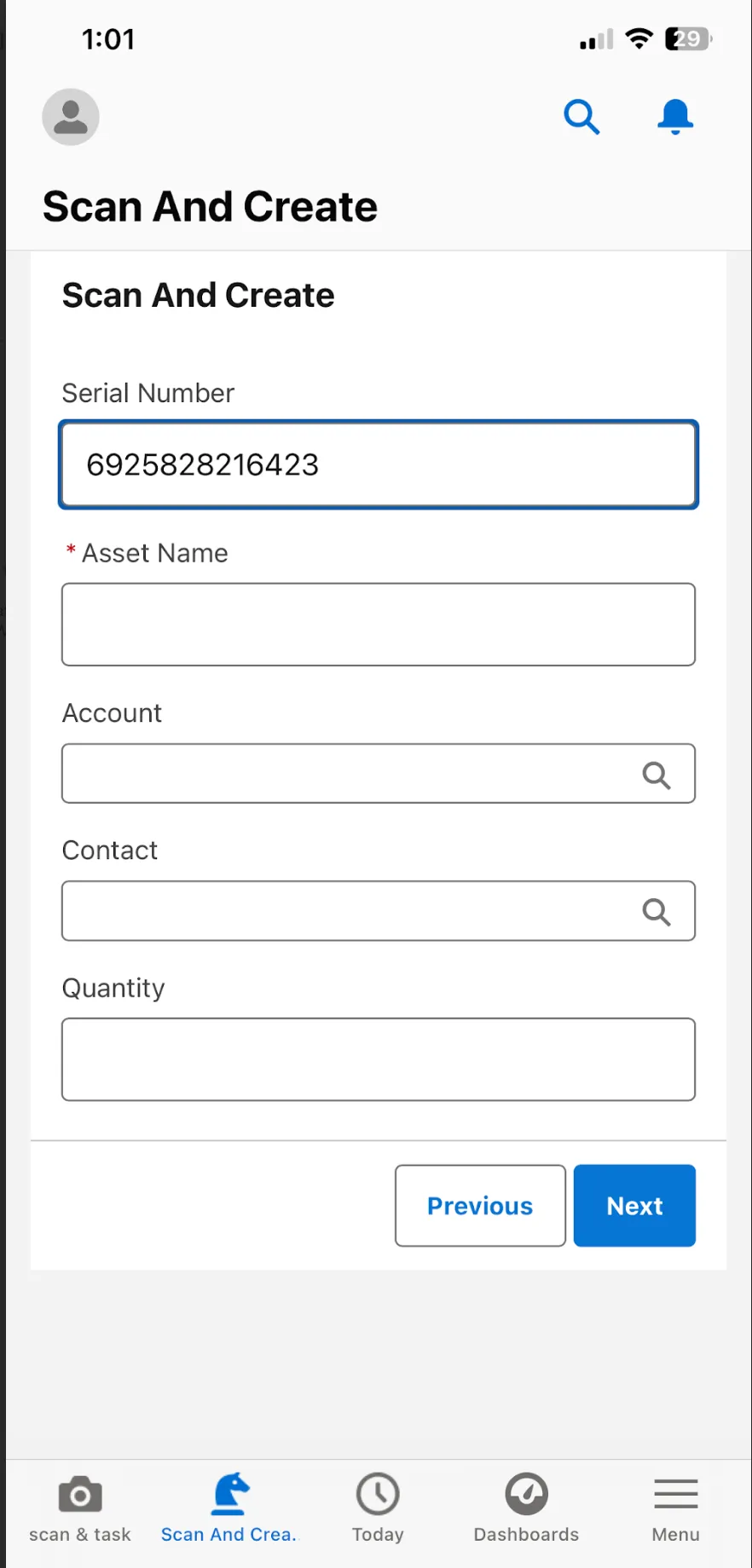
Setup
To set up this feature, you need to activate the page Scan & Create Asset under the Lightning App Builder and add to your mobile navigation.
- Go to Setup
- Navigate to User Interface > Lightning App Builder.
- Open the Scan And Create flow component.
- Click Activate.
- Open the Mobile Navigation tab and click the Add page to app button. Move the component to your prefer location within the navigation menu.
- Click Save. Once configured, the page will be available in the Salesforce mobile app.
Customization
Since this feature is built using a Flow template, you can adapt it to your requirements.
- Go to Setup > Process Automation > Flows.
- Open the ScanAndCreate Flow.
- Click Save As New Flow. Provide a Flow Label and API Name and click Save.
- Modify the Flow to your preference. You can customize:
- Fields shown on screen
- Required vs optional inputs
- Matching logic (e.g., Serial Number, Asset Tag)
- Conditions for creating vs updating records
- Click Save to finish.