Print Visitor Tags
You can print visitor tags directly from the Contact record. This print job is available in two versions, which can be cloned and modified as required.
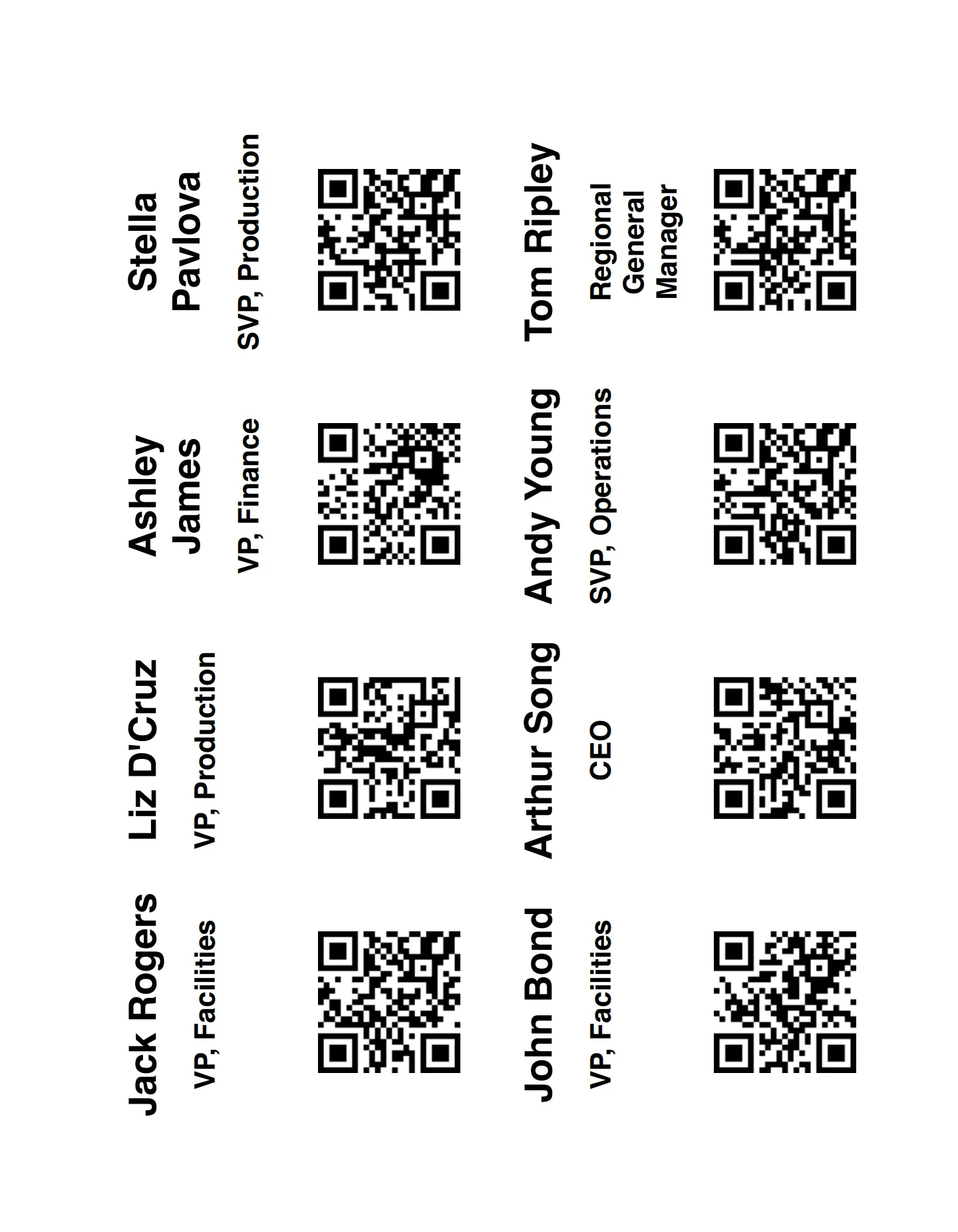
You have two options for printing visitor tags against the Contact record:
- The default version, PrintVisitorTagsContact, prints the tags at 4" (W) × 3" (H).
- Alternatively, PrintVisitorTagsContact2 prints the tags at 3.5" (W) × 2.25" (H).
These represent standard Avery printer paper layouts for visitors tags you can purchase from Avery directly or retailers like Amazon.

To change the printing tag format:
- Go to Setup > Objects and Fields > Object Manager.
- Select the Contact object.
- Open the Buttons, Links, and Actions tab and find the Print Visitor Tags button. Click Edit.
- In content, select the version you prefer (PrintVisitorTagsContactor PrintVisitorTagsContact2).
- Click Save to finish.
Setup
The Print Visitors Tag button needs to be added to the Contact tab list view.
- Go to Setup > Objects and Fields > Object Manager.
- Select the Contact object.
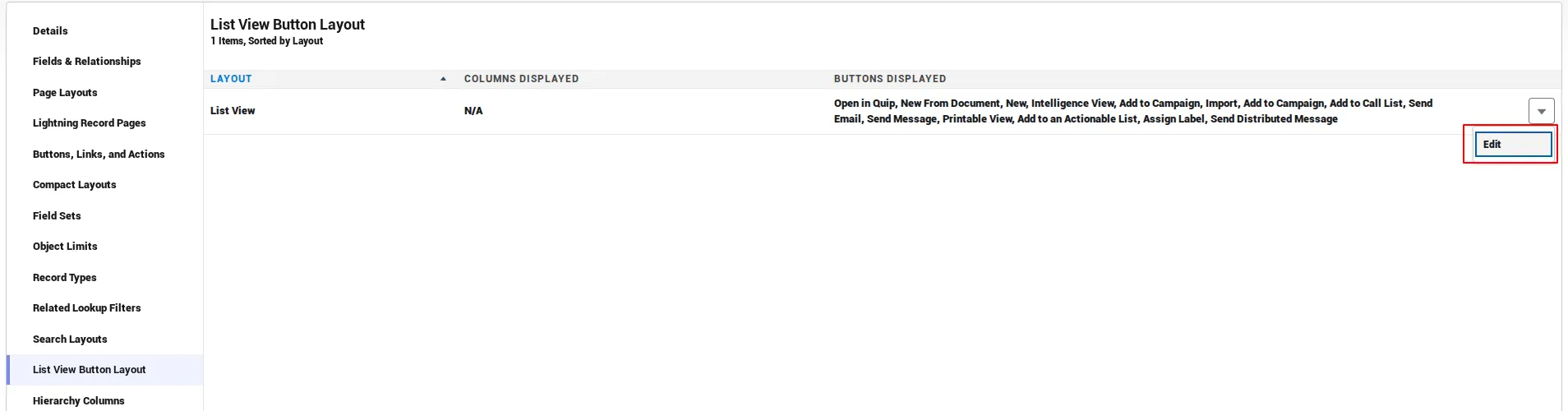
- Open the List View Button Layout and click Edit on the List View layout.
- Under Custom Buttons, add Print Visitor Tags to Selected Buttons.
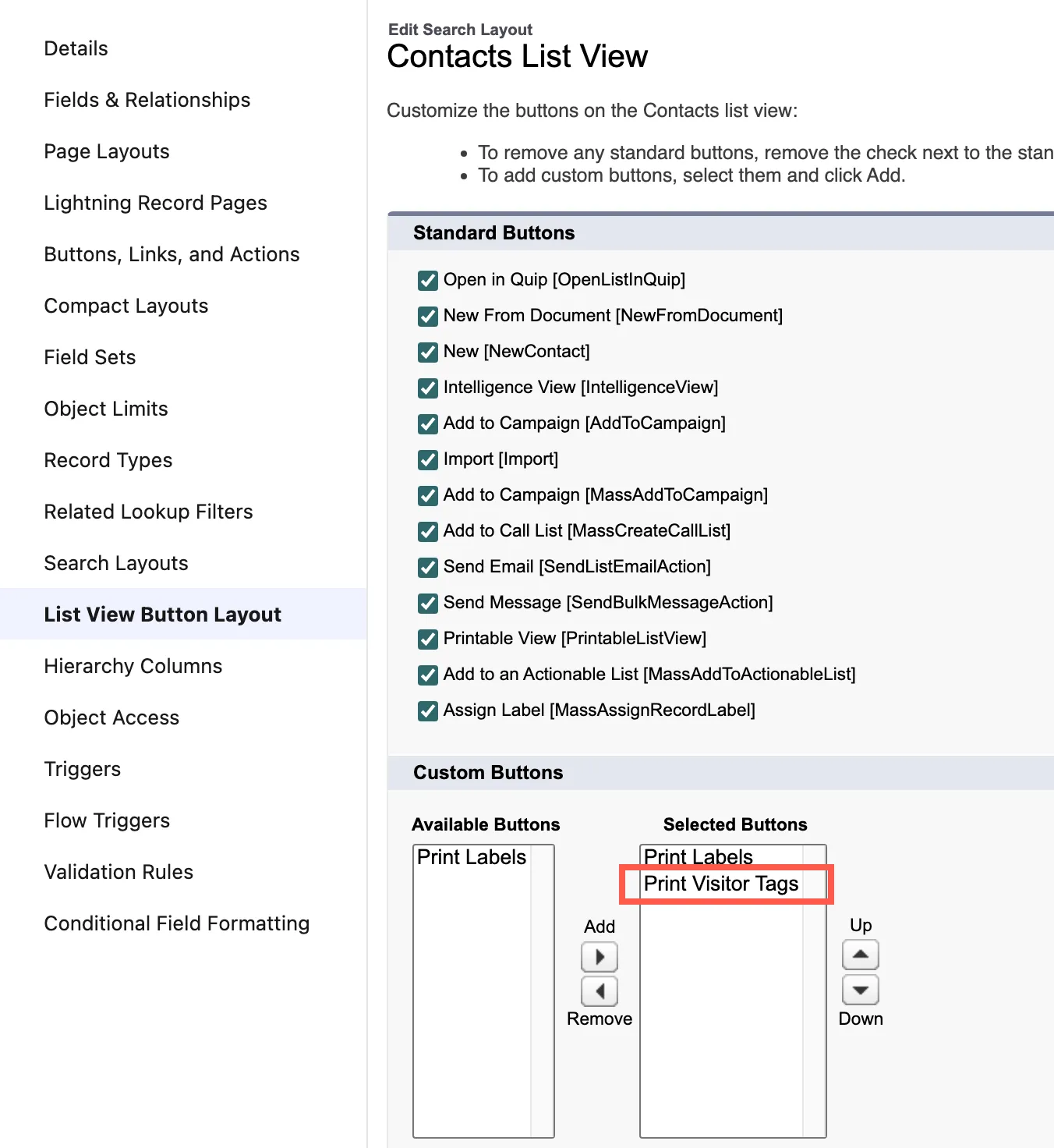
- Click Save to finish.
Enable dashes
If you would like to enable dashes around the visitor tags for easy printing, you can clone any of the two Visualforce pages and remove the /* text from the line below:
/* outline: 1px dashed; style for testing */
Print visitor tags
- Open the Contacts tab.
- Use the checkboxes to select contacts.
- Click Print Visitor Tags in the action menu.
- In the print dialog, choose to print immediately, save as PDF, or use other browser-supported options.