Source Reports
Include multiple reports in a single document using Source Reports
Report aliasing
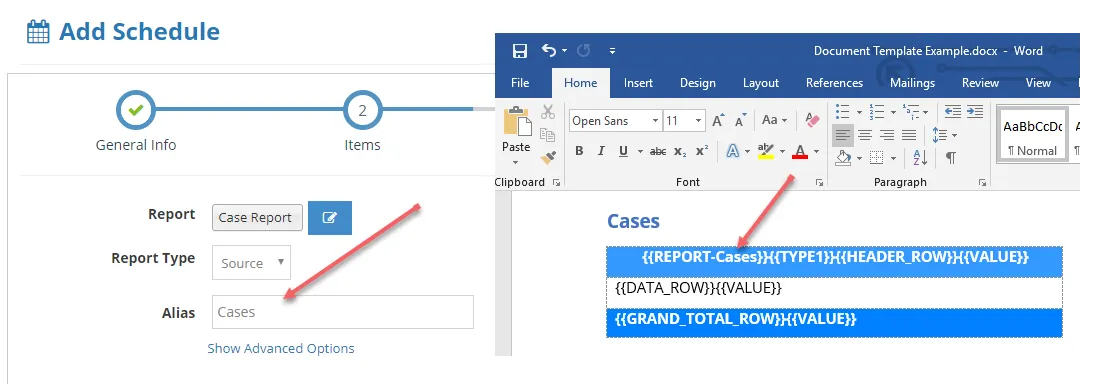
Report aliasing enables you to include multiple reports in a single document. To use this feature, add the token {{REPORT-ALIAS}} as the first token in the row where you use the table type variable (see the Report Templates Help Docs page for more detail on table types). You can use any alias you like, it just has to match the alias you set up the Source report on your Solution:
Salesforce formatted report aliasing (Excel document templates only)
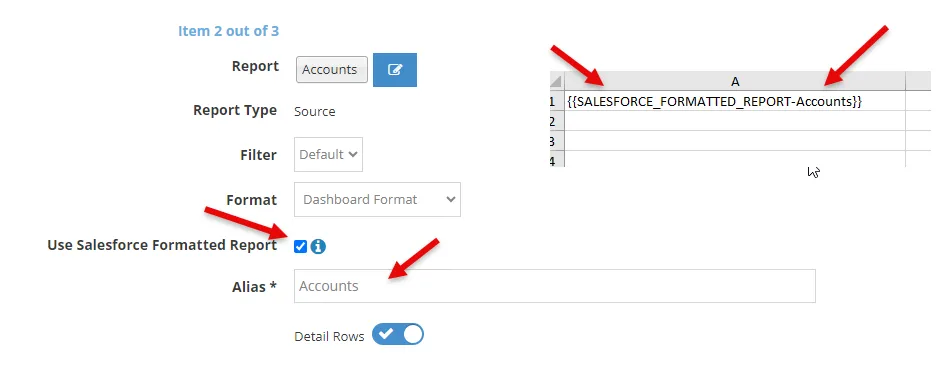
If you would like to bring in the Salesforce formatted report, you can use the token {{SALESFORCE_FORMATTED_REPORT-ALIAS}} as the first cell of your Excel Document Template. This makes the template easier to set up because you don't have to bring in all the other tokens such as {{HEADER_ROW}}, {{DATA_ROW}}, etc. However, this means you have less control over the styles and formatting because the report is brought in as is with the default Salesforce format (although page size and page orientation are brought in from your template). Again, you can use any alias you like, it just has to match the alias you set up the Source report on your Solution:
Metric headers
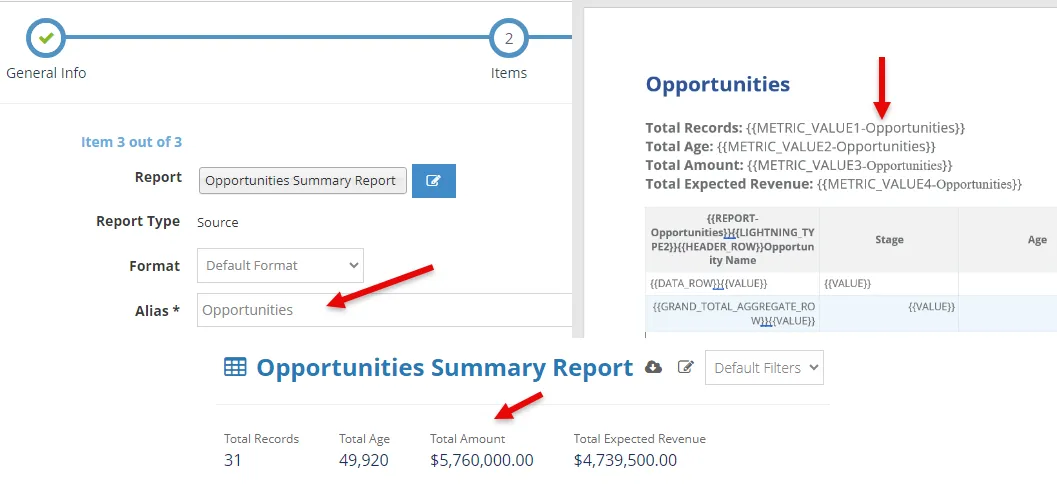
Metric header aliasing enables you include the metric header label and values. To include, you add a token for each of the metric header label and value you wish to include.
{{METRIC_LABEL#-ALIAS}}
This will be the label for the metric header such as 'Total Records'. The # is the metric header index from left to right starting with 1. For example, {{METRIC_LABEL1-ALIAS}}, {{METRIC_LABEL2-ALIAS}}, etc.
{{METRIC_VALUE#-ALIAS}}
This will be the value for the metric header such as '11'. Again the # is the metric header index from left to right starting with 1. For example, {{METRIC_VALUE1-ALIAS}}, {{METRIC_VALUE2-ALIAS}}, etc.