Dashboards
Dashboards combine multiple reports into a single visual view, allowing you to monitor data from Salesforce and external sources like Google Analytics, Stripe, or ServiceNow.
- Customizable: You can add and design elements like horizontal bar charts, gauge charts, and tables using a custom builder.
- Flexible: The interface allows you to drag and resize components to create a personalized layout.
- Accessible: Dashboards can be scheduled to be sent via email, downloaded, or shared through solutions just like reports.
Like reports, you can create regular Salesforce dashboards or Custom Dashboards with expanded capabilities.
Unaric Reports supports the following chart types:
- Horizontal & Vertical Bar
- Stacked Horizontal & Stacked Vertical Bar
- Line
- Area
- Pie & Donut
- Funnel
- Gauge
- Metric
- Table
Custom dashboard
Custom dashboards differ from standard Salesforce dashboards primarily through their flexibility in data sources and design:
- Multi-source integration: While Salesforce dashboards are limited to Salesforce data, custom dashboards can combine reports from multiple data sources—such as Google Analytics, Stripe, ServiceNow, or SI grid—into a single view.
- Flexible layout and design: The custom dashboard builder allows you to freely drag and stretch components to size and place them exactly where you want them, rather than being restricted to a fixed grid.
- Advanced visualisations: You can create a variety of components, including gauge charts, stacked horizontal bar charts, and detailed tables, all within the same interface.
- Automated delivery: Just like reports, these custom dashboards can be scheduled via solutions to be emailed or saved to cloud storage automatically.
Create custom dashboard
- On Unaric Reports, navigate to Dashboards and click Add.
- The first step in adding a dashboard is to give a descriptive name, then, an optional detailed description. After that, click Save.
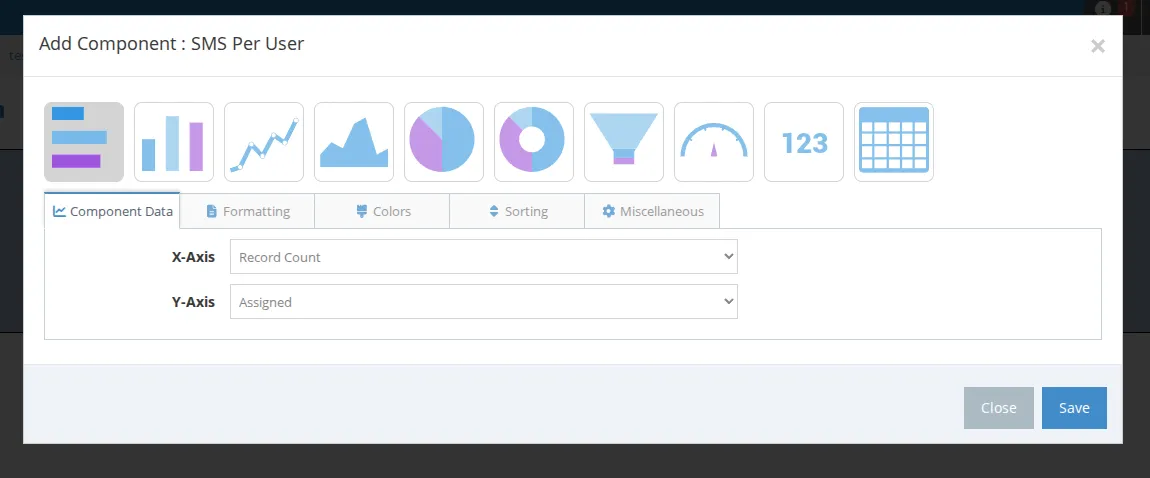
- Click Add Component. A modal will pop-up and you will select a report.
- Configure how you want your dashboard to appear, including chart type, component data, formatting, colours, sorting, and miscellaneous options. Available customisation options will depend on the chosen chart. Once you finish editing, click Save.
- Hover over components and drag them around the screen. Drag from the bottom right corner to resize them.
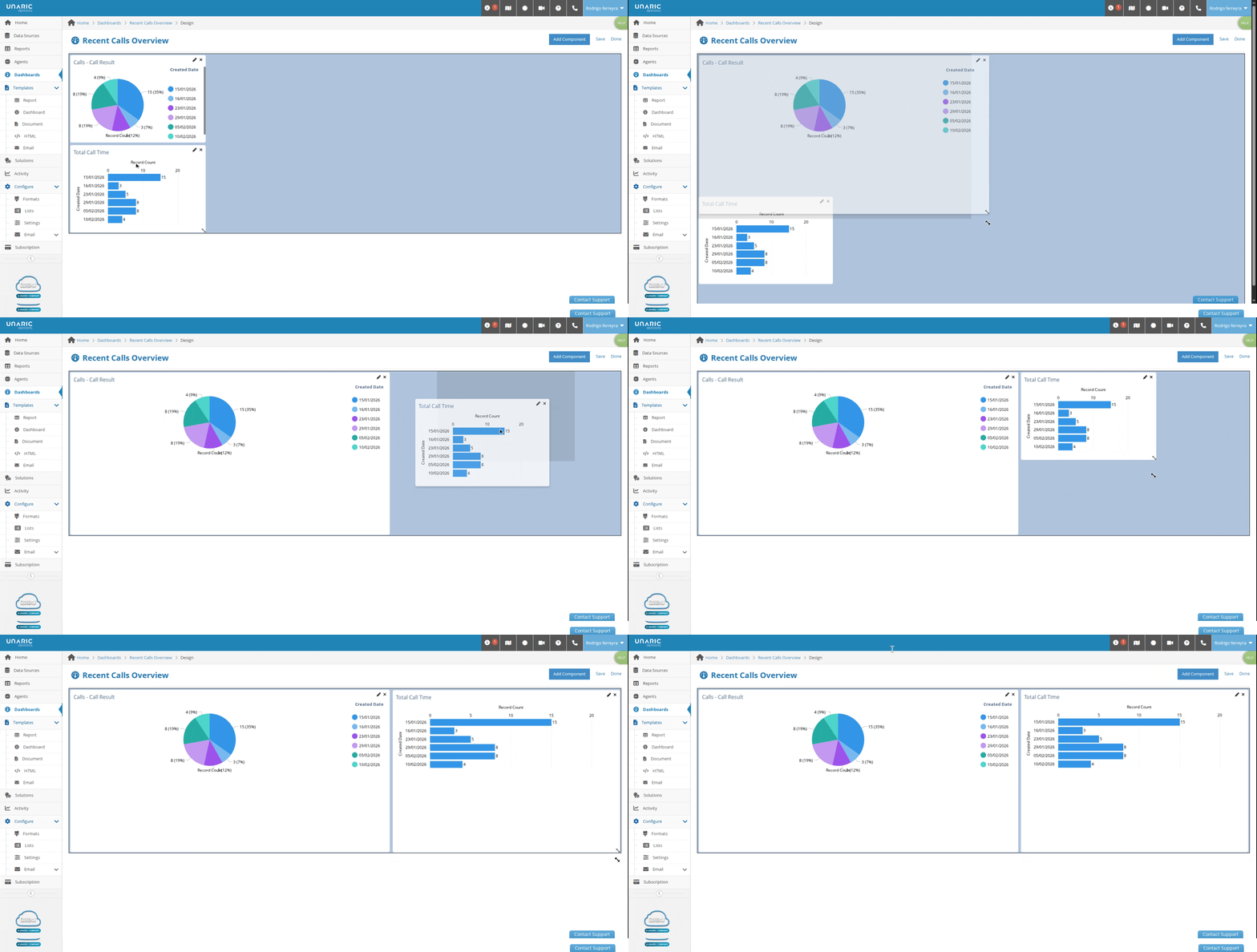
- When you finish editing your dashboard and components, click Done to return to the Dashboard Run page.
Run dashboard
On the Dashboard page, click Run to view and share the results of the dashboard. From this page, you can further customise the format.
Use Formats to customise the output of your reports. You can set up as many formats as you like and will often want to do so for different types / sizes of reports. For example, you may have a format for a smaller report where you use the letter page size and portrait orientation. Then you may want one for a larger report where you use legal page size and landscape orientation. When downloading, emailing, or setting up a solution, you can select the Format.