Data Sources
You can make custom reports using any configured data source. You can aggregate data from multiple sources into a unified reporting framework and use AI to identify trends, patterns, and anomalies across different data sets.
Available data sources
- Access
- Amazon DynamoDB
- CSV
- Docusign
- Excel
- Google Analytics
- Google Sheets
- HubSpot
- JIRA
- JSON
- MailChimp
- MariaDB
- Microsoft Teams
- Monday.com
- MongoDB
- MySQL
- NetSuite
- PostgreSQL
- QuickBooks Online
- REST
- Salesforce
- Salesforce Marketing Cloud
- SendGrid
- Slack
- SQL Server
- Stripe
- Twilio
- XML
Thanks to our partnership with cdata, we can integrate hundreds of data sources. If your data source is missing, submit a request to add it.
Add data source
- Navigate to Data Sources.
- Click the Add button.
- Select your data source from the list and click Next.
- Provide a name and description (optional) for the data source and click Next.
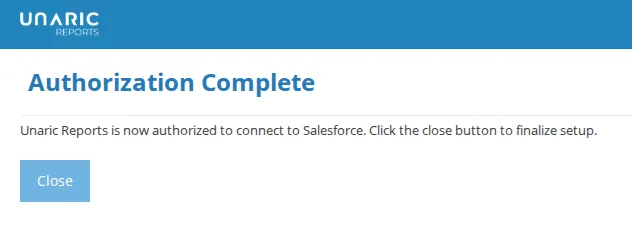
- Click Authorize to be redirected to the data source website and grant access to Unaric Reports. A confirmation message will appear once the authorization is successful..
- Click Finish to complete setting up the data source.
Test data source
- Navigate to Data Sources.
- Open the data source.
- Click Test. A pop-up will let you know if the connection was successful.
Add custom report
- Navigate to Data Sources.
- In the Actions column next to your data source, click Add Report (+ icon). Alternatively, you can open the data source and click the Report button directly.
- Provide a name, description (optional), and data source and click Next.