Getting Started
Install Unaric ACI by adding its component to Contacts and Leads pages.
1. Pre-requisites
ACI requires that you're running Unaric Unify (Client CTI) version 1.3 or later.
2. Install the Unaric ACI package
Request the Unaric ACI package to your onboarding manager, CSM, or to Unaric support at [email protected].
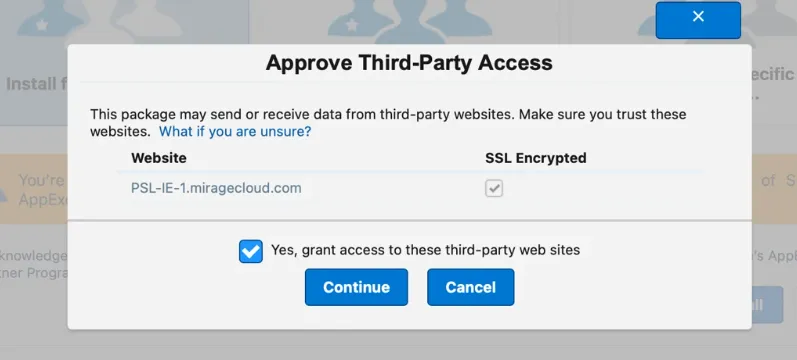
During installation, Salesforce will prompt you to Approve Third-Party Access ("Grant access to third-party web sites"). This authorizes the remote site setting required by Unaric to query and display external Microsoft Teams presence statuses in Salesforce. Check the box and click Continue.
Once the installation completes, you can verify that you are running the latest version by navigating to Settings\Apps\Packaging\Installed Packages within Salesforce, and ensuring that you have both Unify (v1.3 or later) and the separate Unaric ACI package:

3. Add the Component
Unaric ACI can only be added to the Contacts and Leads pages.
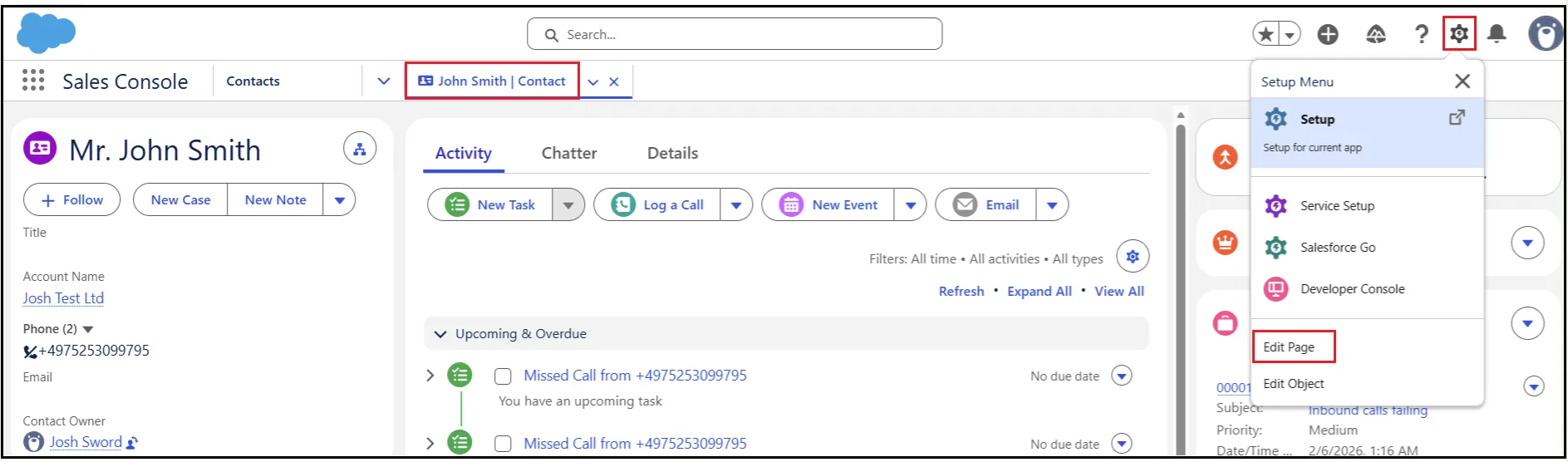
- Open a Contact or Lead record in Salesforce. Within this page, click the Gear icon cog in the top right corner and select Edit Page.
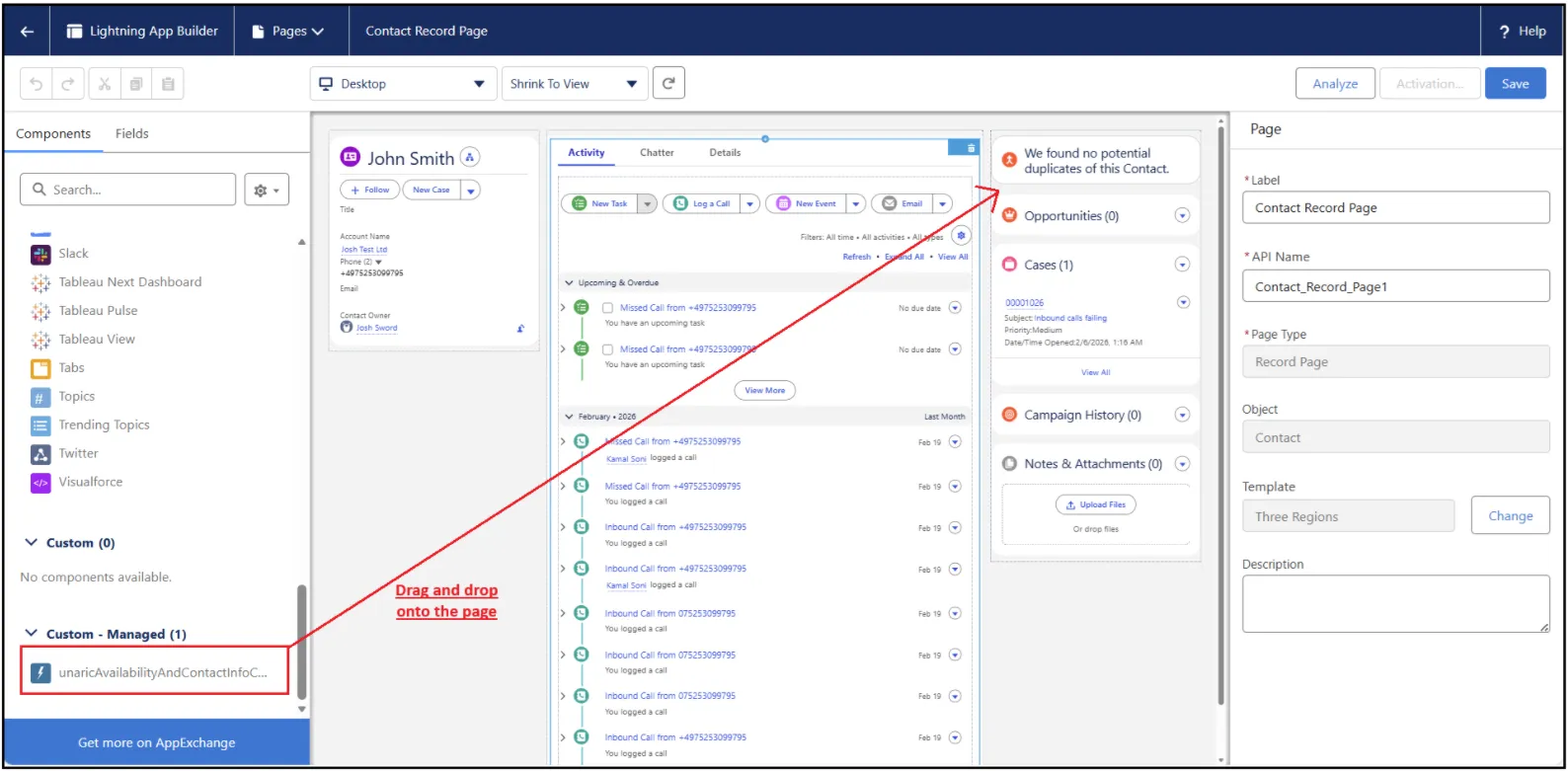
- You will now see the Lightning App Builder page. On the Components panel, scroll down to Custom - Managed and drag and drop the unaricAvailabbilityAndContactInfoComp component where you consider more fitting. We recommend placing it in the top right corner.
- Once you are satisfied with the location of the component, click Save.
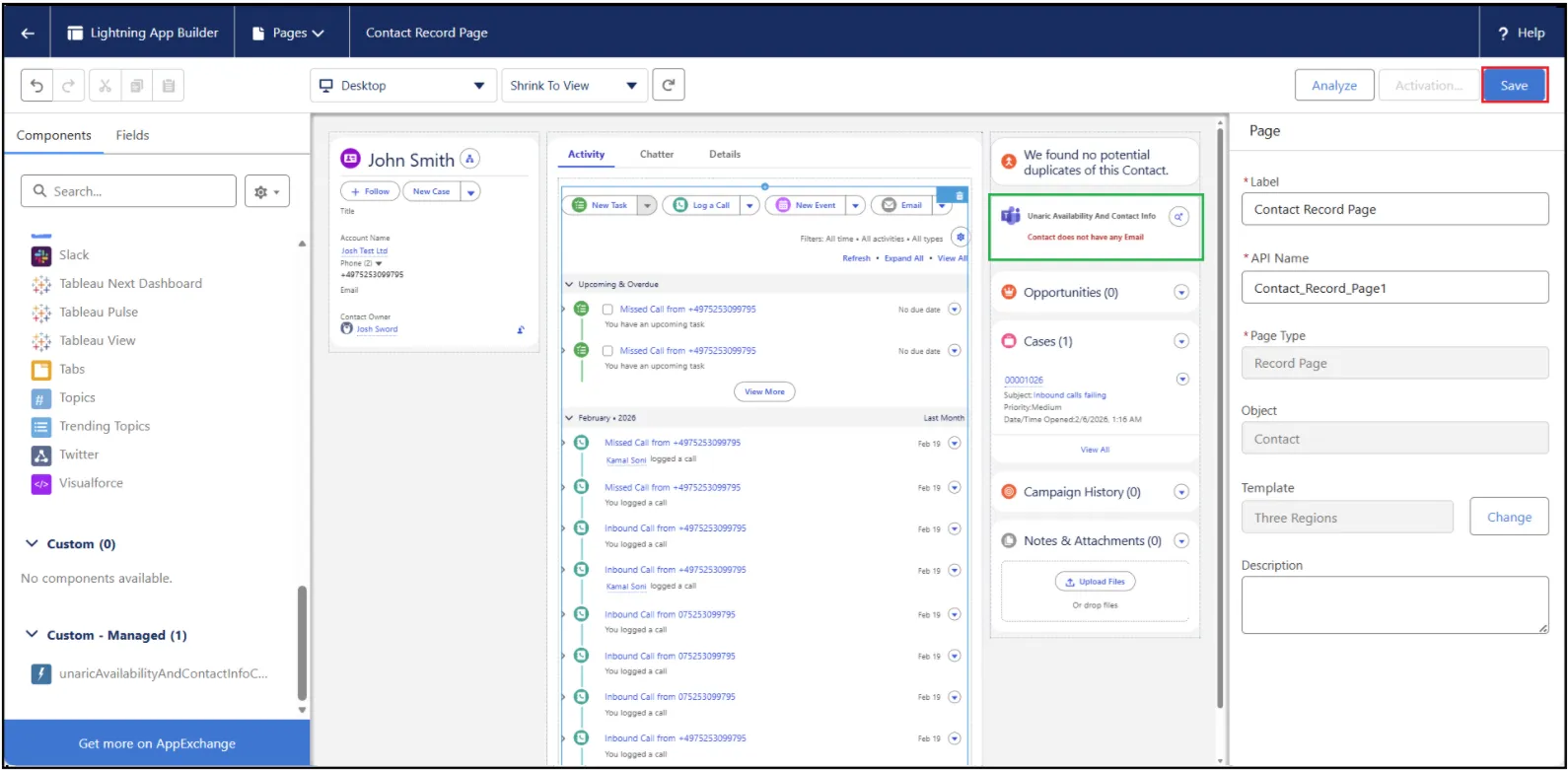
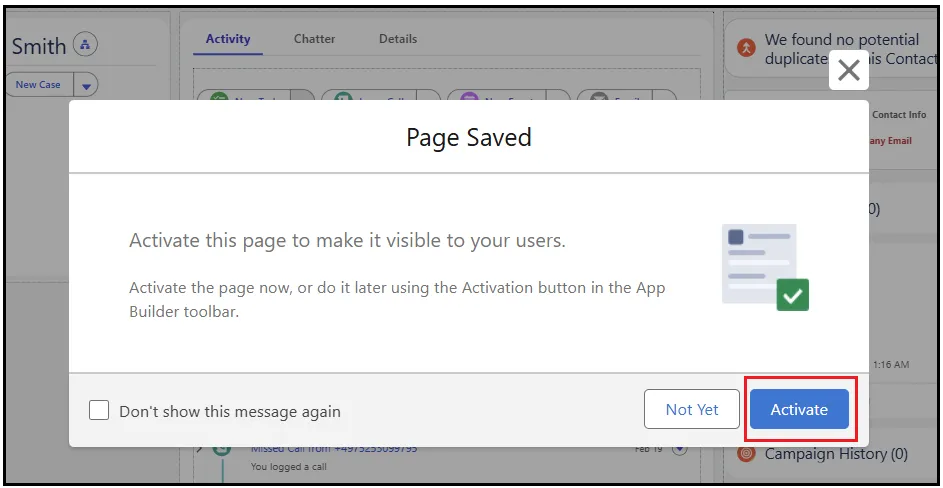
- When prompted, activate the page.
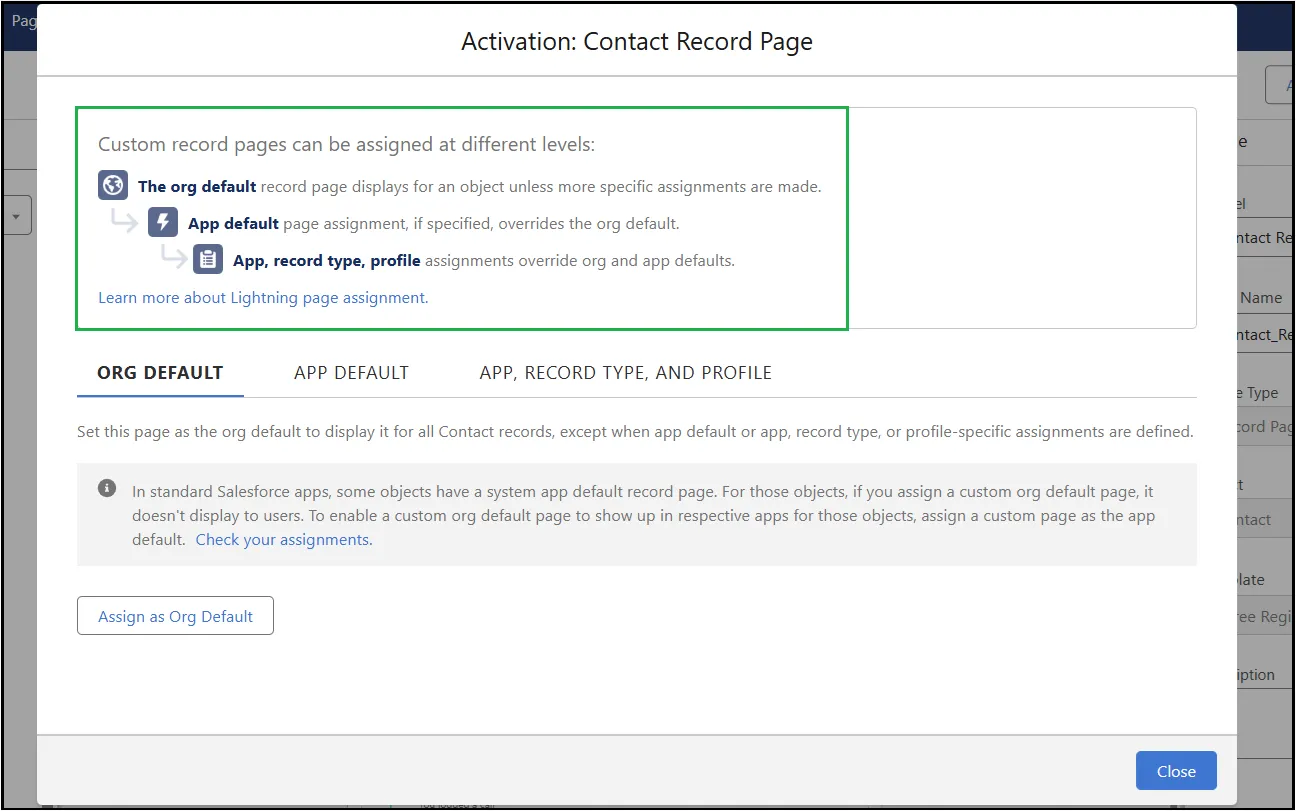
- You can now activate the app as the org default, app default or app, record type and profile.
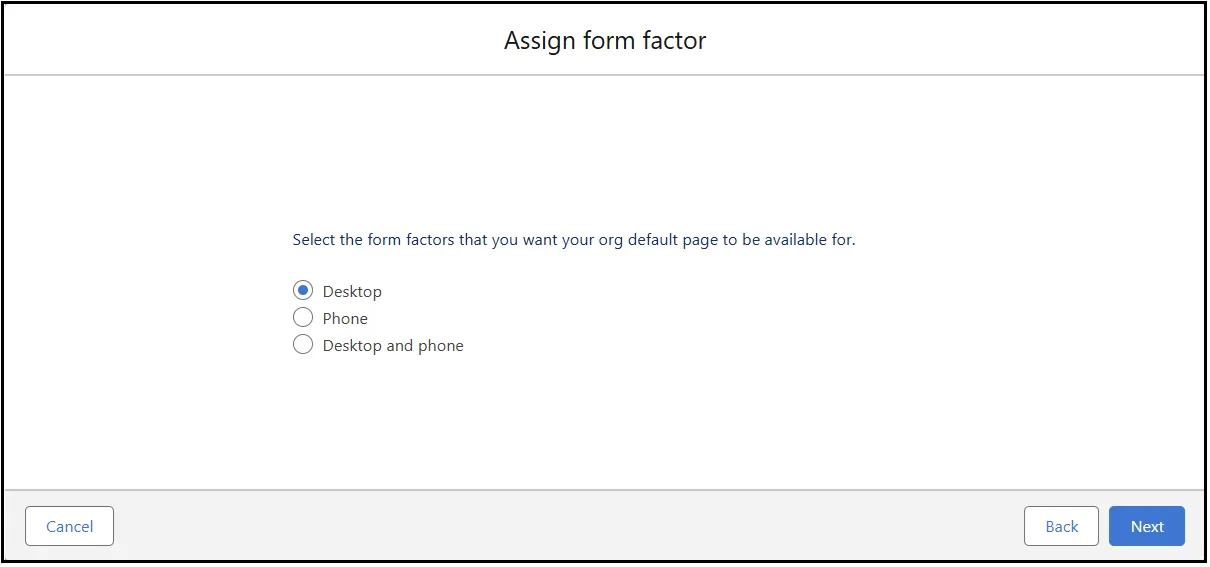
- Select the form factors on which you want to enable the component.
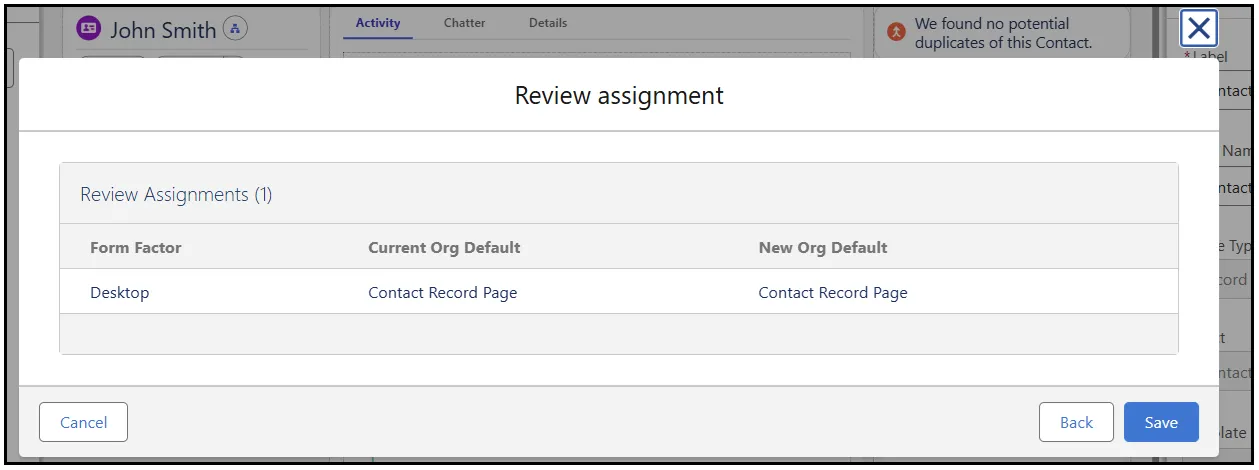
- Lastly, review and save your assignment.
Test ACI
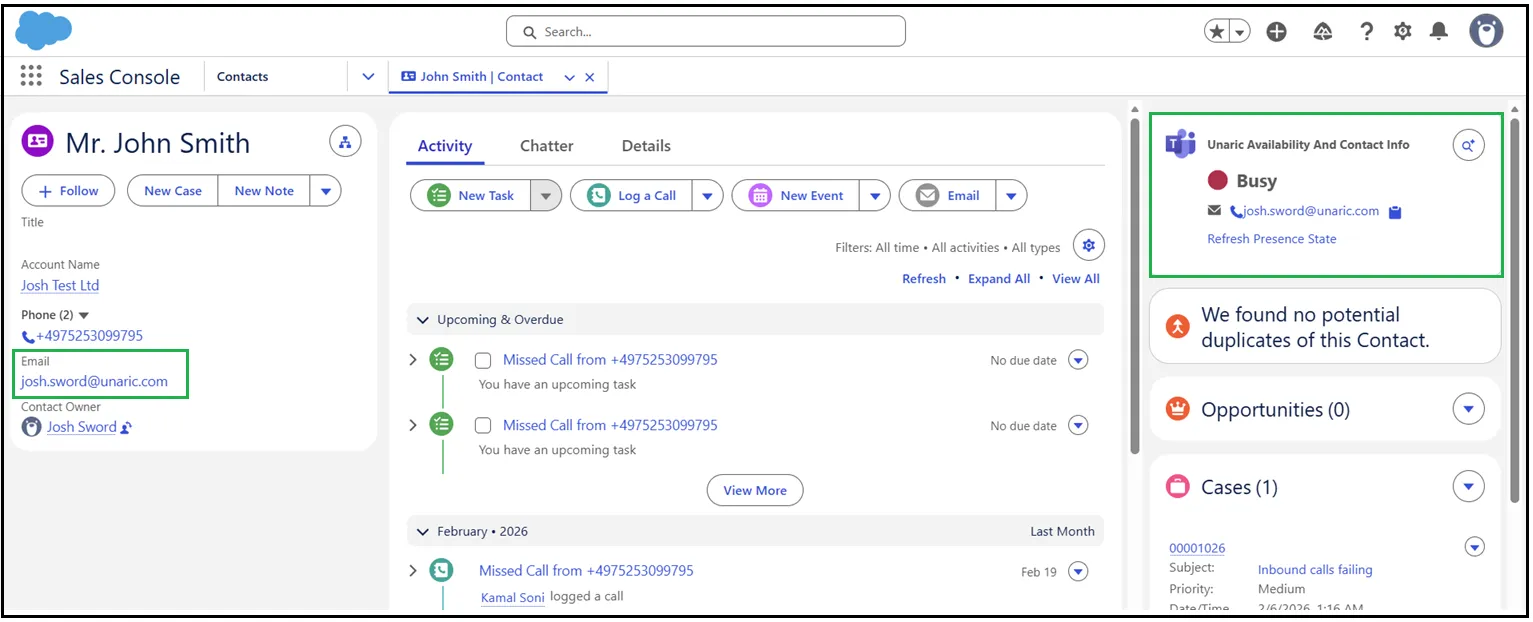
Unaric ACI will now be visible in the object page you added it to. To test how to associate email addresses, follow the example below.
- Open a Contact record you want to find and associate an email.
- Click the Email Finder icon within Unaric ACI.
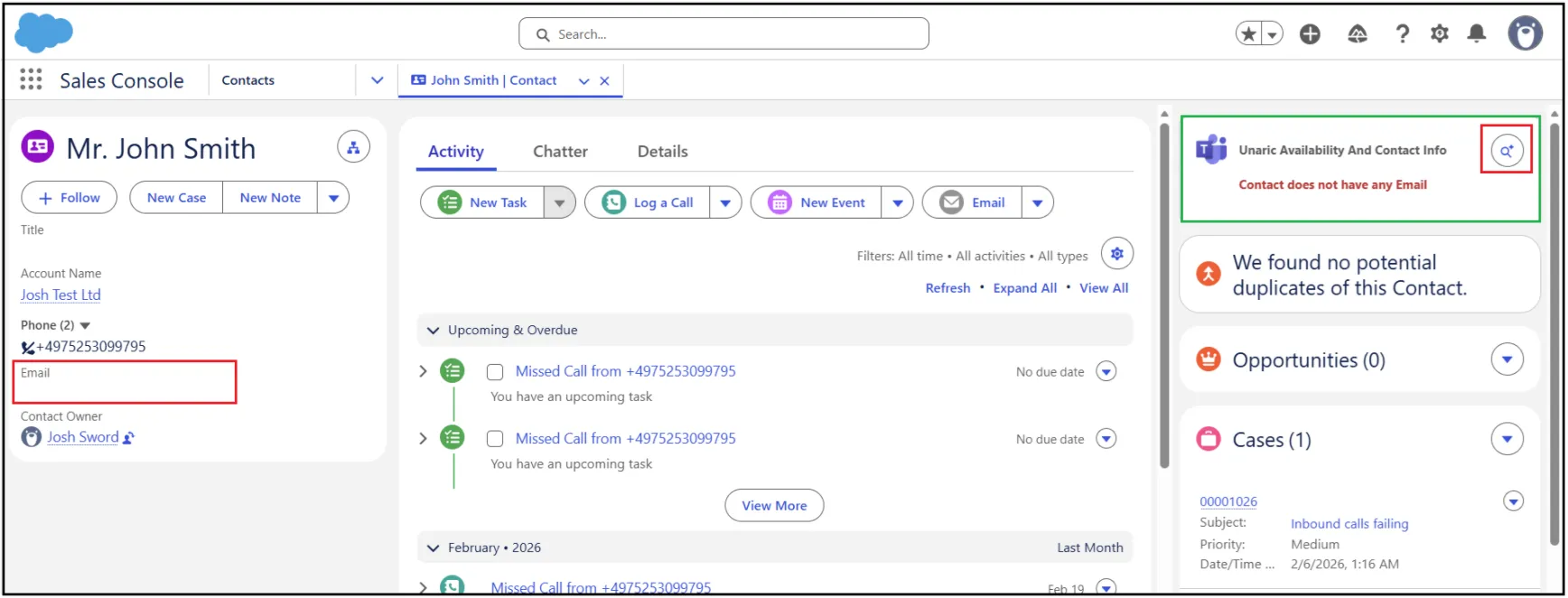
- The email finder uses the first name, surname, and domain to build the users email address. In the example below, this will try to find the user [email protected].
- Once complete, potential matches will be shown alongside their MS Teams presence state. To update the Contact record email address in Salesforce, mark the Do you want to update standard email? checkbox.
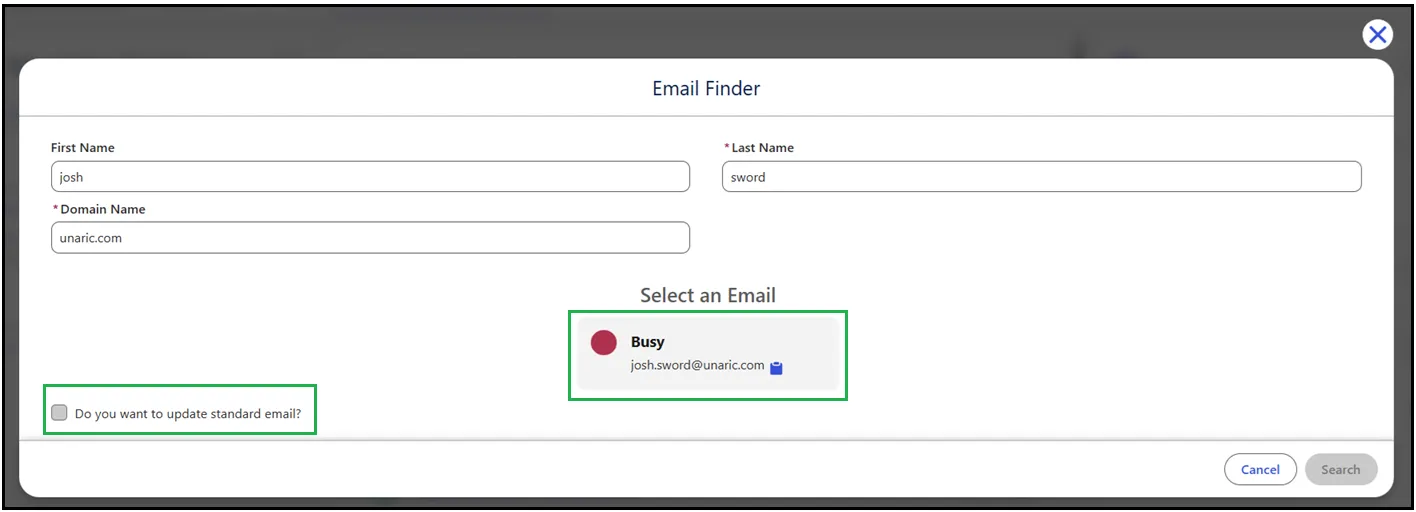
You will find the email address has been added to the Salesforce Contact.