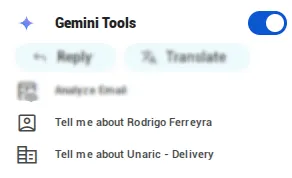
Gemini Tools
Gemini tools add AI functionalities that vary depending on context. Activate it by toggling on Gemini Tools in Unaric Sidebar.
Compose email
If no email is open, the Compose Email button allows you to use AI to write an email. Prompt your instructions, optionally preview the message for fine-tuning, and click Continue.
Click Compose using this content to create an email draft with the AI's text.

Reply email
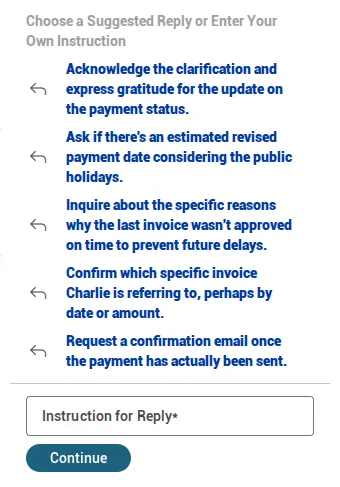
If an email is open, click Reply to open a set of suggested prompts matching the email contents or enter your own prompt. After the response is generated, you can give further instructions to adjust it. Once you are satisfied, click Reply using this content to create an email draft you can send.
Translate email
The Translate option automatically translates the last message to the select language. This option supports several languages.
Tell me more about
This option depends on the availability of information on the CRM and might not display with all found accounts.
When Unaric Sidebar finds enough information in the CRM about a match, it will show Tell me more about additional options for retrieving information about them or the company they work at.
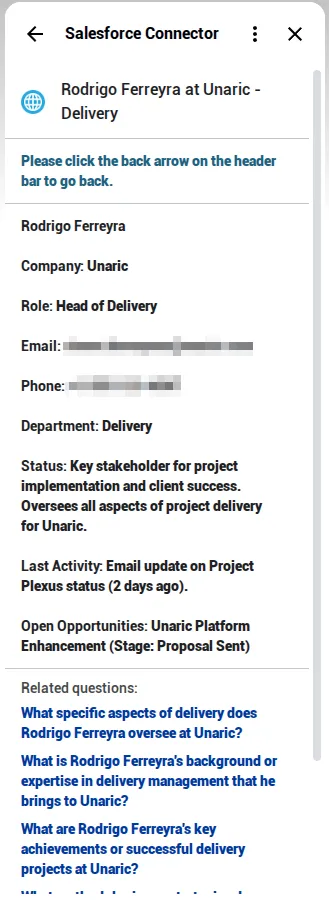
Information includes a summary with their contact information, job roles, and recent activities.
Further, below you will find related questions to click on to obtain additional information on them.