Calendar Panel Actions
In Google Calendar, the Unaric Sidebar panel is located on the right side of the screen. It offers most of the features available on Gmail. Instead of opening emails, open events to read details from your CRM such as Invitee details and related information such as Opportunities, cases and other objects.
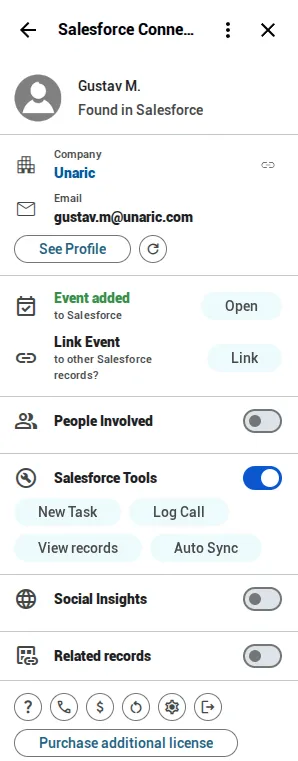
Log events
- On Calendar, open an event.
- Open Unaric Sidebar. If your CRM finds a coincidence in an event invitee, It will show its details.
- Click Add next to Log Event to create a log for this event linked to the contact found in the CRM.
Link events
- On Calendar, open an event.
- Open Unaric Sidebar. Click Link next to Link Event.
- Use the Select a Module dropdown box to select from the list of modules available from the CRM. Alternatively, enter the object's main field (such as Opportunity name) on the search bar and click Search button to search it. Select the record if found. You may also filter the list by toggling to Show My ... only. Some modules, like Opportunities, can filter by status.