v5.2 (Spring 2026)
Installation
Use the following links to install v5.2 in your production or sandbox environment.
- Package Installation Link (Production): https://login.salesforce.com/packaging/installPackage.apexp?p0=04tKb000000PoSX
- Package Installation Link (Sandbox): https://test.salesforce.com/packaging/installPackage.apexp?p0=04tKb000000PoSX
What's new
Equipment Rentals
We have included functionality to support equipment rentals with this release.
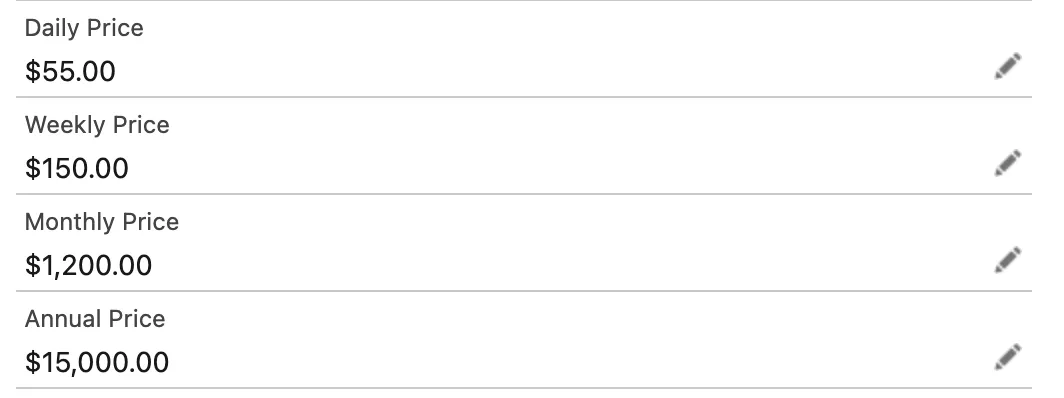
On the Equipment record, we have added new fields to track equipment unit price for rentals (or sale) including Daily, Weekly, Monthly, and Annual price. These are used with Equipment Orders to specify the rental price and payment frequency. These fields should be added to your page layout for use.
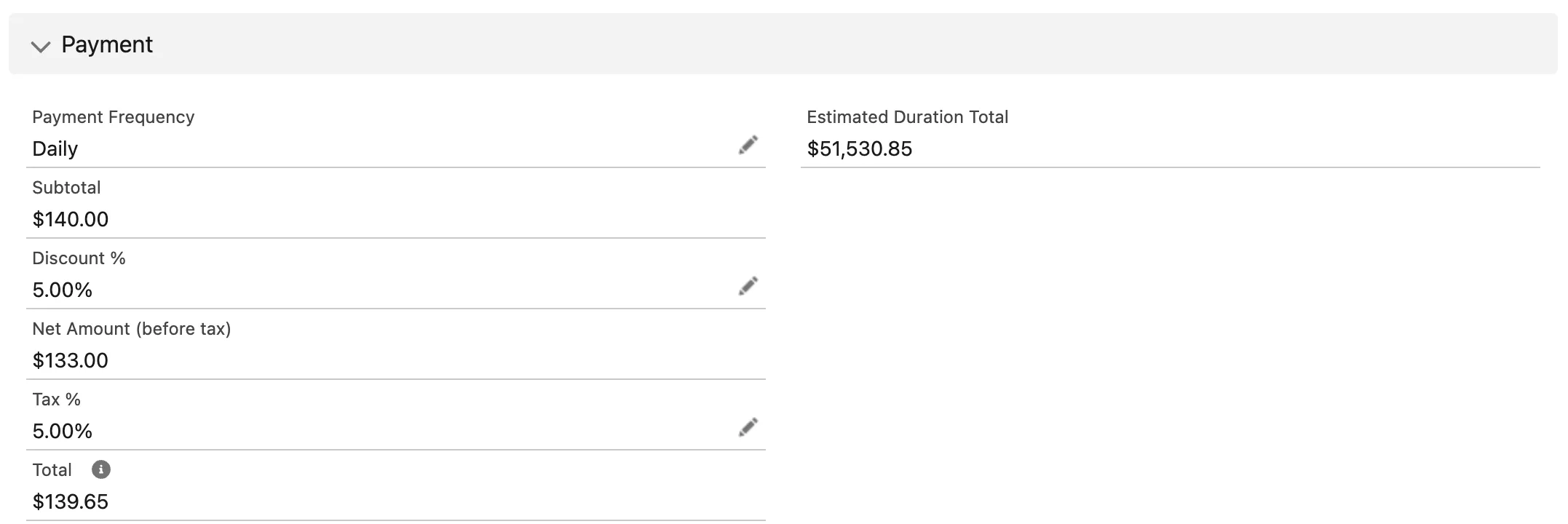
We have added a number of fields to the Equipment Order to support renting of equipment to customers. These fields should be added to your page layout for use.
- Payment Frequency: determines how rental payments are calculated and rate used
- Subtotal: the subtotal of the rental amount per payment frequency
- Discount %: Enter any discount percentage on the rental amount
- Net Amount (before tax): calculated field representing the net amount after discount
- Tax %: Enter the appropriate tax percentage if required
- Total: calculated field representing the total rental amount per payment frequency
- Estimation Duration Total: The estimated total rental amount during the entire order period
We have also integrated the rentals' functionality with Unaric PaymentsUnaric Payments for payment processing of the rentals. We are automatically creating payment authorization records, rental payment schedules, and rental payments for processing. Please refer to Unaric Payments at [email protected] for additional information.
Mobile - Create Loan or Shipment
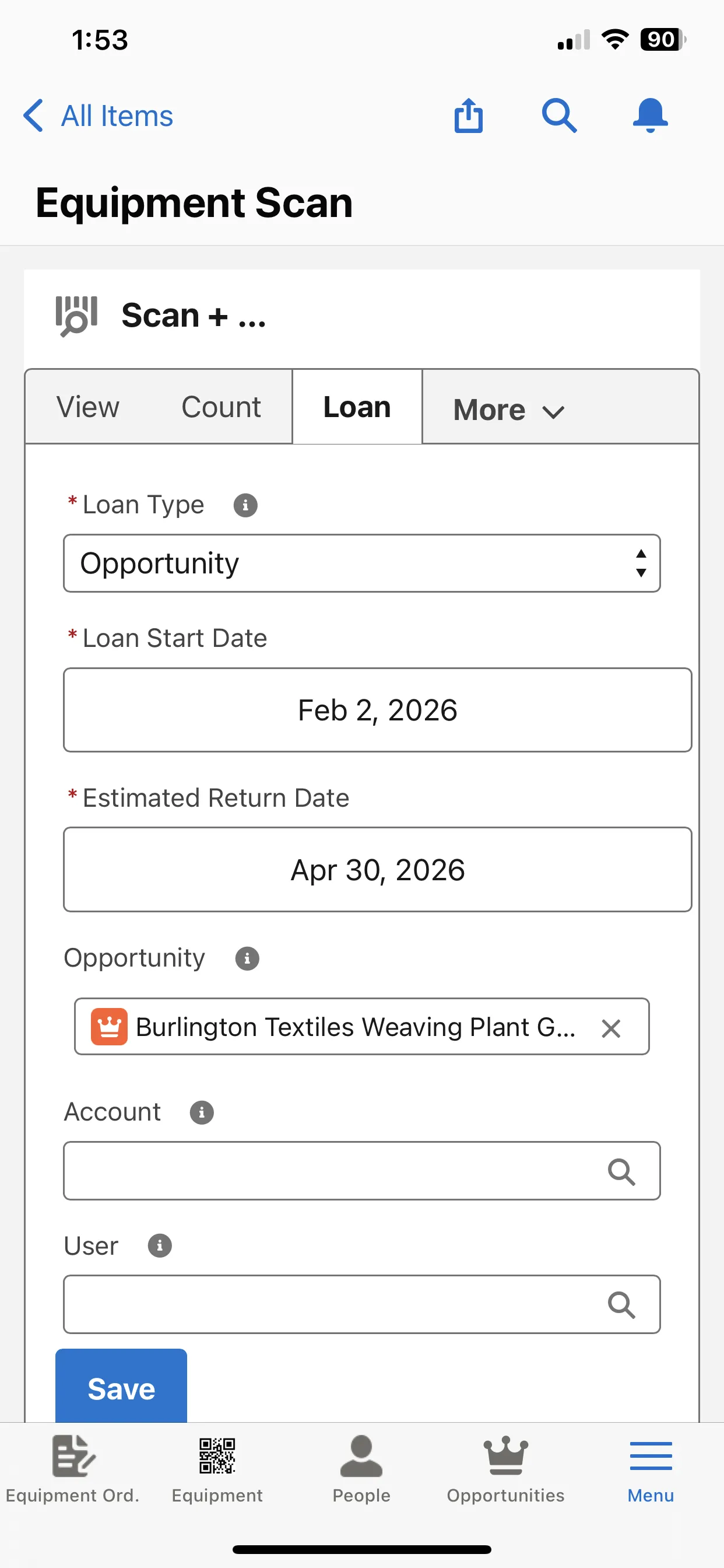
We have now included the ability to create a loan or consumable shipment directly from the Equipment Scan mobile component.
You can turn on or off these tabs and update the fields as required on these screens using the standard delivered Equipment Scan page component.
Mobile - Print Order Slip
You can now print equipment order picking slips directly from mobile.
We have included a new button on the equipment order Picking Slip (Mobile). Make sure this button is added to your page layout, and its recommended you set the visibility to be mobile only.

Now when you access the Equipment Order records on mobile, you can select the Print Picking Slip button and it will automatically save the picking slip as a file and display the slip for printing as seen below.
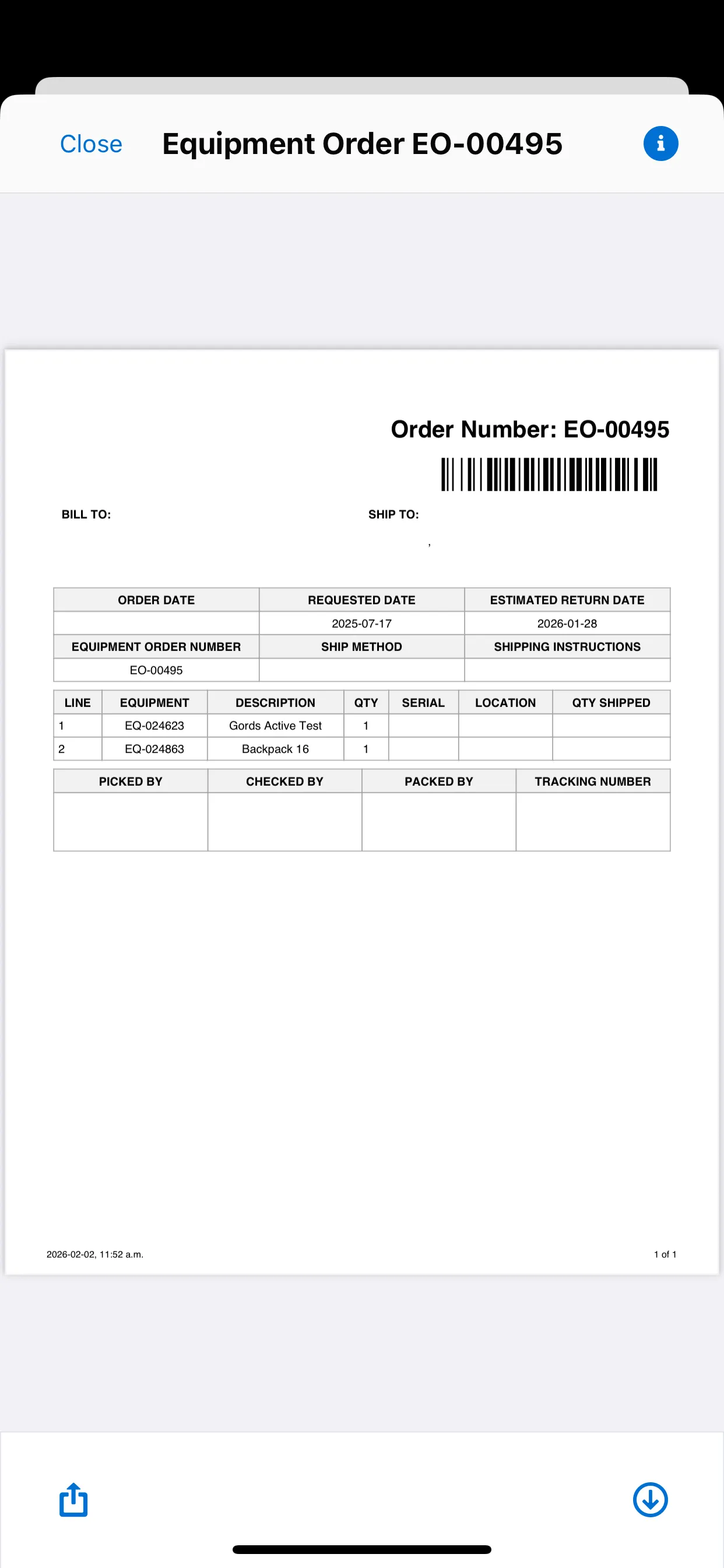
We have also included a new custom setting under ELTON Logic Control Custom Setting to specify a custom Visualforce page for the mobile picking slip print page if you have cloned and modified our delivered page.
Enter in the Visualforce page API name in the custom setting and the button will refer to this custom page when printing.

Mobile - Scan & Create Equipment
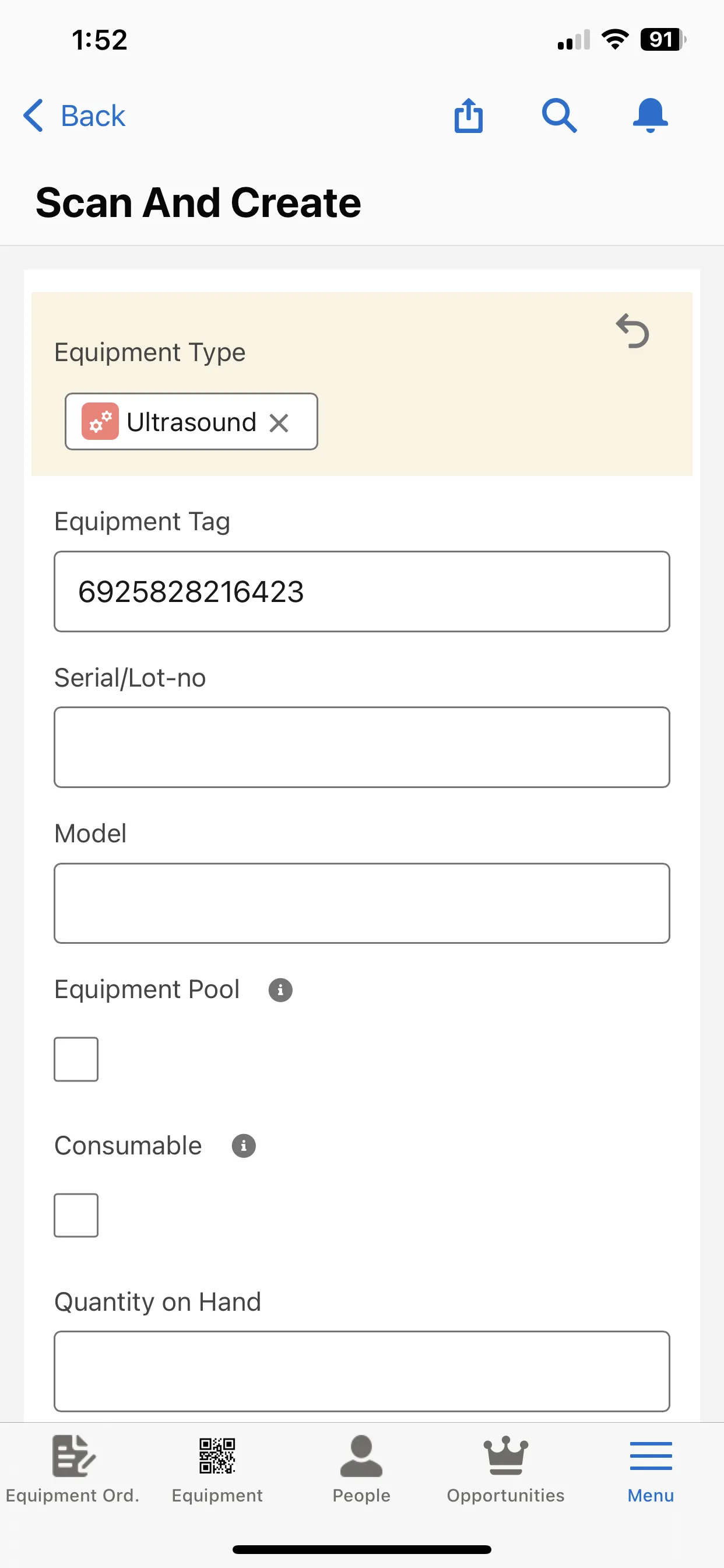
We have included a new Screen Flow (Flow component) to Scan and Create equipment records directly from the mobile device.
You can now choose to create new equipment records by scanning equipment barcodes and creating records directly from mobile.
To configure, add the flow component Scan and Create to any new or existing Lightning page and add this new page to your mobile navigation.
New components list
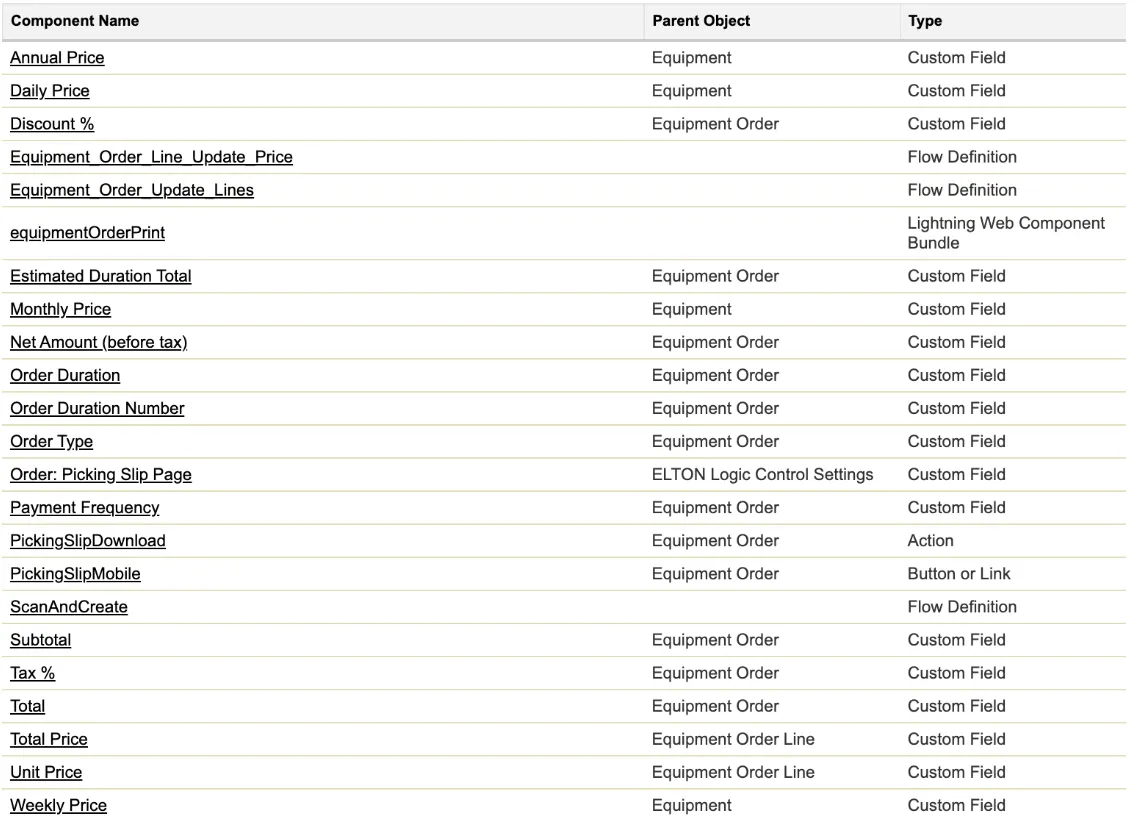
The following list includes new components added with this release: