v5.0 (Winter 2026)
This release marks a major milestone for mobile functionality, bringing the full lifecycle of equipment management, from selection to fulfilment, directly to your mobile device.
Installation
Use the following links to install v5.0 in your production or Sandbox environment.
Package Installation Link (Production): https://login.salesforce.com/packaging/installPackage.apexp?p0=04tKb000000PoPx
Package Installation Link (Sandbox):
What's new
Mobile Orders
You can now create equipment orders and select available equipment directly from the equipment order records on mobile.
Users can now select available equipment and filter based on list views and equipment type. You would then Reserve the equipment for order processing.
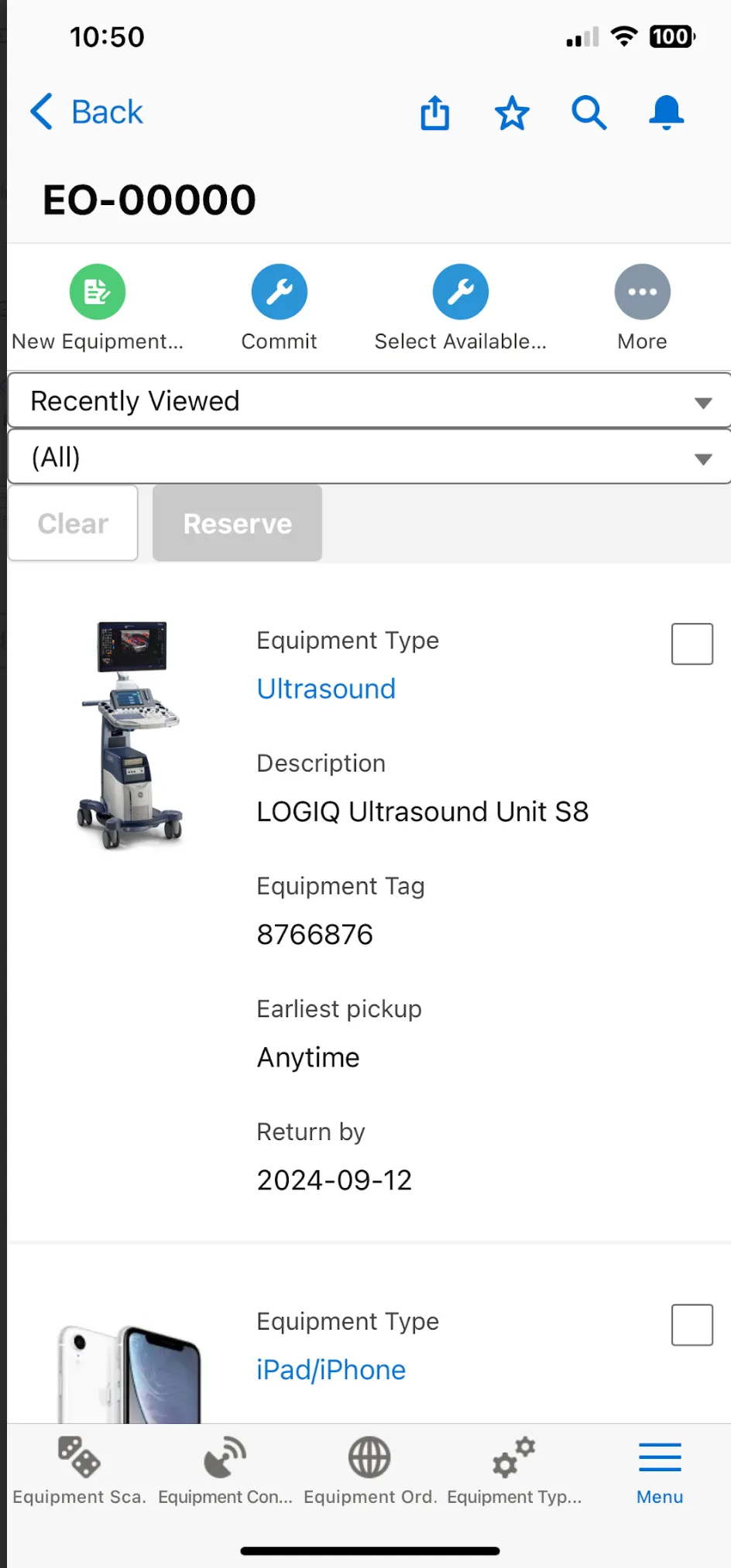
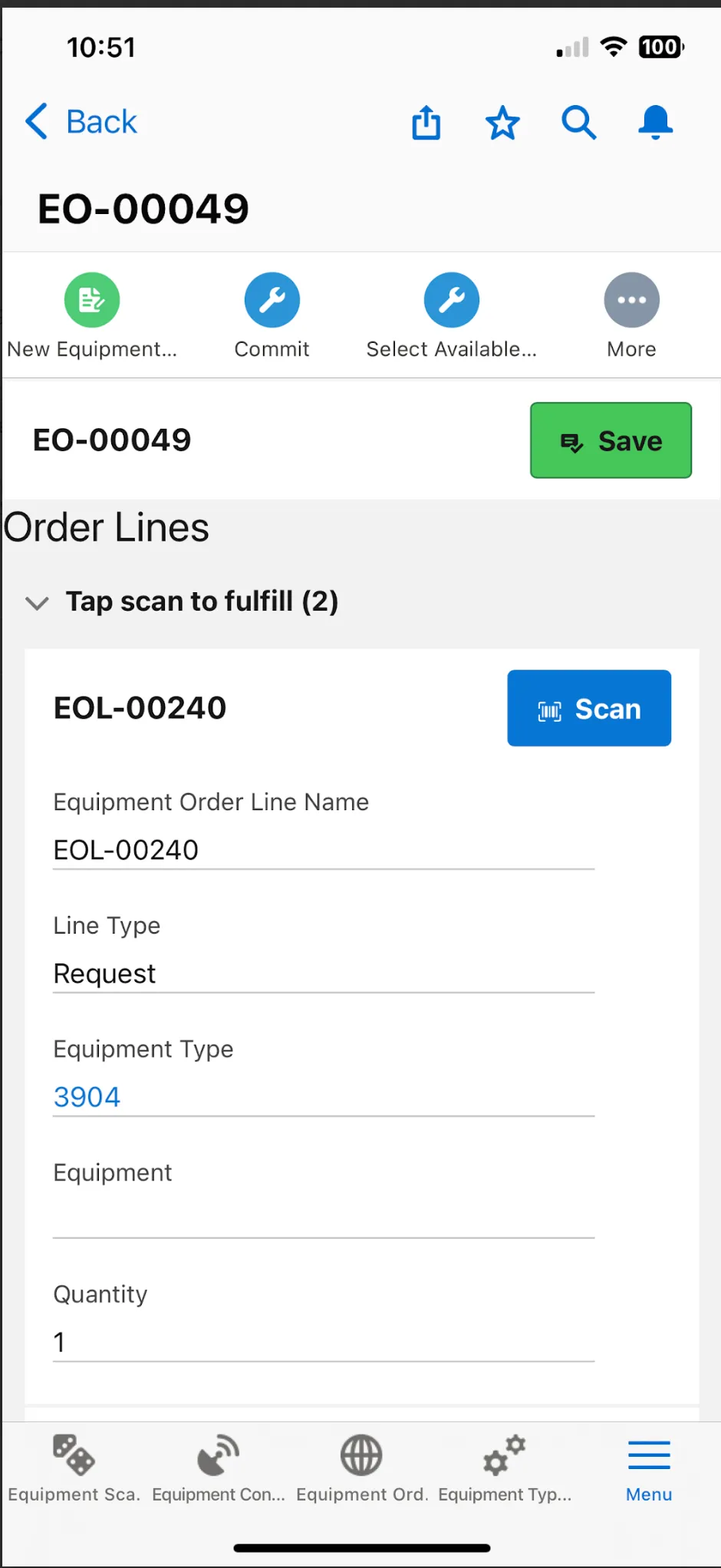
In addition, you can now fulfil equipment orders directly from the equipment order record using the Scanning feature.
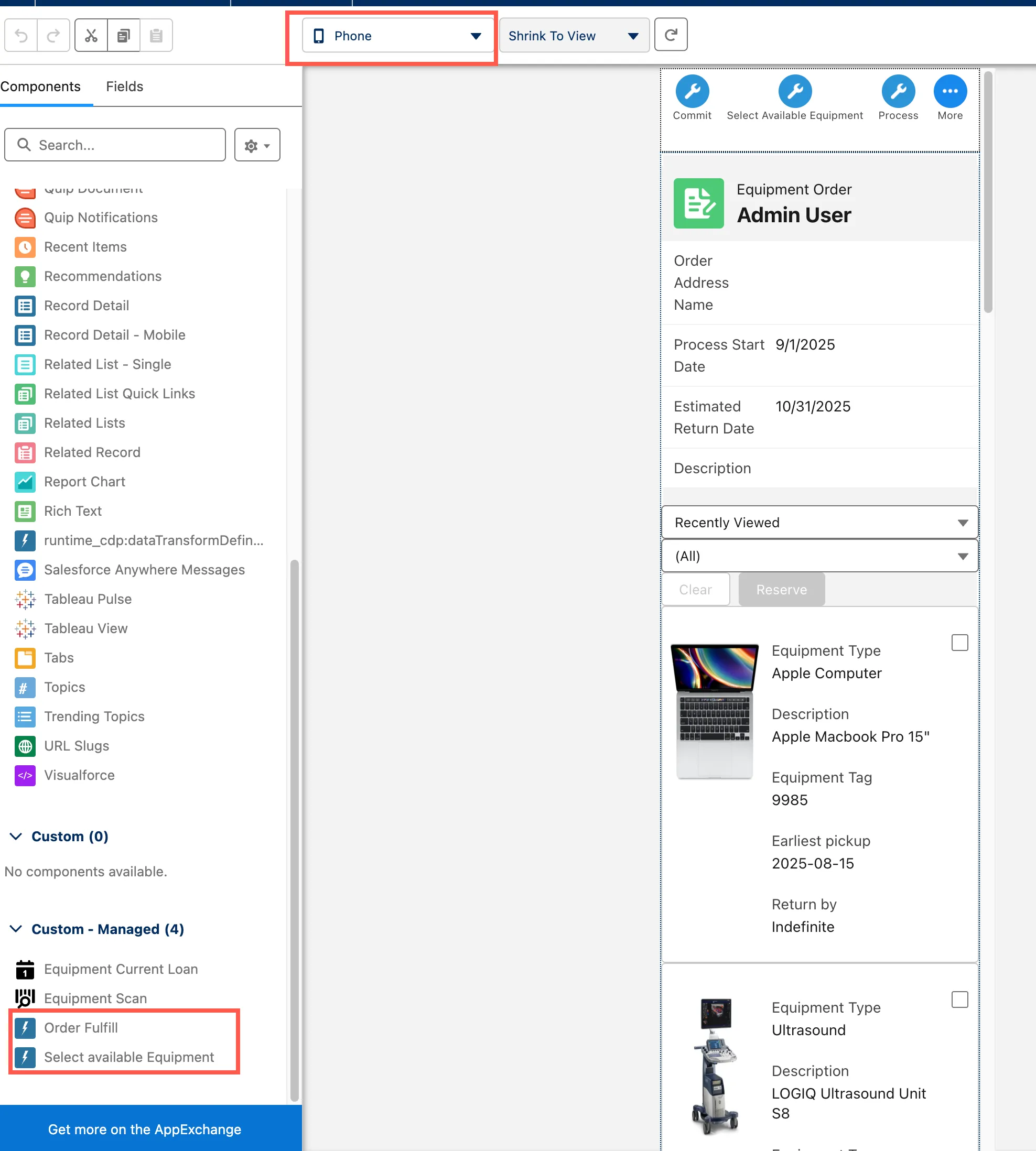
To enable Select Available Equipment and Order Fulfill on mobile, make sure to add the Lightning Web Components to the Equipment Orders page layout as seen below.
Mobile Reservations
You can now scan and convert Equipment Reservations to loans from the Equipment Requests records on mobile. Selecting the Equipment Request record and select the Scan button to scan the equipment and fulfill the request.
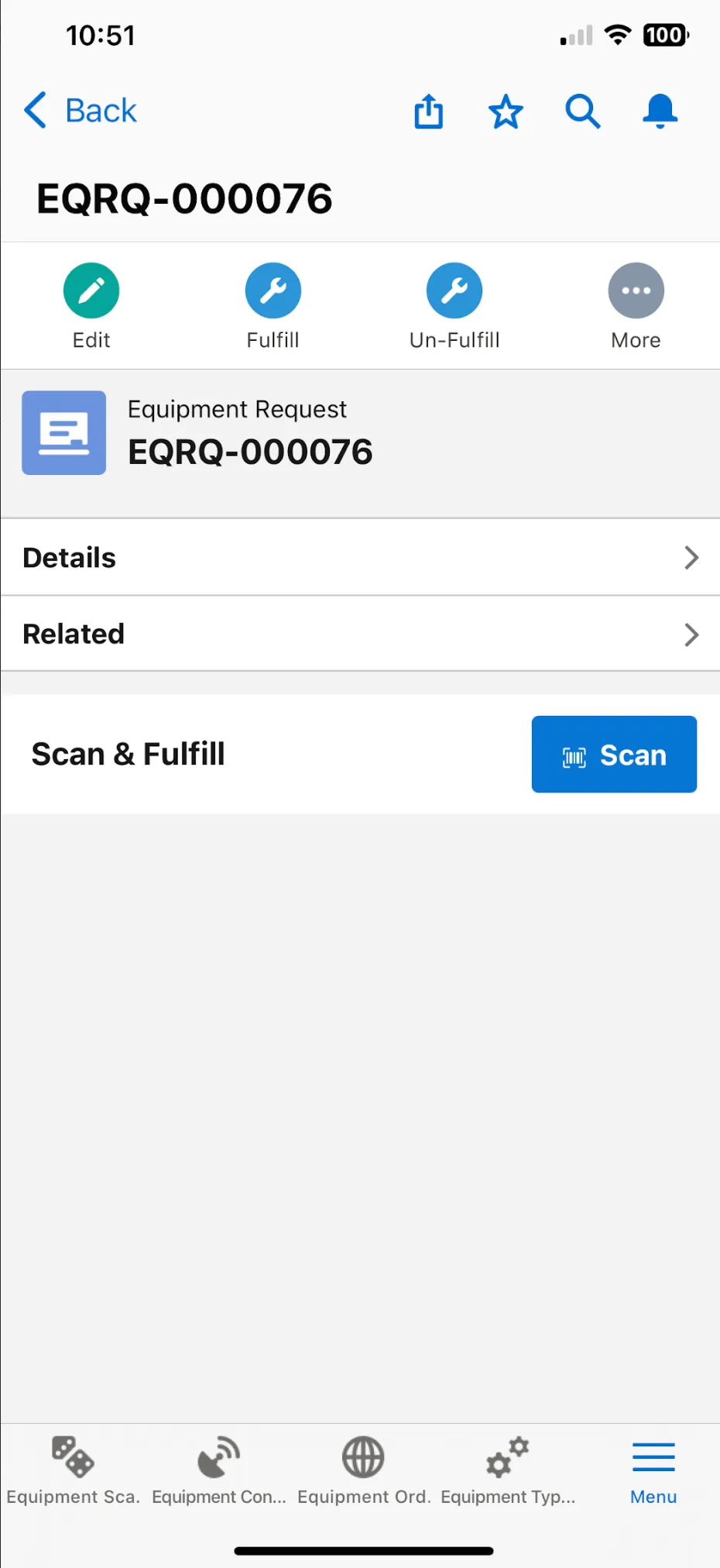
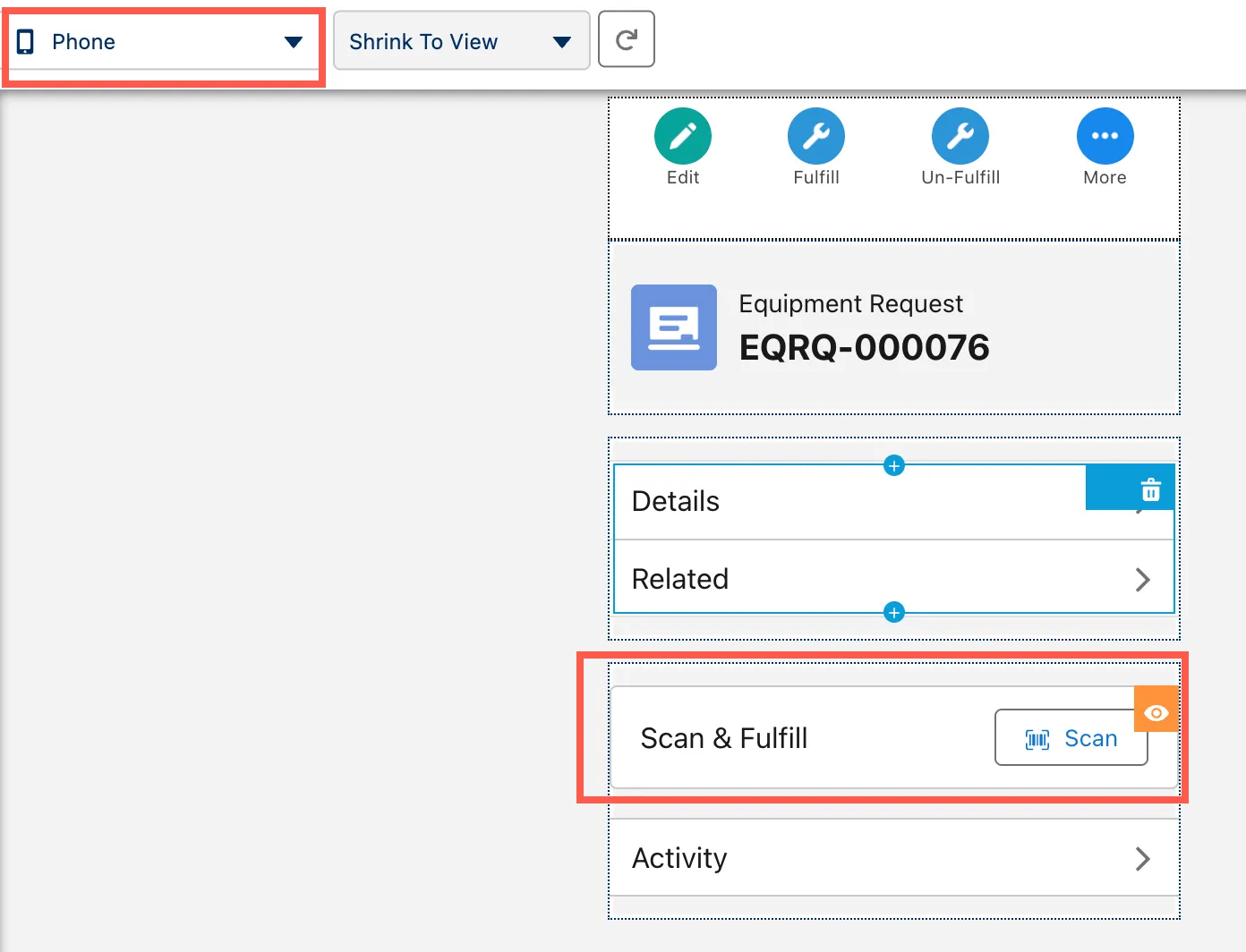
To enable, you need to add the Equipment Request Convert Lightning Web Component to your Equipment Request phone page layout.
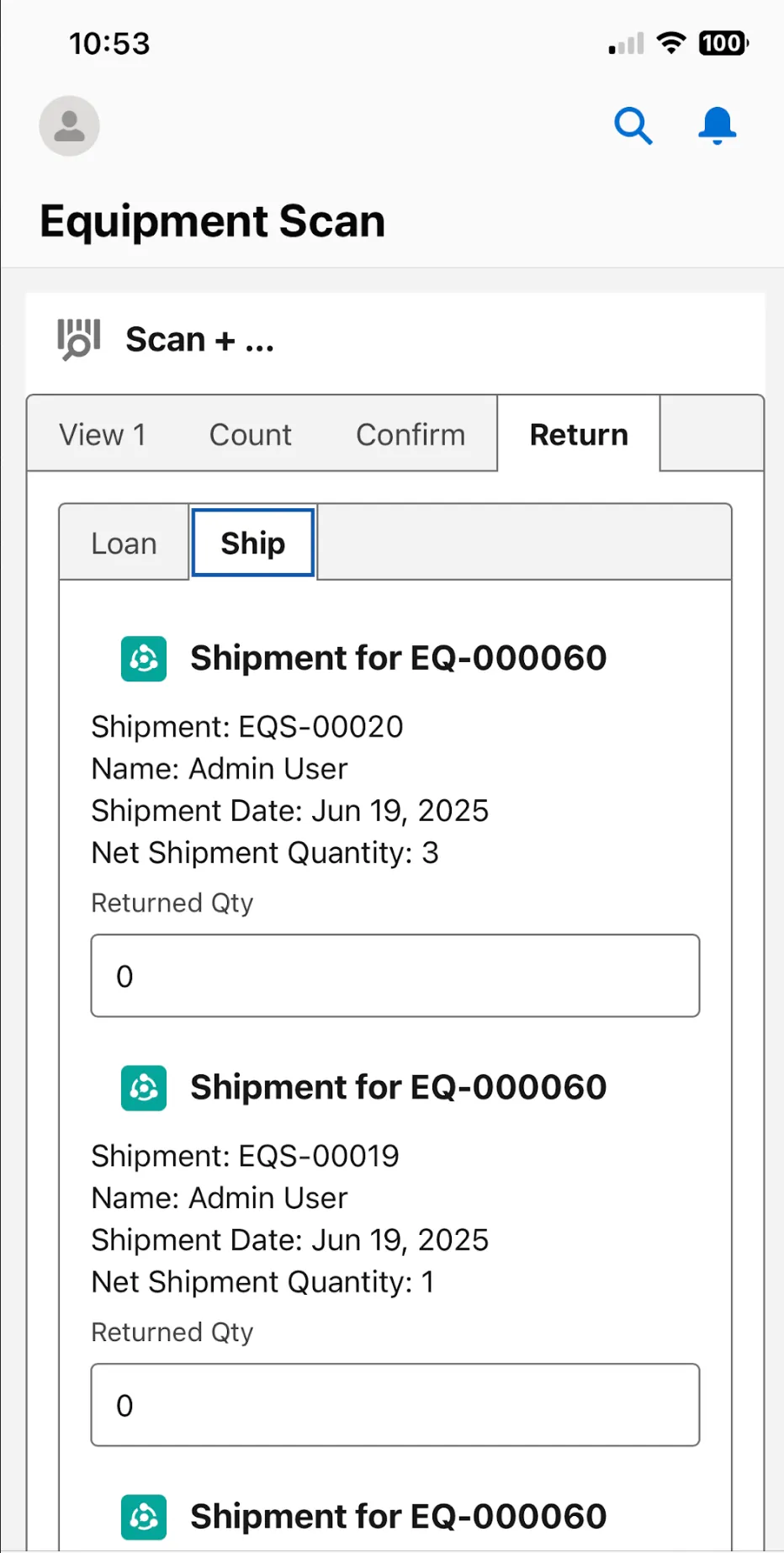
Return Consumables/Pools from Mobile
We have now added the ability to confirm and return Equipment Pools and Consumables from the mobile app. There is no setup required, this functionality will be automatically available on the Equipment Scan screens.
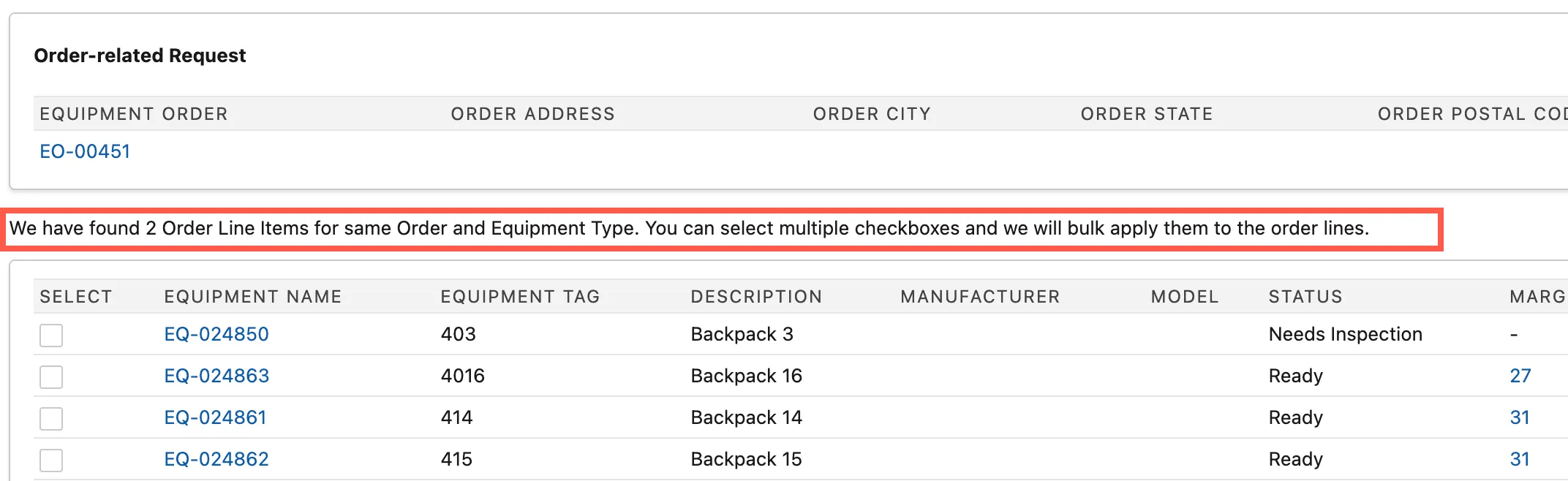
Equipment Request Fulfill - Multiple Items
Now when selecting Fulfill on Equipment Requests, we are displaying a message indicating if there are other open requests with the same Equipment Type for the same Order. If true, you can select and fulfil all of them from this screen at once by multi-selecting equipment records.
Enhancements
Setup page
We have streamlined the Setup page and removed older documentation links. All documentation can be found in the product documentation link.