Equipment Rentals
Manage the logistics of equipment rentals and their payments.
How it works
Create an Equipment Order
Equipment rentals are managed through Equipment Orders.
Add Equipment to Order
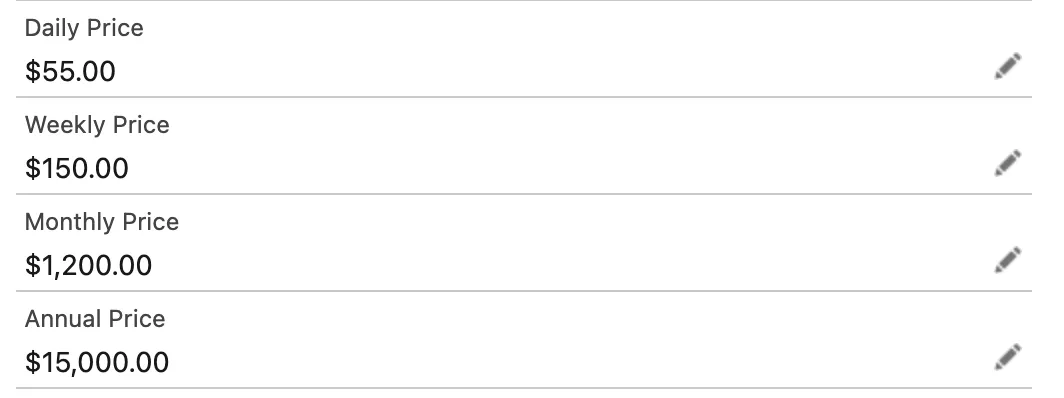
The Equipment record includes multiple fields to track equipment unit price for rentals (or sale) including Daily, Weekly, Monthly, and Annual price. These are used with Equipment Orders to specify the rental price and payment frequency. These fields should be added to your page layout for use.
Configure rental details
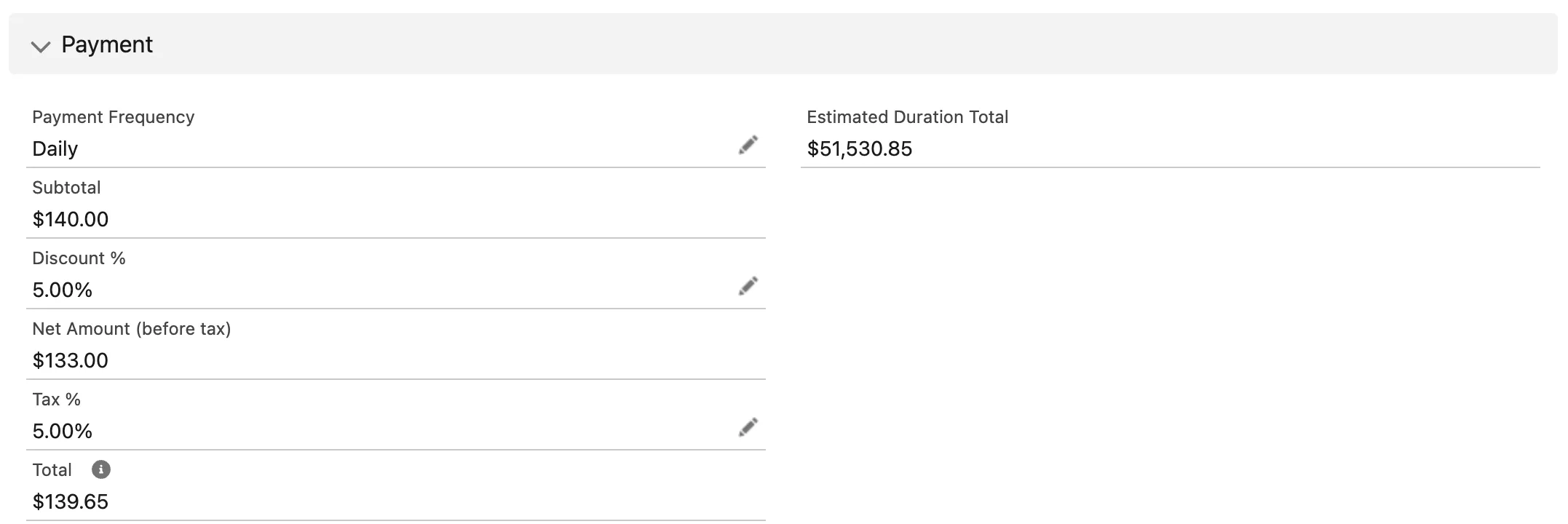
Set rental-specific fields on the Equipment Order. There are multiple fields on the Equipment Order to support renting of equipment to customers. These fields should be added to your page layout for use.
- Payment Frequency: determines how rental payments are calculated and rate used
- Subtotal: the subtotal of the rental amount per payment frequency
- Discount %: Enter any discount percentage on the rental amount
- Net Amount (before tax): calculated field representing the net amount after discount
- Tax %: Enter the appropriate tax percentage if required
- Total: calculated field representing the total rental amount per payment frequency
- Estimation Duration Total: The estimated total rental amount during the entire order period
Commit the Order
Process the Order
Unaric Equipment Track will create:
- Equipment loan/shipment records
- Payment schedule records (based on frequency)
- Equipment Order Payments and Order Payment Lines
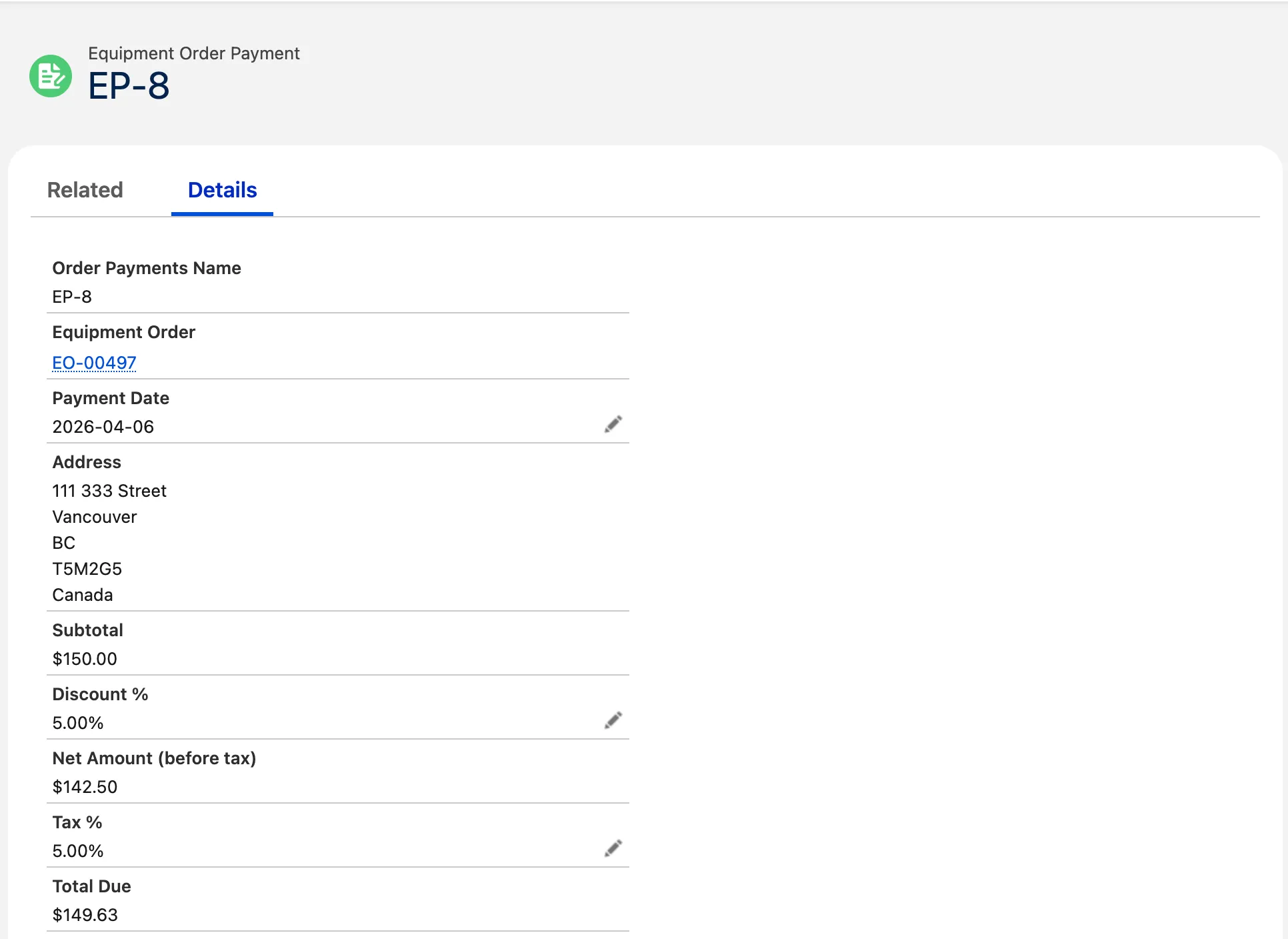
The Equipment Order Payments and Order Payment Lines objects store payment information for rental subscriptions. These records are related to the Equipment Order object and are automatically created. As example, if a Rental order has a payment frequency of monthly, payment records will be automatically created on a monthly basis.
Payment processing (optional)
Rentals payment processing can be integrated through Unaric PaymentsUnaric Payments. This integration automatically creates payment authorisations, rental payment schedules, and rental payments records for processing.
Refer to Unaric Payments at [email protected] for additional information.
Rental invoice
A sample rental invoice PDF is available on the Equipment Order Payment record.
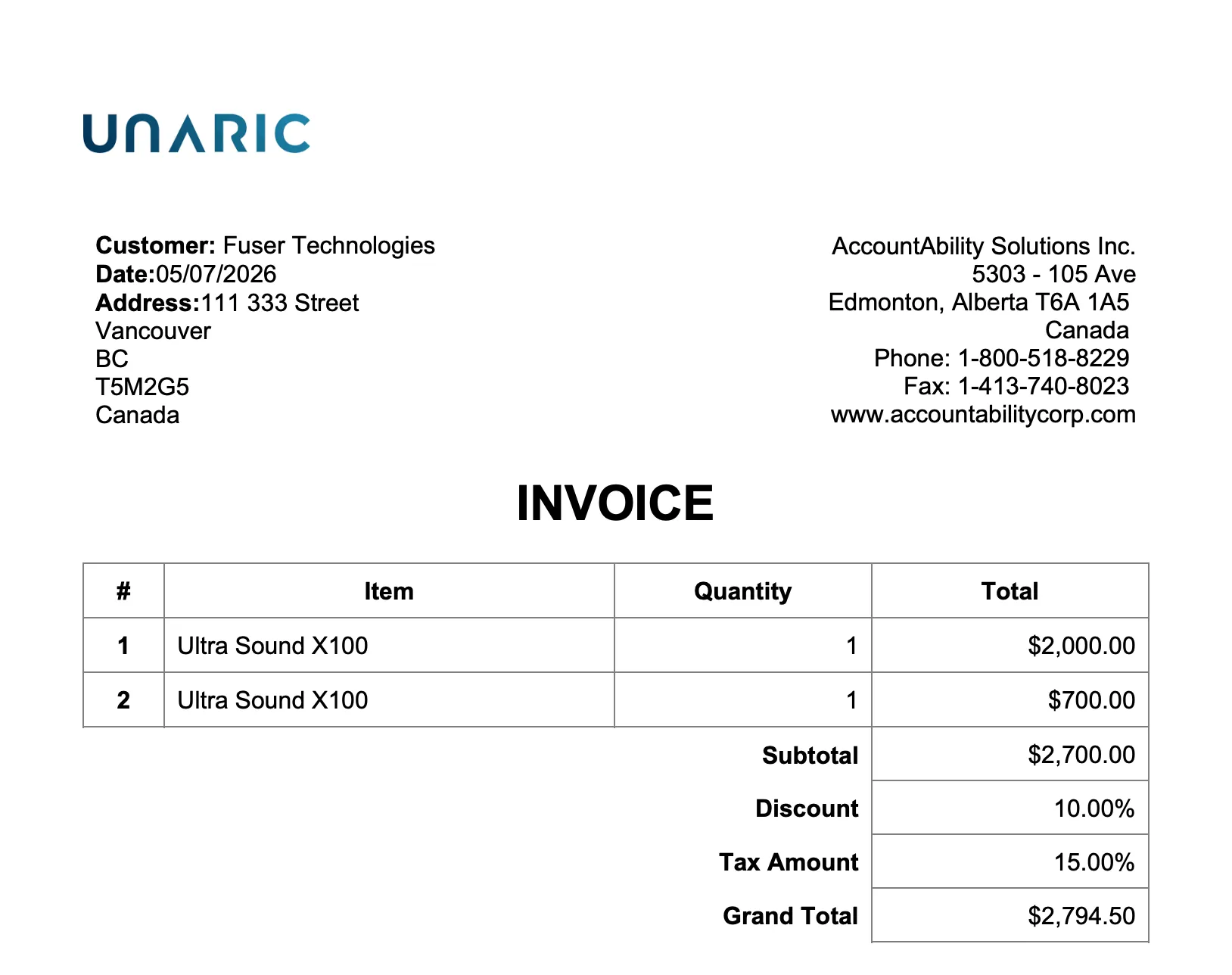
To access the rental invoice, click the Invoice Preview button on the Equipment Order Payments record.

Modify invoice
You can clone and modify the default Invoice Visualforce page (Rental Invoice) as desired. To this end, you need to also create a new button to assign your custom invoice and set it up so it is used instead of the default one.
- Create a new Visualforce page
- On Setup, navigate to Custom Code > Visualforce Pages.
- Open the Rental Invoice Visualforce page and copy its markup code.
- Go back to Visualforce Pages and click New.
- Paste the markup code and modify it as required.
- Click Save.
- Create new button
- Go to Setup > Objects and Fields > Object Manager and select the Order Payments object.
- Select the Buttons, Links, and Actions tab and click New Button or Link.
- Configure the button. Select Detail Page Button as Display Type and select Visualforce Page as Content Source and choose your newly created Visualforce page from the dropdown.
- Click Save.
- Replace the Invoice Preview button
- While still in the Invoice object settings, open the Page Layouts tab.
- Select the layout used by your users.
- Find the Invoice Preview button on the page and drag it back up into the palette to remove it.
- In the palette, find your newly created button.
- Drag it down into the Custom Buttons section (or the Salesforce Mobile and Lightning Experience Actions section if you are using Lightning).
- Click Save to finish.
Rentals costumer portal
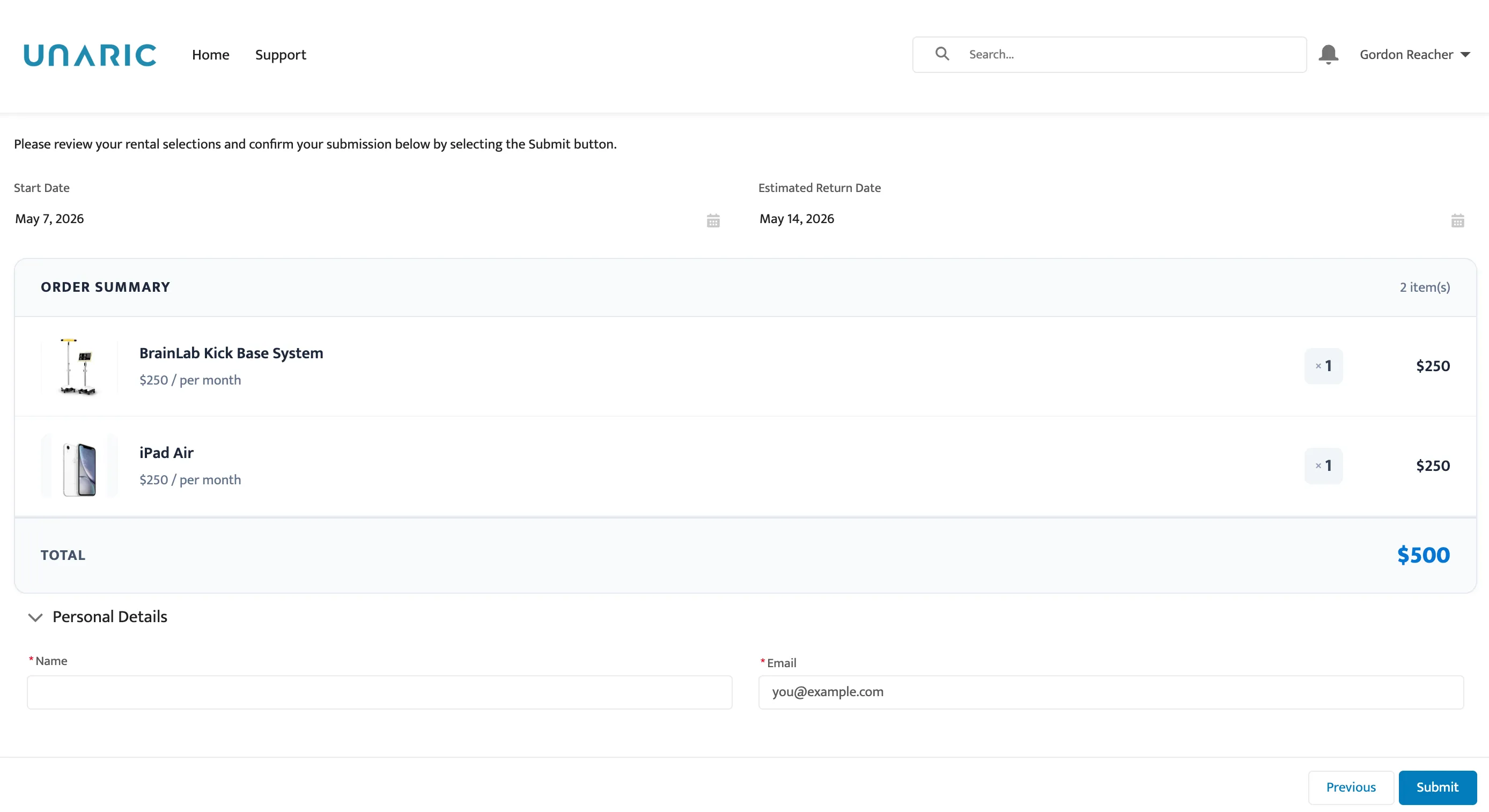
Built on the Salesforce Experience Cloud, the rentals costumer portal allows customers to search and select equipment and submit a rental order for them.
As delivered, the site can be configured to be publicly available to Guest users where they will enter in contact details prior to submission. This site does not require an additional licence, unless you require users to log in to complete rental order submissions.
Equipment already reserved, loaned, or inactive is excluded from search, and it is possible to filter available equipment based on selected date periods.
Displayed pricing information can be configured per your requirements.
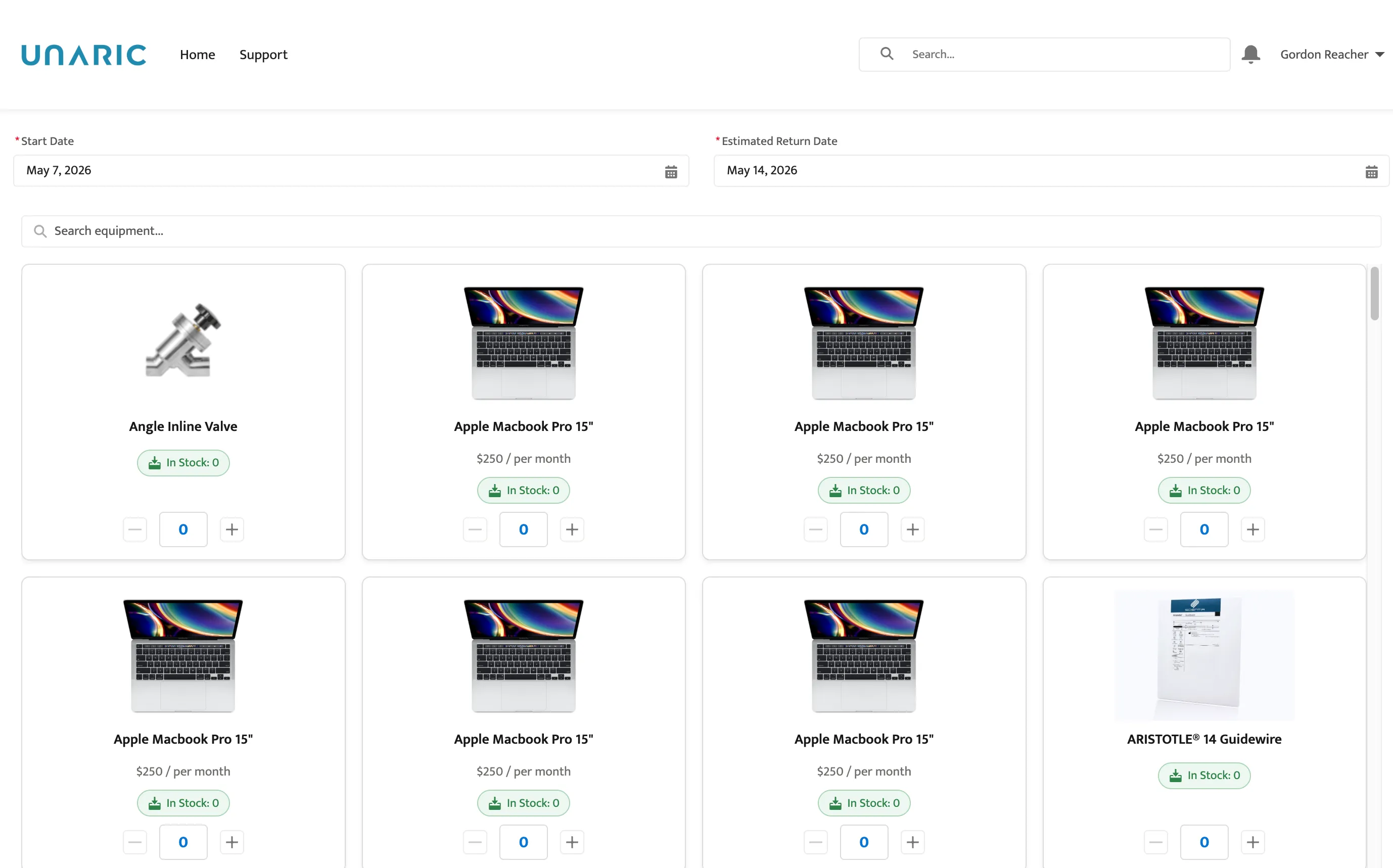
A summary page will show equipment and quantity selected and total rates for the rental duration. Rental orders are automatically created in the system for your review and can optionally be committed upon creation.