Print Order Slip
You can print equipment order picking slips directly from mobile.
How it works
You will find a Picking Slip (Mobile) button on the equipment order. Add this button added to your page layout. Its recommended you set the visibility to be mobile only.

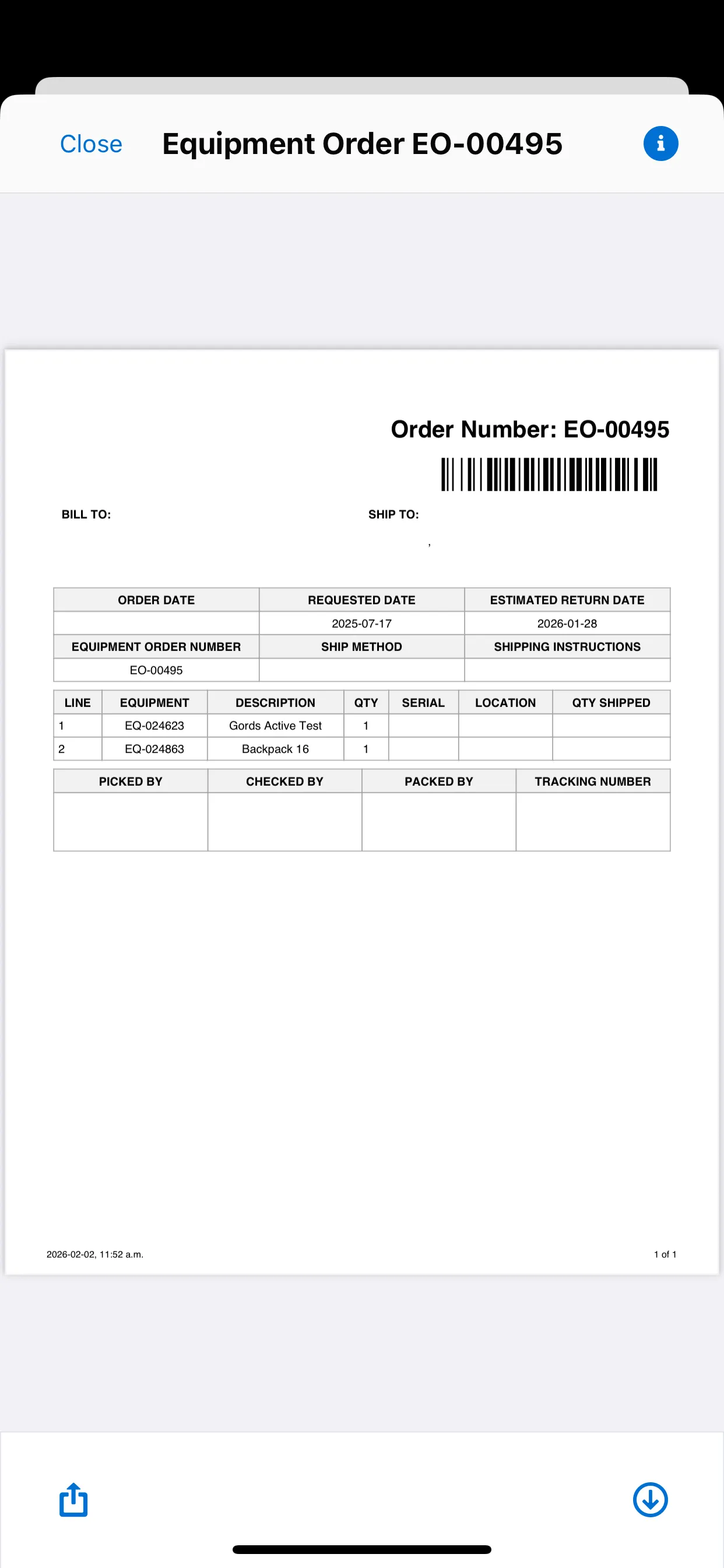
When you access the Equipment Order records on mobile, you can select the Print Picking Slip button and it will automatically save the picking slip as a file and display the slip for printing as seen below.
Setup
- Navigate to Setup > Object Manager.
- Open the Equipment Order object.
- Select the Page Layouts tab.
- On Equipment Order Layout, select Buttons.
- Find the Picking Slip (Mobile) label and drag it to the Custom Buttons page section.
- Click Save to finish.
Override picking slip page
If you have created your own version of the picking slip (by cloning and modifying the provided Visualforce page), you can tell the system to use your version instead of the standard one. To this end, there's a custom field under ELTON Logic Control Custom Setting.
- Navigate to Setup > Custom Settings.
- Open ELTON Logic Control.
- Click the Manage link next to the name—click Edit in the next page.
- Locate the Order: Picking Slip Page field.

- Enter your custom Visualforce page's API Name.
- Click Save to finish. The button will now refer to this custom page when printing.