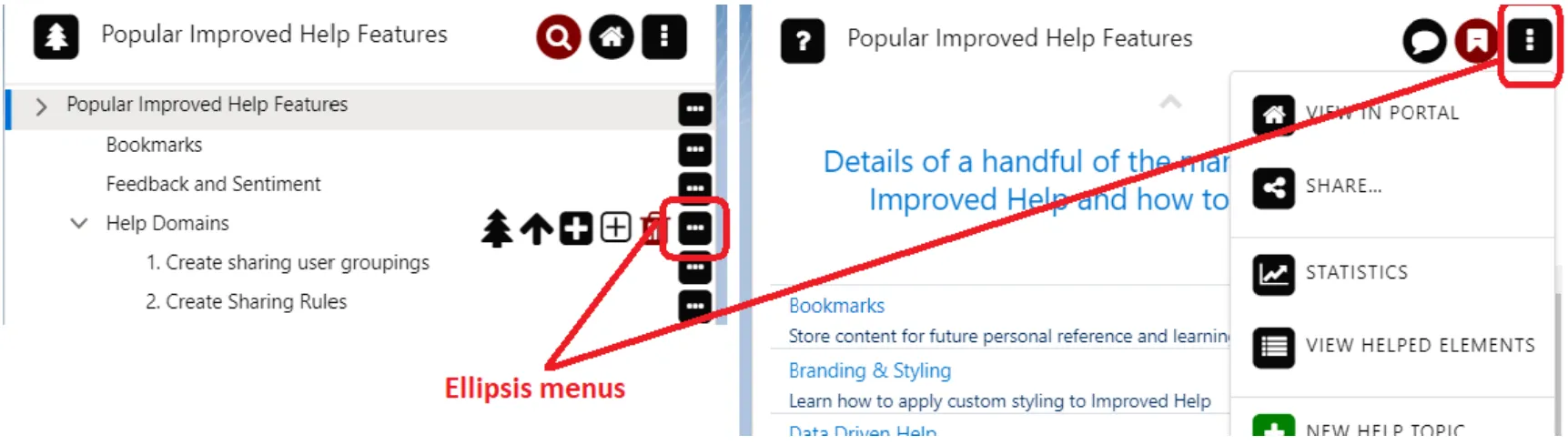
Ellipsis Menu
The Ellipsis Menu (also referred to as Tools menu) is a UI element designed to provide users with a compact, context-sensitive set of options accessible via a three-dot (⋯) icon. It serves as a customizable dropdown menu for actions like editing, viewing details, or logging interactions.
If you're using Unaric Guide Lightning components, you'll find that many of them feature a variety of 'clickables' - tools and menu items of various kinds that are derived from Configuration Items records. In some cases, such as in listings and in the header area of the Topic Viewer component, the available tools are collapsed into a menu that can be opened and closed by clicking an 'ellipsis' (three dots) icon. Please bear the following in mind: The tools presented on a given component are dependent on its settings - sometimes referred to as its 'tool context' or Tools menu. They are also dependent on the user's permission level: not all users see all tools.
As components are highly configurable, the 'owner' of a given page layout may or may not choose to show the available tools. Tools may be hidden, for example, to save space or in cases where the desire is to display, rather than manipulate, the materials on offer.