Content Upload Wizard
The Content Upload Wizard allows you to import your existing materials in plain text format and convert them into Help Topics integrated within Salesforce help. This way, if you have text in sources such as external web pages or documents, the Content Upload Wizard beats the process of manually having to bring this information to Salesforce.
To this end, the Content Upload Wizards present logical steps you navigate between to accomplish content-related tasks. Use the 'Content Upload' wizard to convert text from external sources into Help Topics.
How it works
Capture
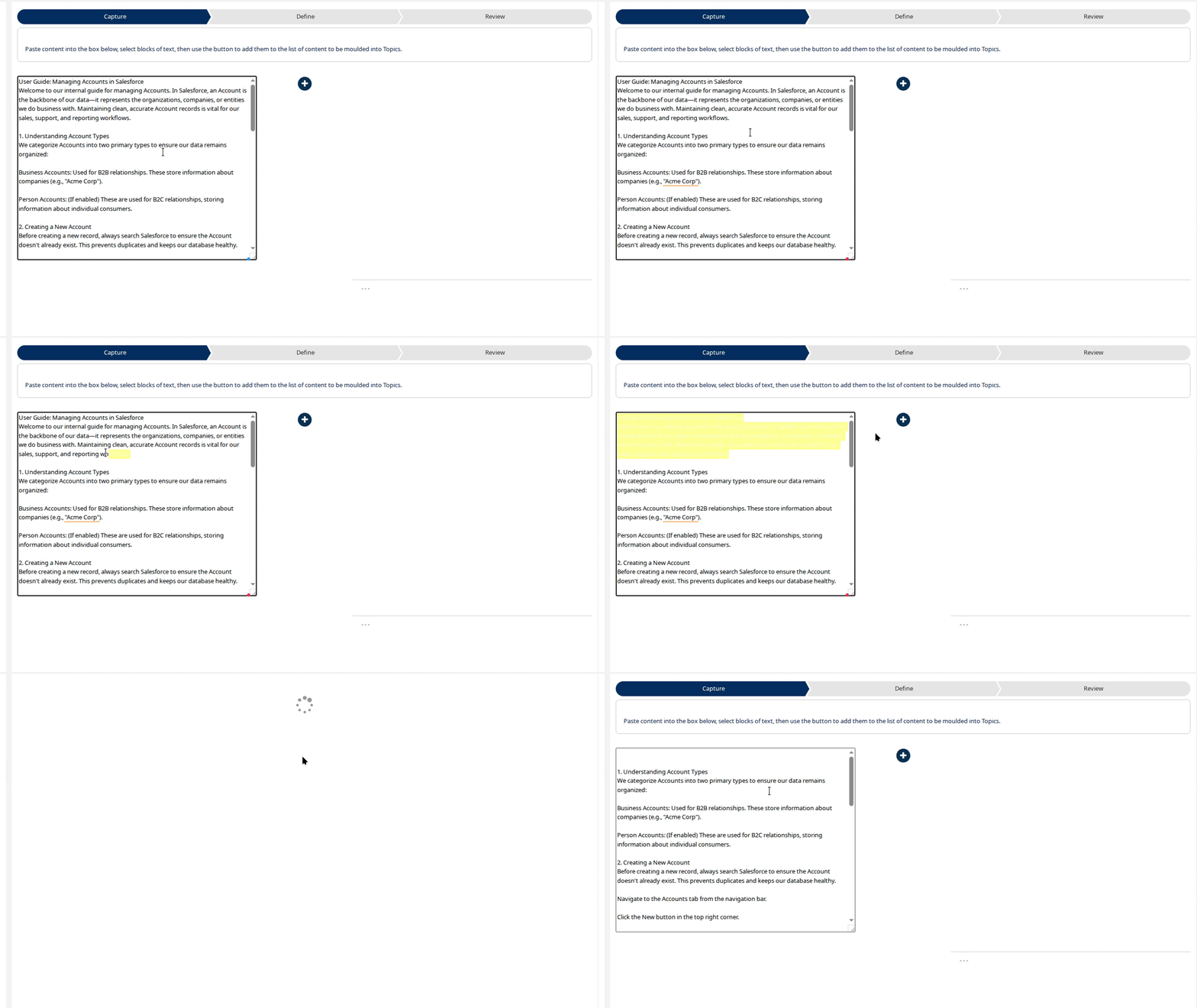
Type, copy or drag some or all of your source text to the input area on the left of the wizard step. Select some of this text then click the + icon to turn it into a draft Topic. Repeat to create as many candidate Topics as you wish.
Define
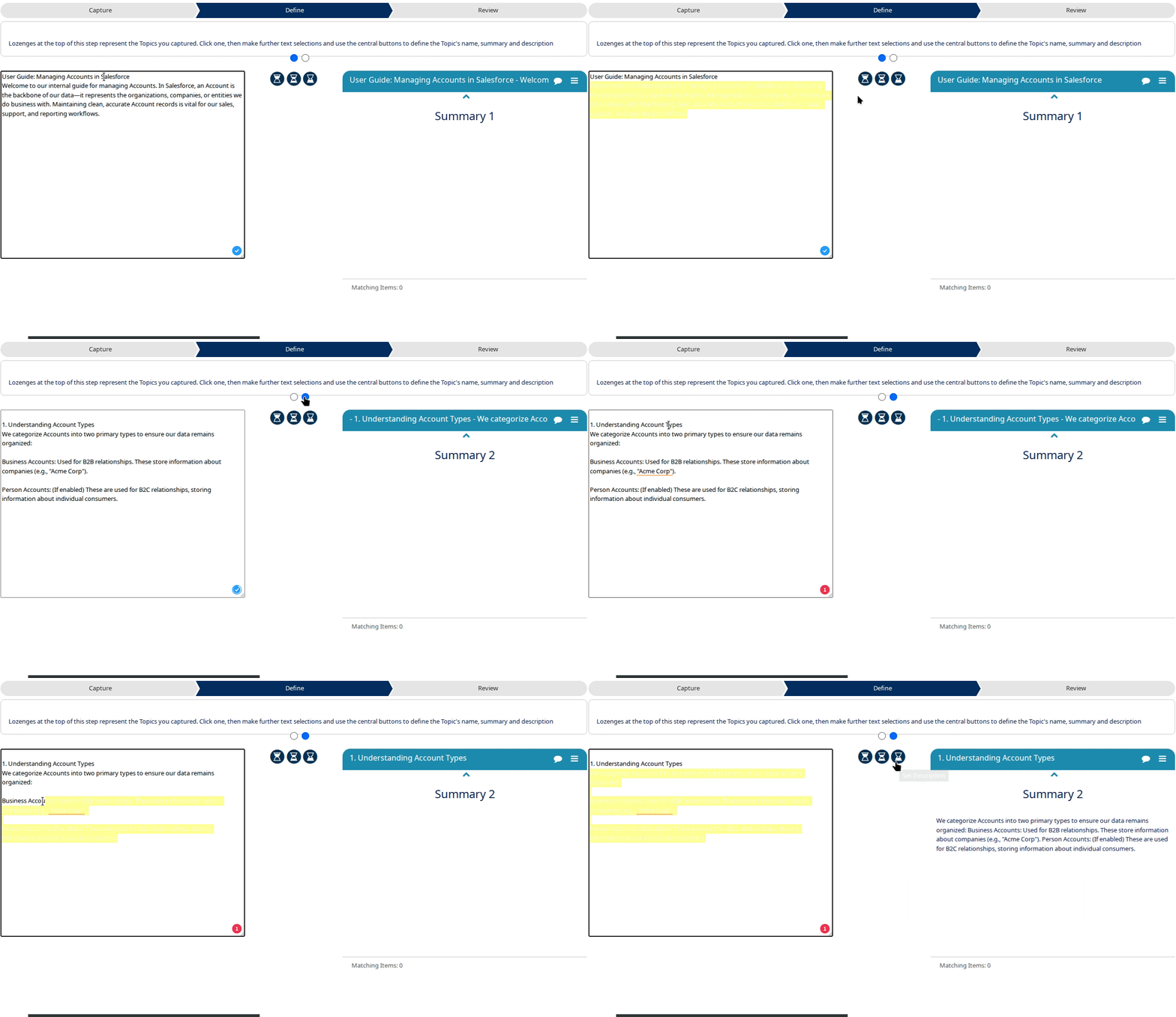
Your draft topics are 'listed' by selector lozenges towards the top of this step. Select a draft, then use the icons in the middle of the step screen to set Topic Name, Summary and full Description texts.
Review
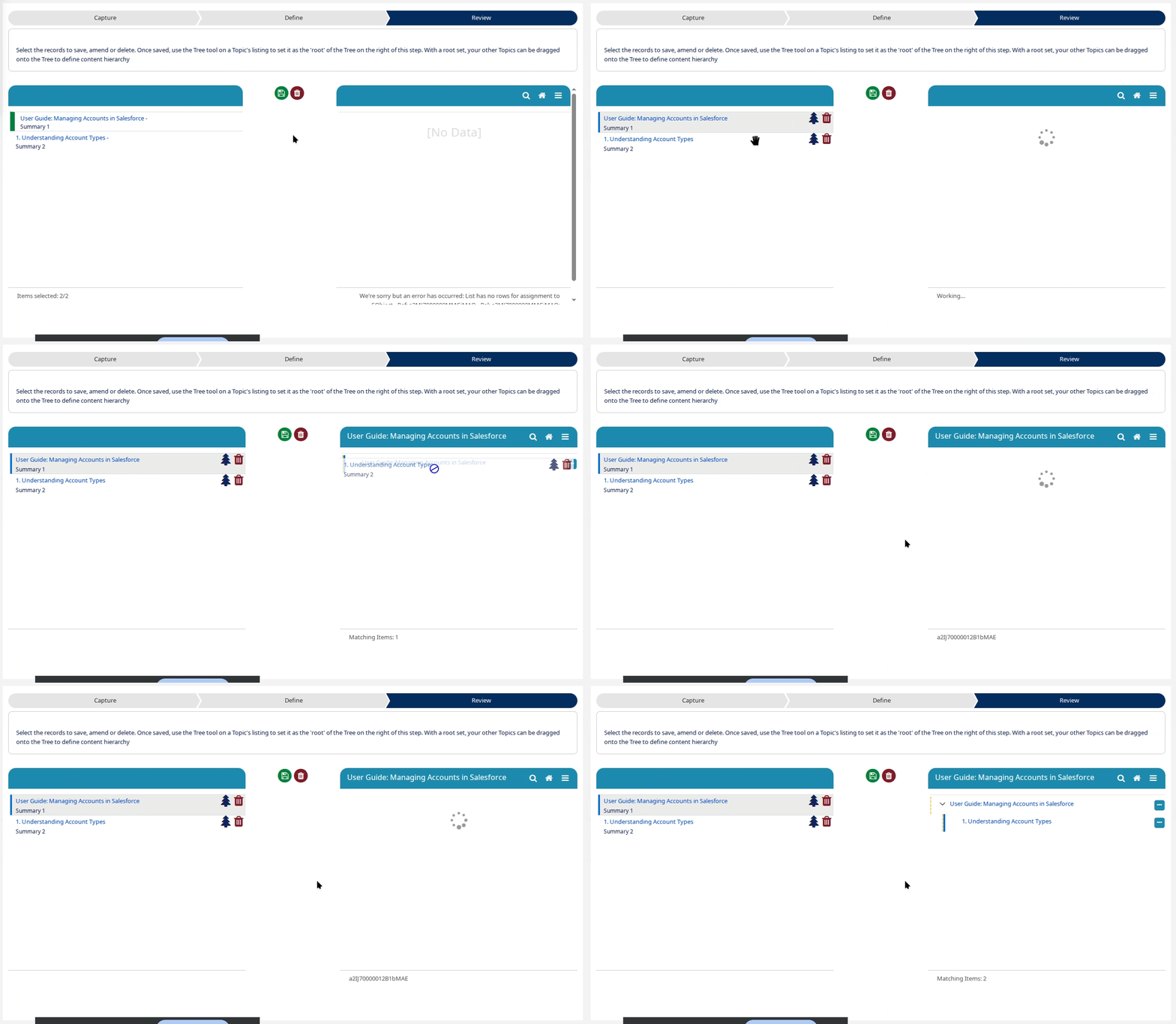
Save the Topics produced in the previous steps. Once these are saved, use the Tree tool against a Topic of your choice to set it to be the root of the tree control on the right of the wizard step. Once a root Help Topic is set, position the remaining ones onto the Tree by dragging them.