Link Work Orders to Equipment Records
You can use the existing Work Orders functionality in Salesforce and allow work orders to be logged against a piece of Equipment. Once the integration is completed, you will find:
- An optional Equipment lookup on the Work Order page layout
- A related list of work orders on the Equipment page layout with a New button to create work orders
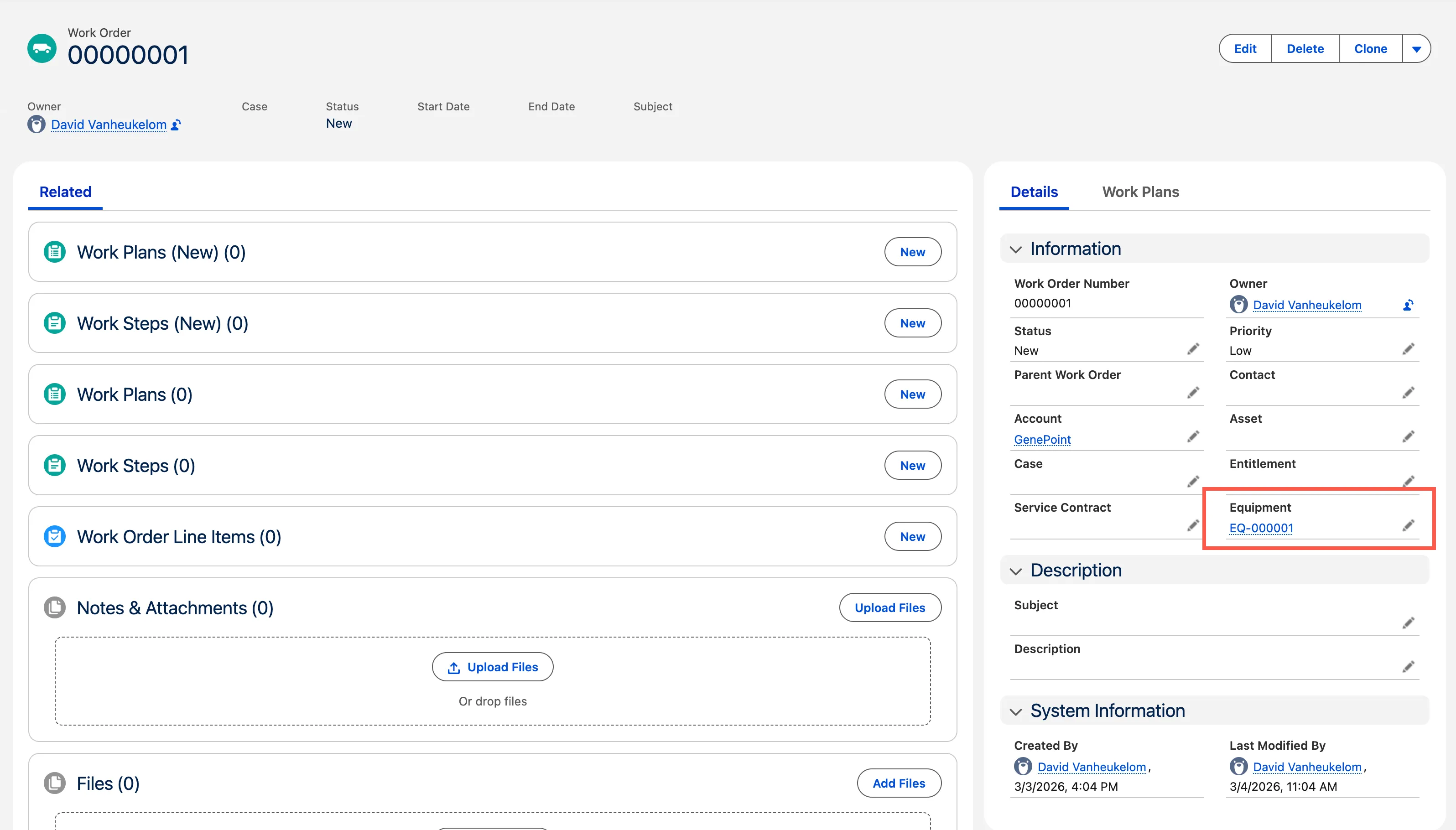
Equipment field available at Work Order record.
You need to be a system administrator in your org to complete these steps.
- Navigate to Setup > Objects and Fields > Object Manager.
- Open the Work Order object.
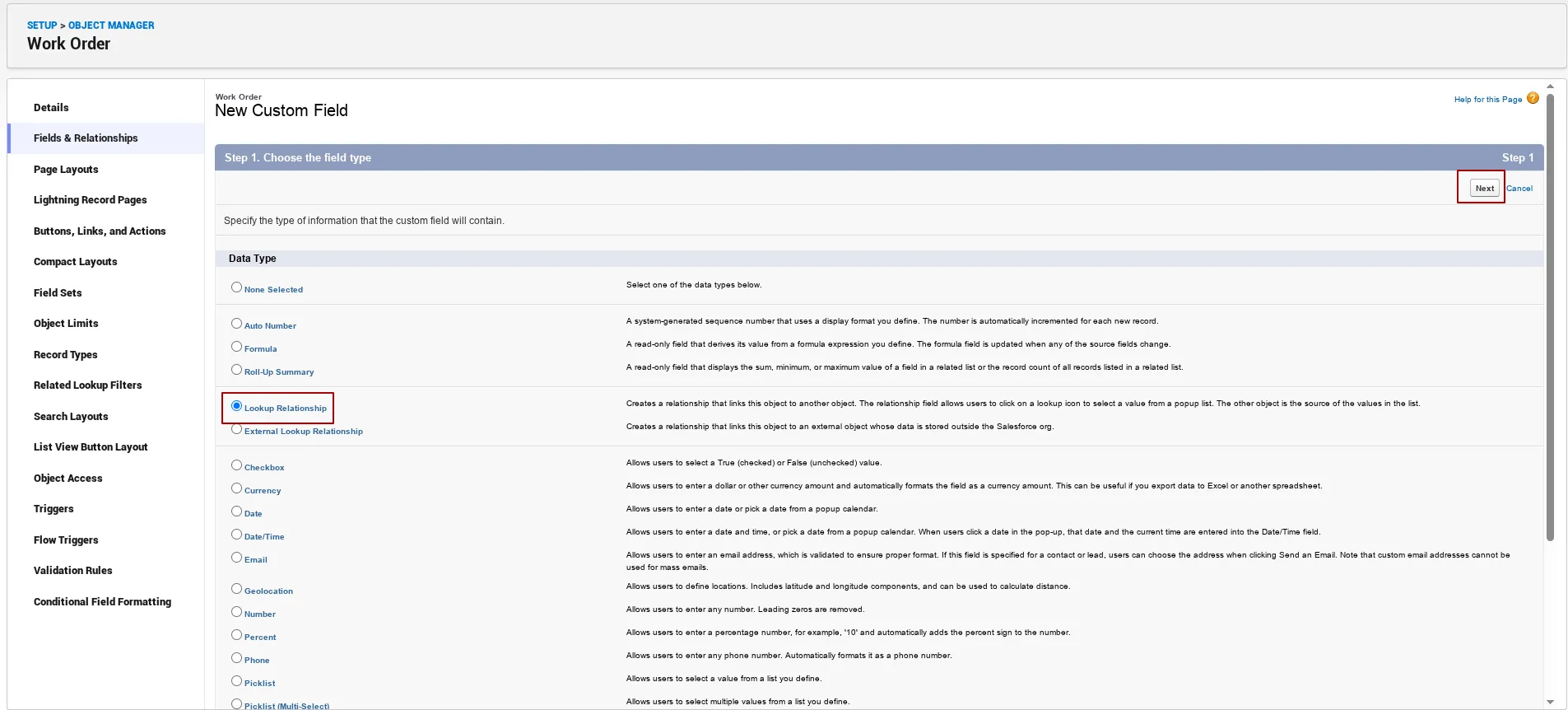
- Click the Fields & Relationships tab and click New.
- Choose Lookup Relationship and click Next.
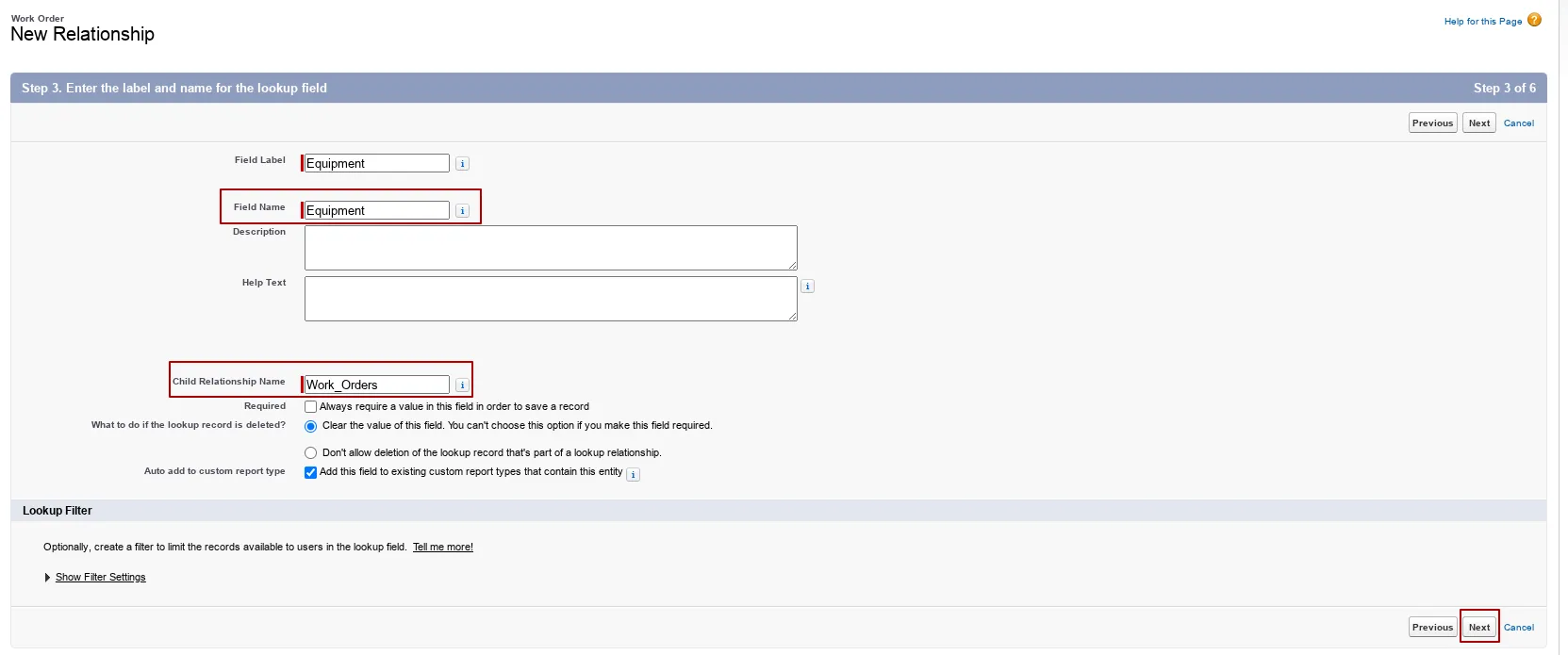
- Select Equipment as related object and click Next.
- Leave the defaults for Field Name and Child Relationship Name and click Next.
- Configure Field-Level Security according to your organization’s requirements, but leave Read-Only unchecked. Click Next.
- Accept the defaults to add the field to the Work Order page layout and click Next.
- Accept the defaults to add the Work Orders related list label to the Equipment page layout and click Save to finish.