Link Cases to Equipment Records
You can use the existing cases functionality in Salesforce and allow cases to be logged against a piece of Equipment.
- An optional Equipment lookup on the Cases page layout
- A related list of cases on the Equipment page layout with a New button to create cases
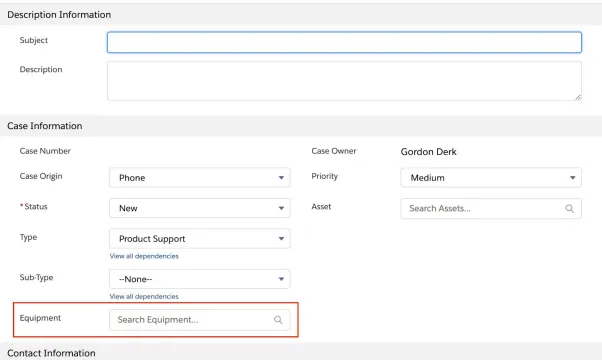
New Case Page
You need to be a system administrator in your org to complete these steps.
- Go to Setup > Object Manager > Case.
- Navigate to Fields and Relationships and click the New button.
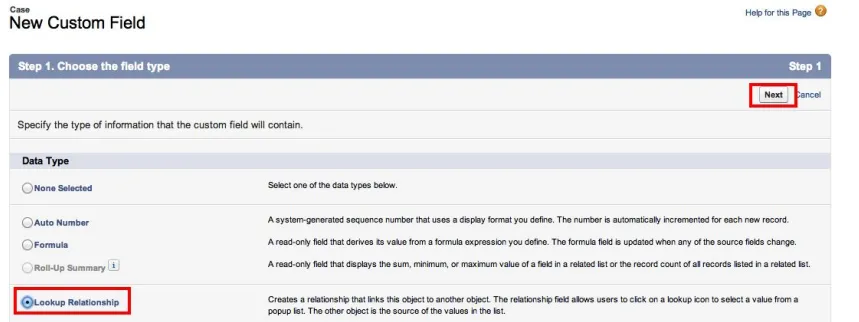
- Choose a Lookup Relationship and click Next.
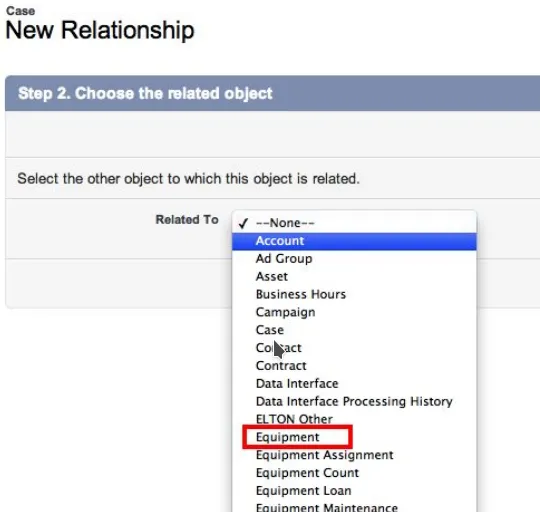
- For the related object, pick Equipment.
- Leave the defaults on Child Field Name and Relationship Name and click Next.
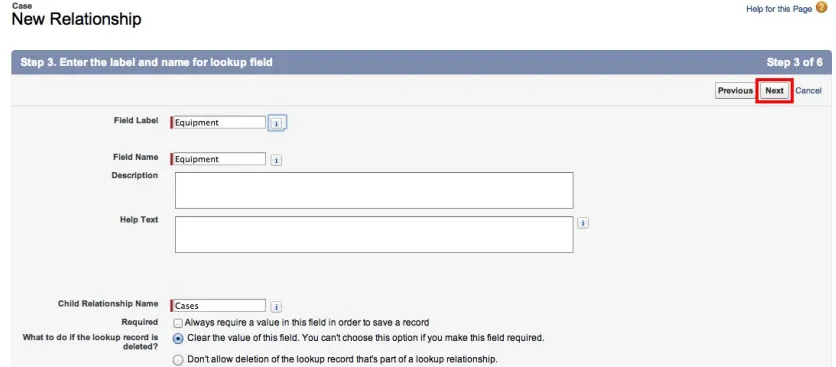
- Set relationship security to match your organization but do not check Read-Only. Click Next.
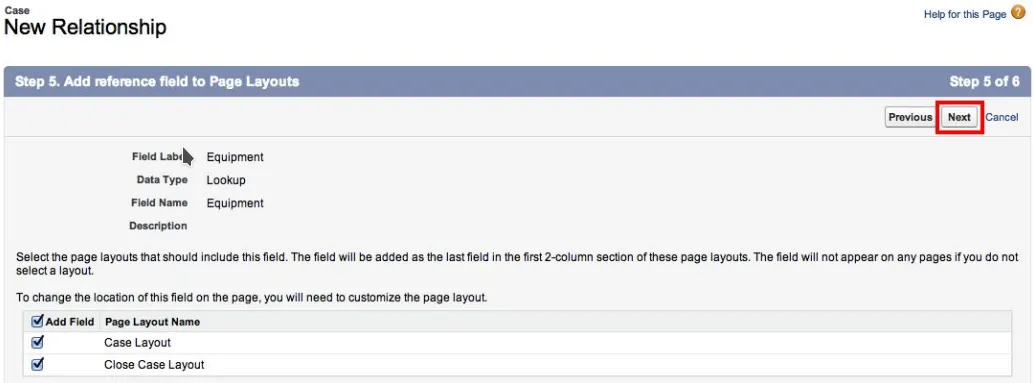
- Accept the defaults to add the field to the Page Layouts and click Next.
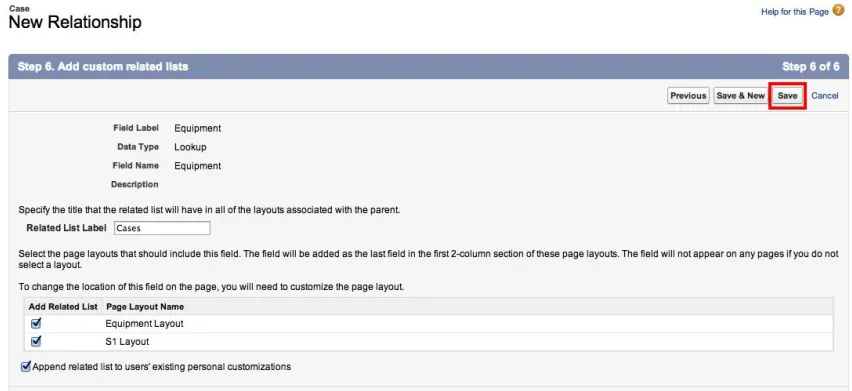
- Accept the defaults to add the cases-related lists to the Equipment Page Layouts and click Save to finish.
Turn on Enhanced Lookups for Equipment (Classic only)
In Salesforce Lightning all searching can use values other than the Name. However, in Salesforce Classic, to allow users to look up equipment based on fields other than the Equipment Name (EQ-NNNNNN) you need to enable Enhanced Lookups on the equipment object.
- Go to Setup > Search Settings.
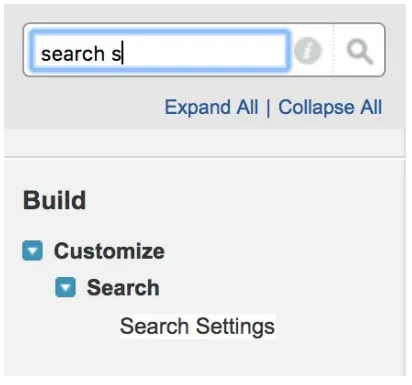
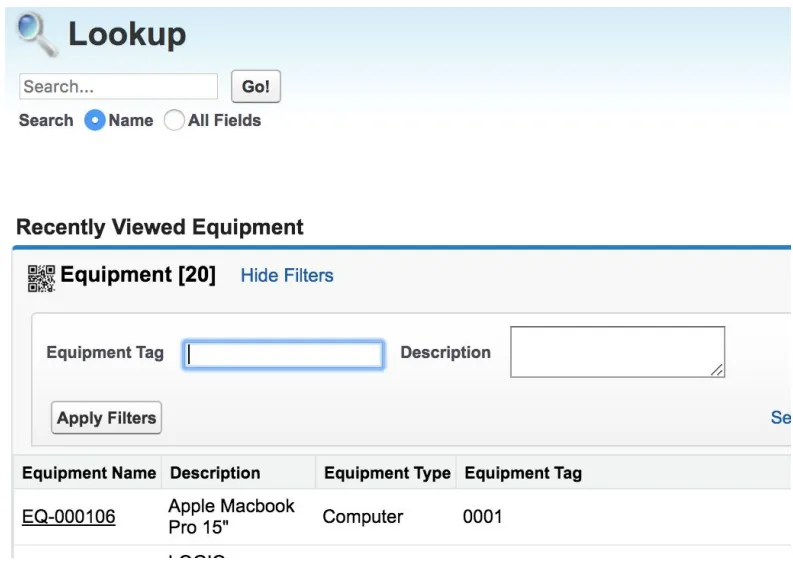
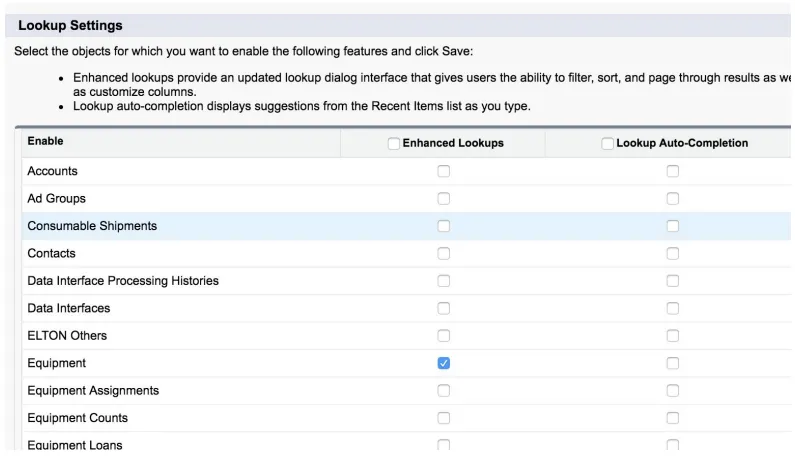
- Scroll down to the Lookup Settings section and enable Enhanced Lookups for the Equipment object. You can optionally turn on Lookup Auto-Completion if desired. Now your user can select All Fields and enter a search string that will return the Equipment from any searchable field such as Serial Number.
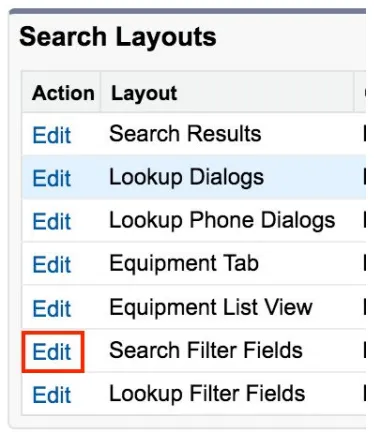
- You may also wish to offer specific field filters. Go to the Equipment object and scroll down to the Search Layouts section. Click Edit next to Search Filter Fields.
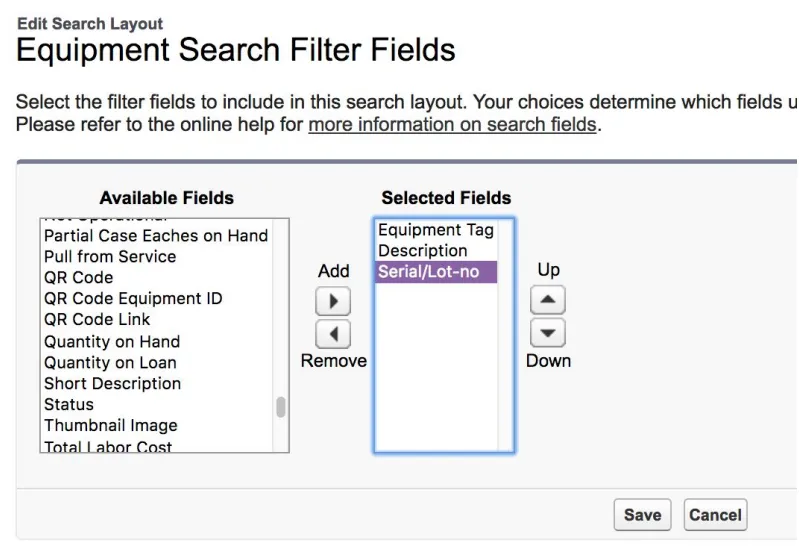
- Add the fields you want your users to be able to filter on and click Save.
- The resulting lookup allows users to search and filter on fields other than the Equipment Name.