Presence State
Unaric Voice allows users to manage their availability through configurable presence states. These states help coordinate internal communication, route calls appropriately, and provide supervisors with real-time visibility. The presence state is also displayed in the Utility Bar and Dashboards.
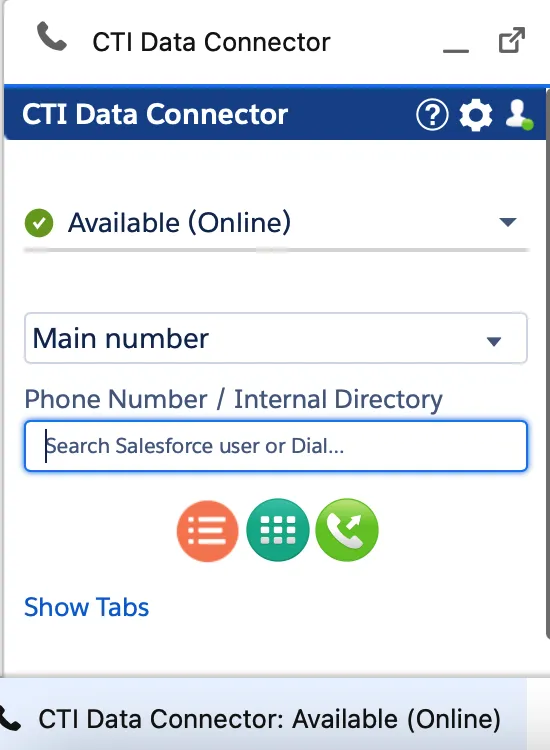
Presence State in the Utility bar as a dropdown list with state options
If you are using the Mirage Teams Connector Service, some presence states are automatically set by Outlook (e.g. Out of Office).
Main features
Presence states in Unaric Voice allow you to:
- Change your phone availability status directly from the softphone.
- Update your Salesforce Omni-Channel presence state.
- Automatically switch to Do Not Disturb (DND) after a call, based on a configurable wrap-up time (in seconds).
- Log time per presence state, helping track user activity.
Presence state icons
Icon | Presence state |
|---|---|
🟢 | Available / Online |
🟡 | Away |
⛔ | DND |
🔴 | Busy, On a Call, Ring |
| Presence state is disabled, unknown or user does not have a CTI Data Connector for Salesforce® license |
❌ | Logout, Offline, Offline / Outbound possible |
| Out of office |
⭕️ | Busy - Out of office |