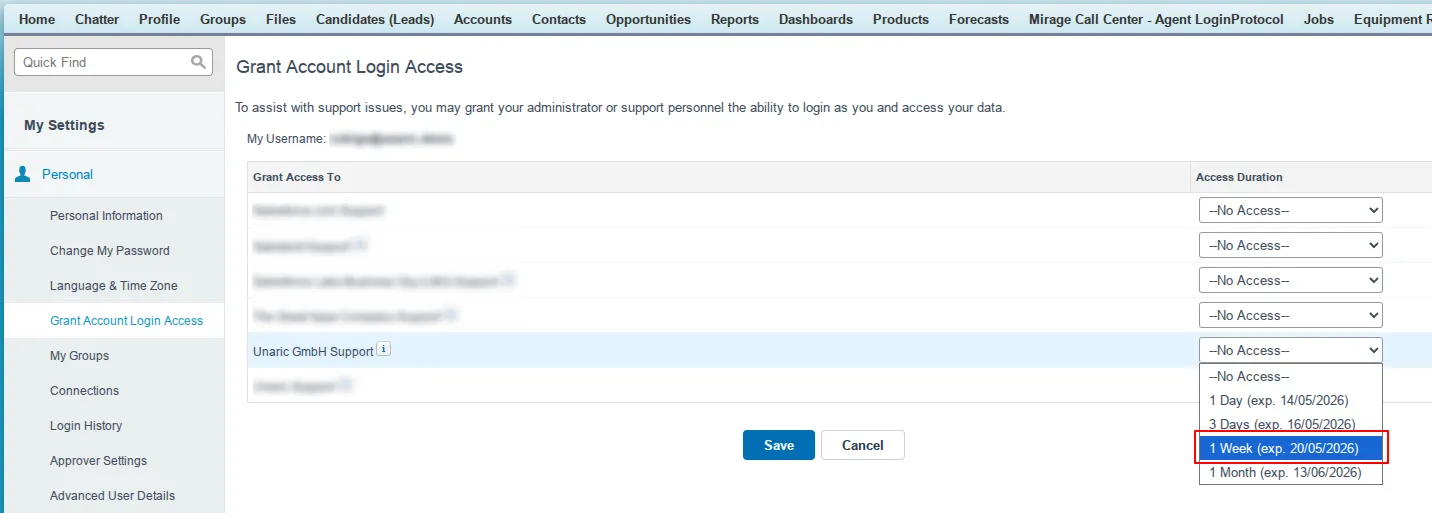
Grant Login Access
Unaric Voice support may ask you to grant login access to your Unaric Voice account in order to assist you with an issue or request. To this end, you must grant access to them and specify a duration for that access.
Only users with an Unaric Voice licence can grant login access.
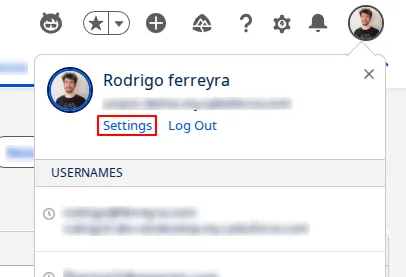
- Click on your avatar in the top right-hand side of the screen and choose Settings.
- At the left sidebar, go to My Personal Information > Grant Account Login Access.
- Set the access expiration date for Unaric GmbH Support to a minimum of 1 week for technical escalations or as requested by support.
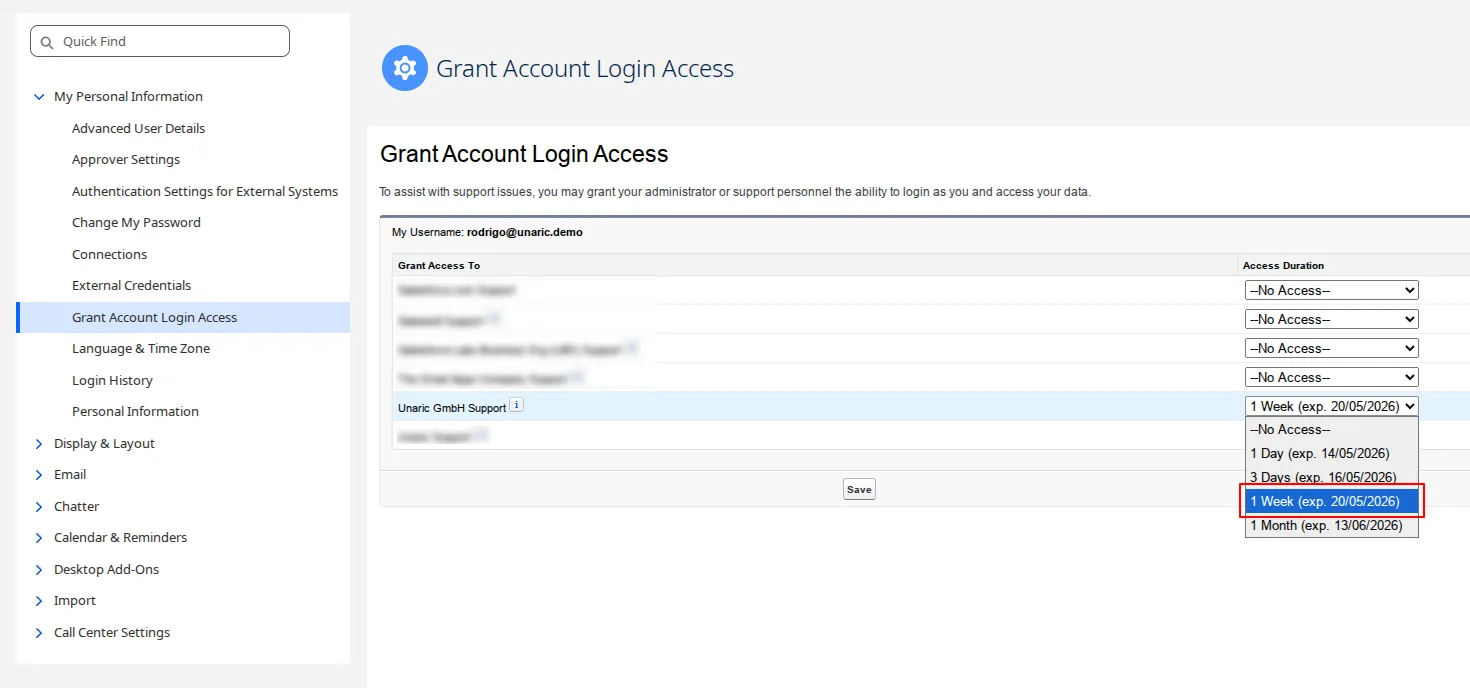
- Click Save.
- Update your ticket that you have granted login access. Make sure to include the name of the Lightning app used for Unaric Voice.