Internal Calls
Unaric Voice supports internal calling features, allowing team members to place and receive calls directly within the organization. Internal calls are identified based on the length of the dialled phone number.
Outbound internal calls
You can place an internal call by dialling the user’s extension or by searching their name.
How it works
- Internal calls can only be initiated if no call is currently active.
- When typing a name or extension, Unaric Voice searches the Salesforce user list (the internal phone directory).
- The user’s presence status is displayed next to their name.
- Only users with an extension number in the user record will be displayed in the internal phone directory search

Search results include:
- Username
- Extension number
- Presence state (if enabled; otherwise a gray icon is shown)
- User profile image
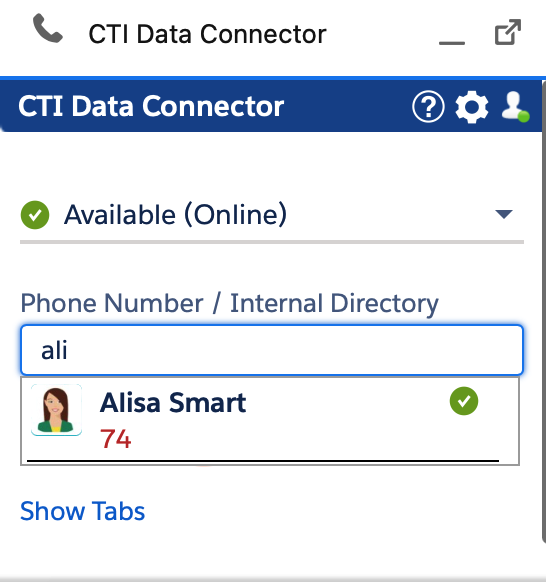
To include users without a Salesforce license in the internal phone book search, add these users using a free chatter license.
Inbound internal calls
Inbound internal calls are always routed to Unaric Voice's interface and are clearly marked as internal.
How it works
- Call notes, wrap-up codes, and follow-up options are not available for internal calls.
- No automatic record search is performed for inbound internal calls.
- By default, internal calls are not logged or saved.
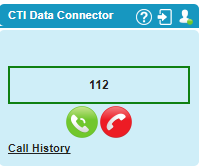
Inbound internal call - no search
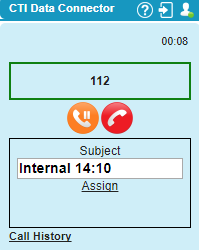
Inbound call active - no phone note or follow-up task