Inbound Calls
Inbound call interface
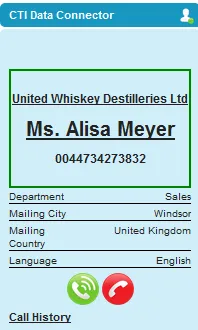
A green frame indicates an incoming call. If the caller can be identified, the account name and contact / lead name is shown. Additional fields to display are configured in the Softphone Layout.
Salesforce Classic
Salesforce Lightning
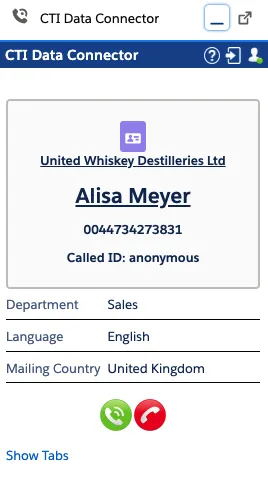
Display caller information
Unaric Voice offers sophisticated caller identification. Depending on the configuration, either the caller details are just displayed in Unaric Voice or a new tab opens and the lead, account, or contact details are loaded.
You can configure Unaric Voice to show caller information within the softphone panel without opening any additional screens. When an incoming call is received, if the phone number matches a known record, the account name, lead, or contact name is displayed. You can click the record at any time to view its complete information.
Workflow
graph TD
    classDef teal fill:#08496B,color:white,stroke:none,font-family:Arial,font-size:18px
    classDef matisse fill:#1B7EA1,color:white,stroke:none,font-family:Arial,font-size:18px
    classDef diamond fill:white,stroke:#1B7EA1,color:#08496B,shape:diamond,font-family:Arial,font-size:17px
    classDef rectangle fill:white,stroke:#1B7EA1,color:#08496B,font-family:Arial,font-size:18px

    A["Incoming Call"]:::teal --> B{"Identify Caller?"}:::diamond

    B -->|Single Match| C{"Person Account?"}:::diamond
    C -->|Yes| D[Assign to Contact]:::matisse
    C -->|No| E[Assign to Lead/Contact/Account]:::matisse

    B -->|Multiple Matches| F[Show matches]:::matisse
    F --> G[User selects record]:::rectangle

    B -->|No Match| H["Anonymous Caller"]:::matisse
    H --> I{"Assign manually?"}:::diamond
    I -->|Yes| J[User assigns record]:::rectangle
    I -->|No| K[No assignment]:::rectangle
Configure caller information
In the Softphone Layout settings:
- Set Screen pops open within to: New browser window or tab.
- Set Single-matching record to: Don't pop any screen.
To customize which fields are shown in the softphone, use the Softphone Layout option If single Account, Contact, Lead found, display.
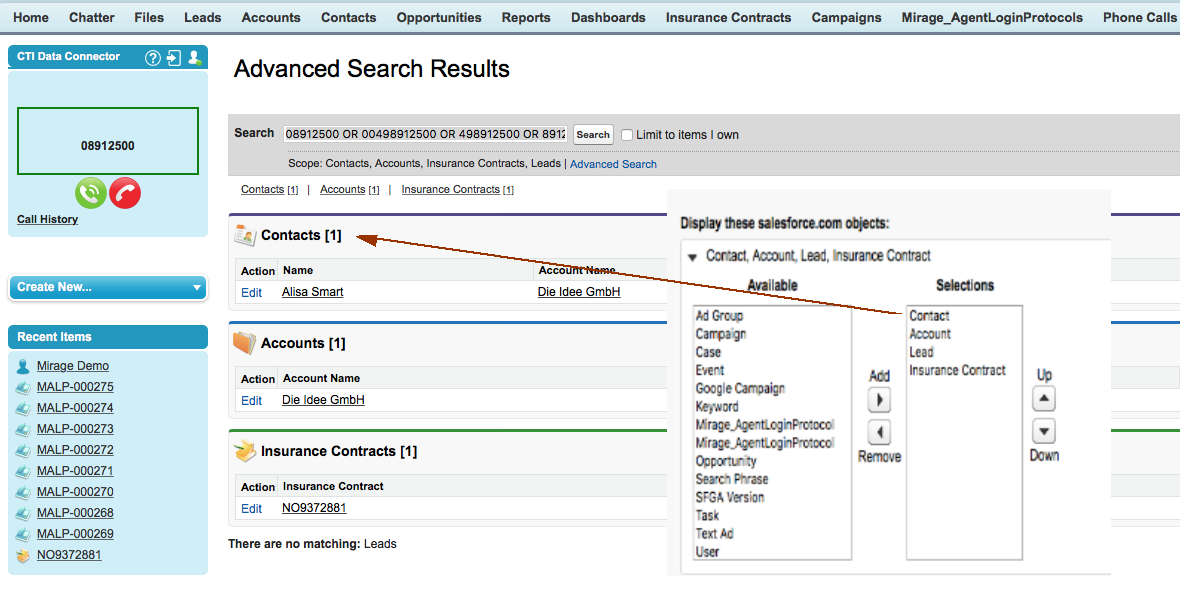
Display caller information and open record in new tab
You can configure Unaric Voice to automatically open the matching record in a new browser tab when a call is received. To enable this feature:
- In the Softphone Layout, et Screen pops open within to New browser window or tab.
- Set Single-matching record to Pop detail page.