Transcription Data Management
This page details how Unaric Voice processes, routes, and persists transcription data.
Overview
Unaric Voice acts as the intelligent routing layer between the telephony provider and the CRM. Because Azure Communication Services (ACS) provides real-time captions as ephemeral events without native storage, Unaric Voice ensures this data is captured and committed to your permanent records.
A call starts
Closed captions are available during the call through Azure Communication Services, and ACS does not store them. For more information about this service, see Azure's documentation: Closed captions overview.
Capture and routing
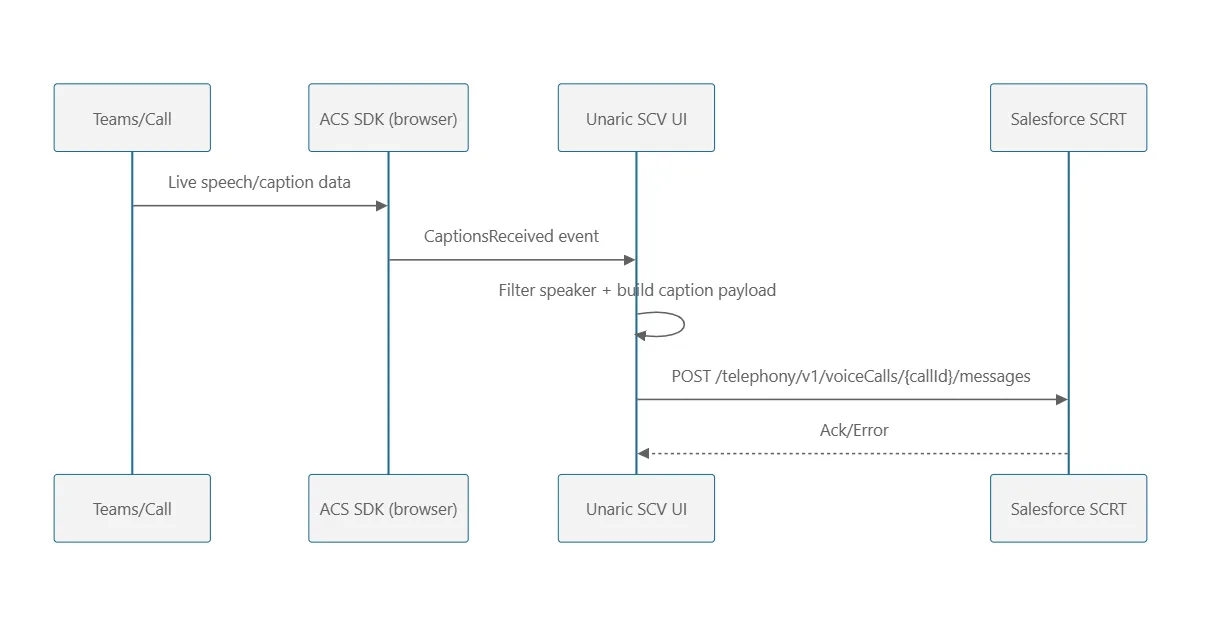
During an active call, Unaric Voice listens for real-time caption events generated by ACS. As these events occur, the integration immediately packages and forwards them to the Salesforce SCRT VoiceCall message APIs.
Persistence and compliance
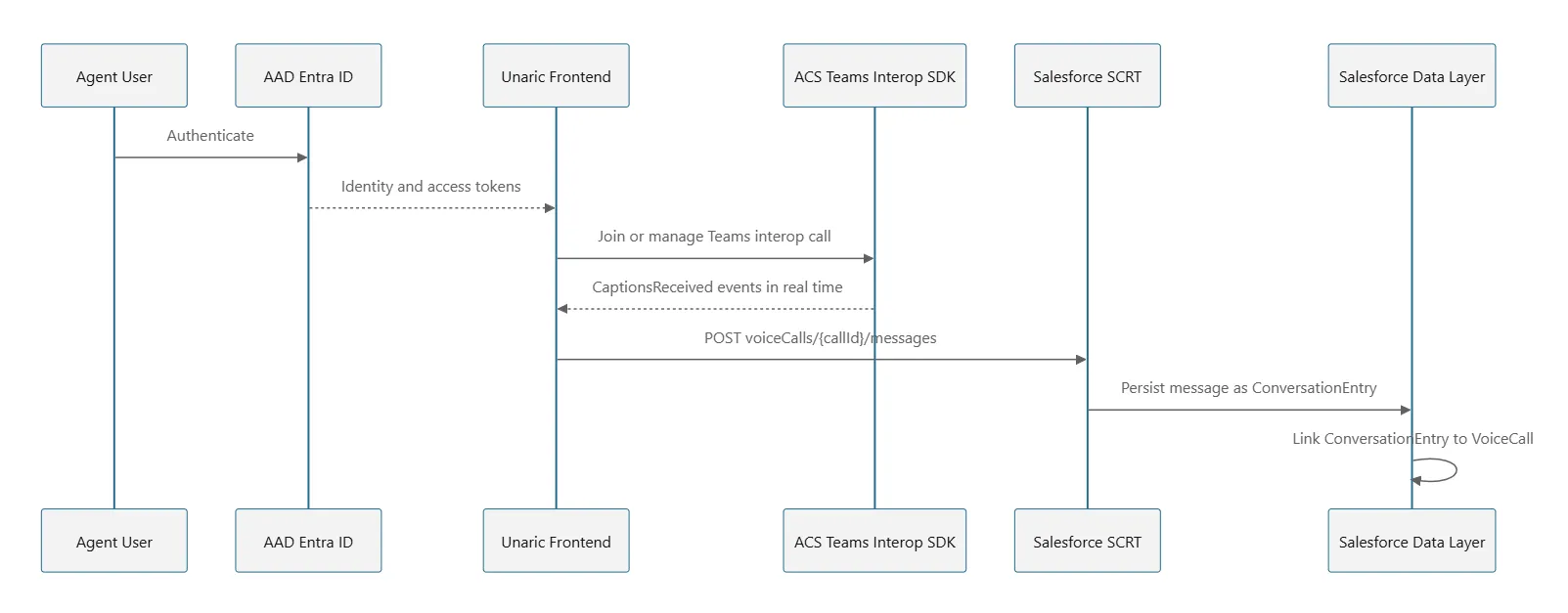
Once the data reaches Salesforce, it is stored as ConversationEntry records. From this point forward, the data is governed by your organization’s Salesforce retention and compliance settings. For more information, see Salesforce's documentation: Create a Transcript.
VoiceCall records and their associated ConversationEntry transcripts do not count toward your standard Salesforce org storage limits.
Handling complex call scenarios
Unaric Voice ensures data integrity even when call flows become complex, such as during transfers or multi-party interactions.
- Unified parent linking: In a transfer scenario, Unaric Voice links all generated conversation entries to the Parent Voice Call record.
- Relational mapping: Using the VoiceCall ID, administrators can programmatically retrieve the full context of the interaction, including the Conversation record and all ConversationParticipant records.
Technical considerations
Linking latency
After a call concludes, there is a brief processing window where Salesforce updates the relatedRecordId field to bind the messages to the VoiceCall. As a result, The Conversation component may appear empty for several minutes post-call. If the transcript is missing, refresh the page after a short interval to allow Salesforce to complete the background linking process.
For more information, see Salesforce Voice Limits and Limitations.
Architecture & flows
The following diagrams illustrate how Unaric Voice manages the flow of transcription data across the telephony and CRM layers.
High-level summary
With Salesforce layer, and Azure Active Directory (AAD) login
Captions captured for different participants using following flow
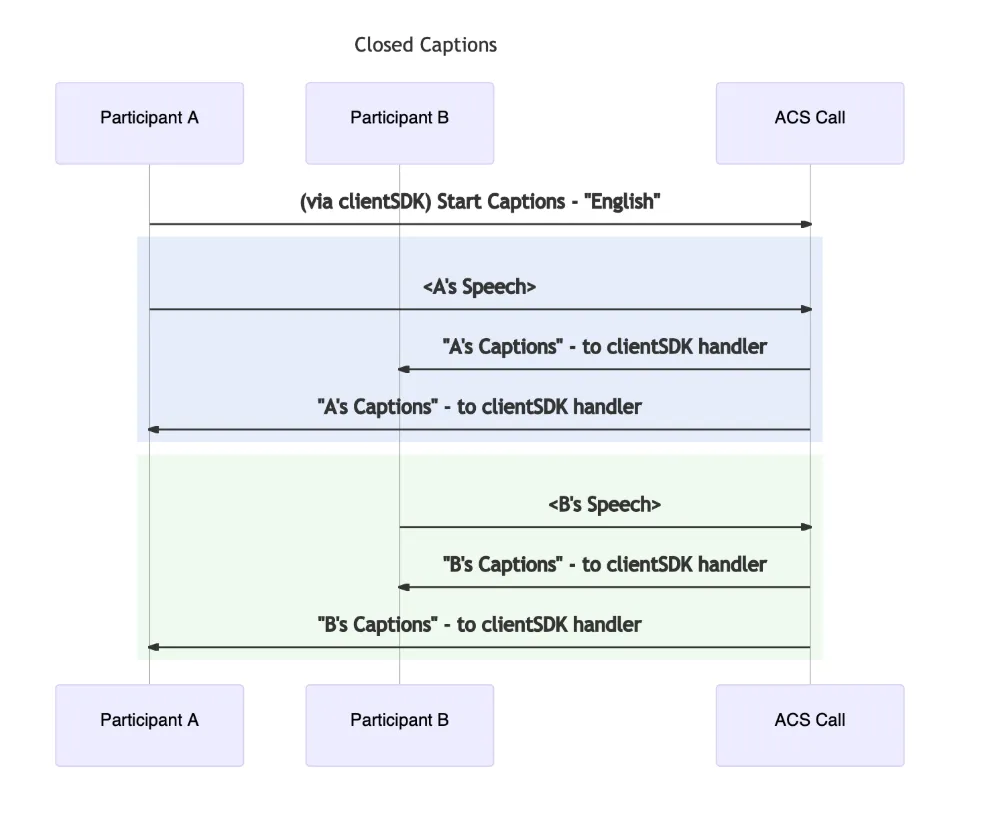
Credits for image: Closed captions overview.
Communication Services user using caption in a meeting with a Microsoft 365 user on Azure Communication Services SDK
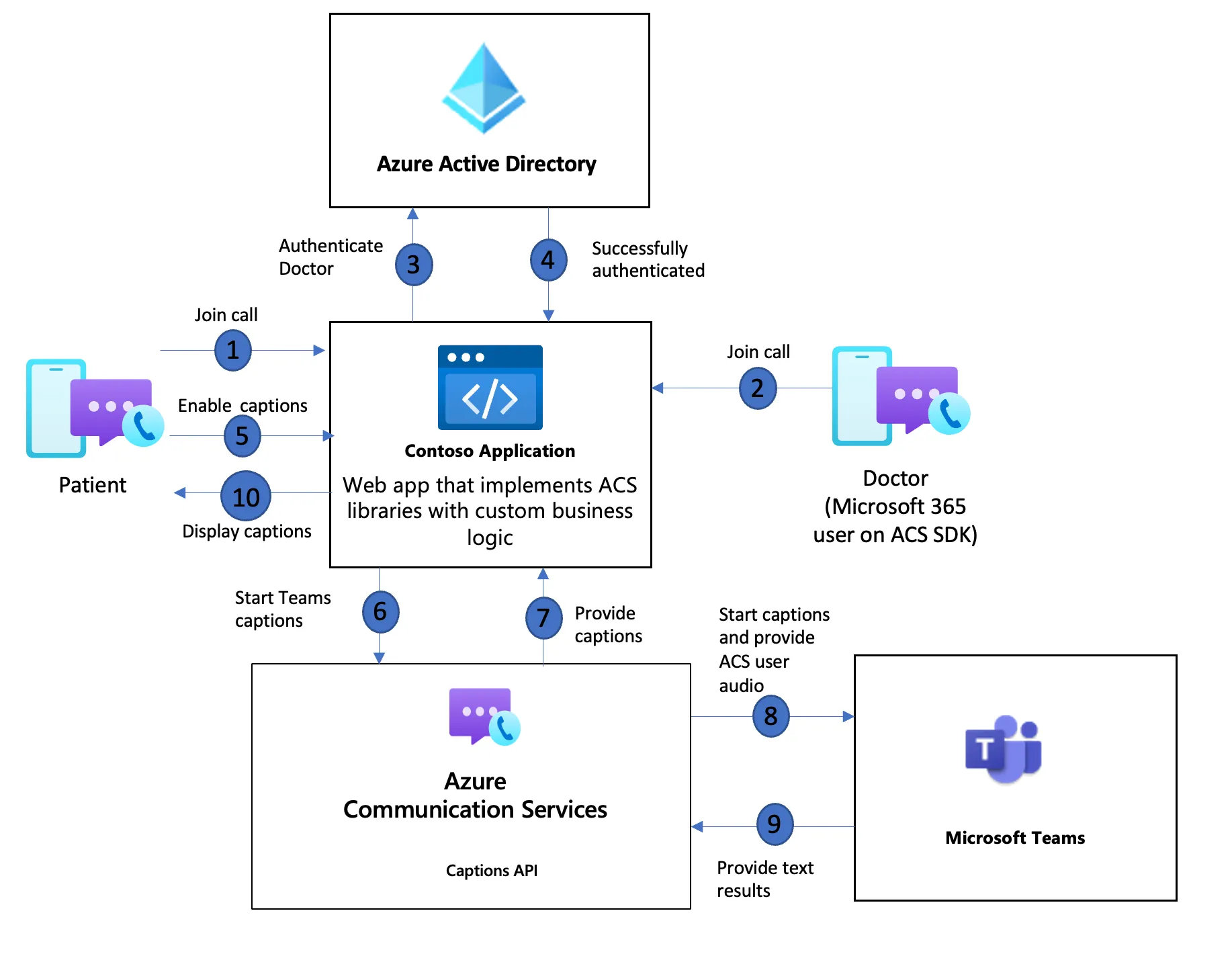
Image credit: Enable Closed captions with Teams Interoperability.