Return Equipment Order Loans
The Return button facilitates the final stage of an Equipment Order process, allowing users to return borrowed equipment associated with loans.
This button becomes relevant only if your equipment order includes loaned equipment.
Returning equipment loans
- On the Equipment Order tab, click the order you want to return equipment from.
- Click the Return button on the action bar.
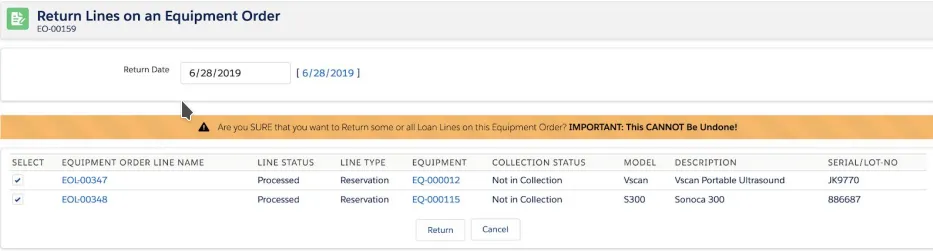
- Choose a return date. The page will show you if there are any lines to return on those dates. By default, the system sets the Return Date to the current date.
- Select loans to return. By default, all loan items within the order are selected for return. To return specific loans, uncheck the boxes next to the items you do not want to return.
Once you have reviewed and adjusted any settings, click the Return button to finalize the loan return process.