GEO Location Tracking
You can implement GEO location tracking for Equipment assignments and Equipment Order destinations using the Google GEO location service. Values are expressed in coordinates (latitude and longitude) and saved as Address.
How it works
When assigning equipment to equipment orders, this integration enables you to search and select equipment based on the proximity of the equipment (e.g. the shortest distance) of where the equipment resides compared to the location it will be delivered.
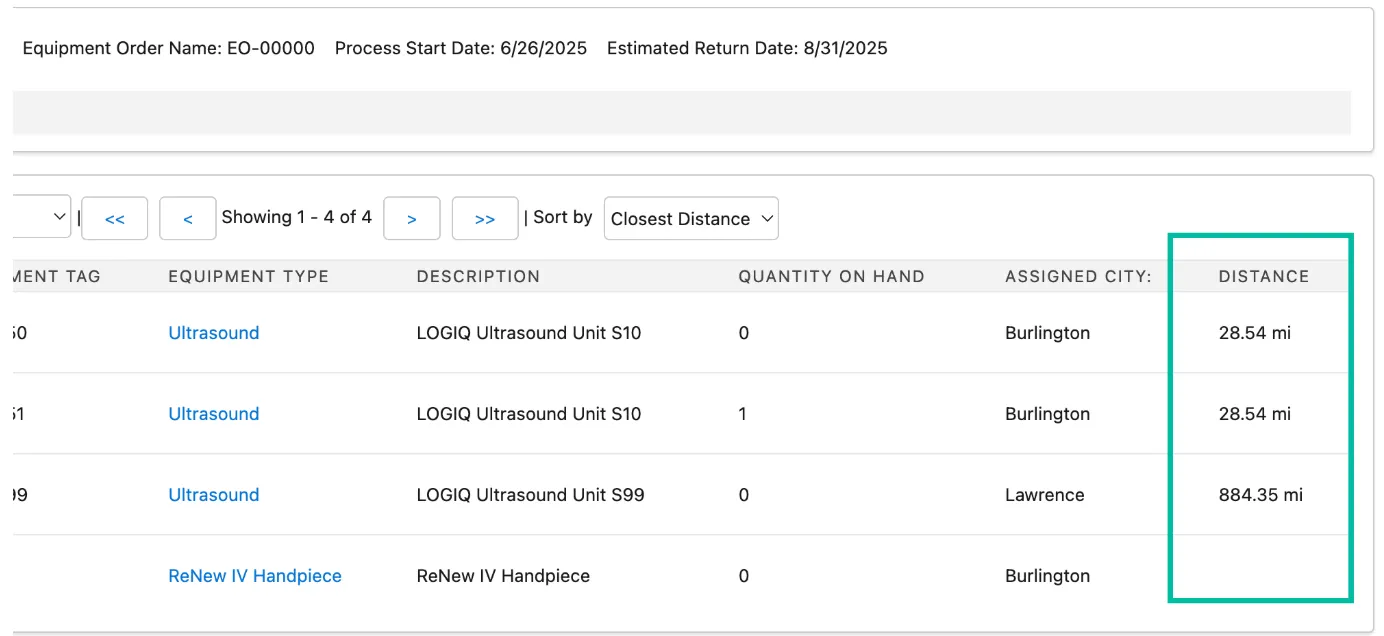
Setup GEO location tracking
To use this feature, you need to enable equipment geo mapping custom settings and add an API key from Google GEO location services.
1. Set up Google GEO location service
The Google GEO location service is a paid service, but includes a substantial 10,000 requests per month for free. To review and signup for this service, see Google's documentation: Set up the Geolocation API.
After signing up for this service, you will obtain an API key to be entered in the next step into the delivered Google API Key Custom Setting in Salesforce.
2. Enable equipment GEO mapping
Equipment GEO mapping depends on two custom settings you need to activate. When these are active, a new GEO location will be created when an Equipment Assignment or Equipment Order location is changed (not only on creation).
- Go to Setup > Custom Code > Custom Settings.
- Find the ELTON Logic Control Settings custom setting and click Manage.
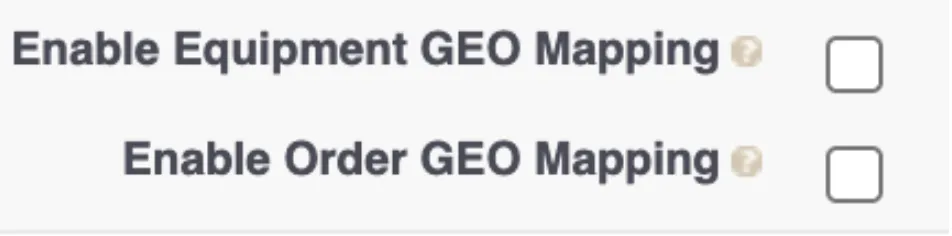
- Click Edit and check the following boxes:
- Enable Equipment GEO Mapping (for equipment GEO mapping)
- Enable Order GEO Mapping (for Equipment Orders GEO mapping)
- On the Google API key field, enter your Geolocation API key.

- Click Save to finish.