Create Global Quick Actions for Record Types
Global Quick Actions layouts are created for multiple Record Types in Salesforce. The layout will be applicable to the record type when selected during Global Quick Action creation. If Global Quick Action is not created for any record type, then the default layout will open during record creation.
The name of the Global Quick Action should have Salesbolt as a prefix otherwise it will not be considered during record creation.
Creating the Global Quick Actions
- Navigate to the Setup tab of Salesforce org
Navigate to User Interface >> Global Actions >> Global Actions
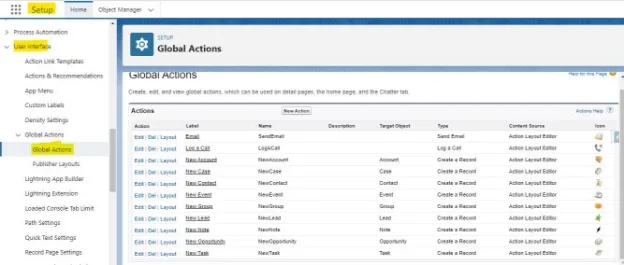
- Click on the New Action button to create a new layout and select options for the below dropdown
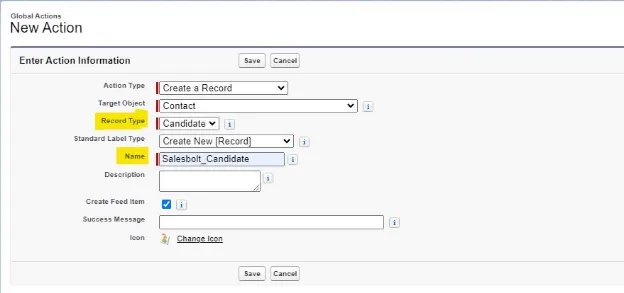
- Select Action Type
- Select Target Object
- Select Record Type
- Select Standard Label Type
- Enter name with “Salesbolt_” prefix
- Click on the Save button to finish.
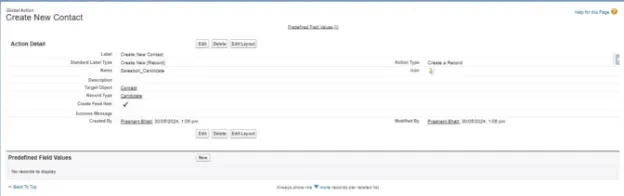
The Salesforce Org should have a record type created for the Contact object. Name should start with Salesbolt. For example Salesbolt_Candidate.
Add new fields
The layout will be created with default fields. Optionally, users can add new fields.
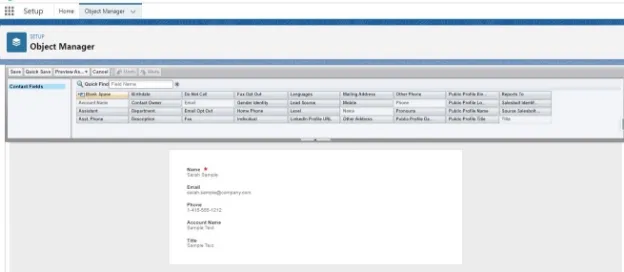
Add New fields and click the Save button to add them to the layout.
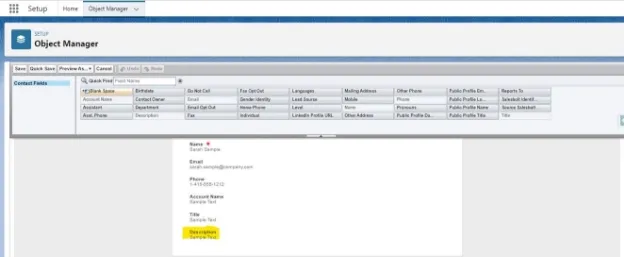
The Global Quick Action will now be displayed.
Using Global Quick Actions
Login into Salesbolt Extension with the org credentials and navigate to Extension Settings >> Advanced Tab
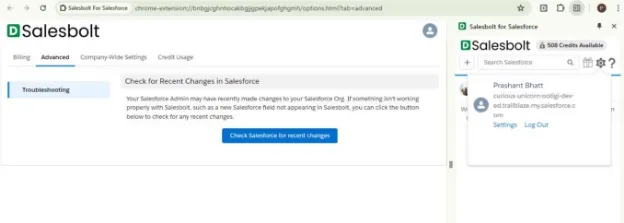
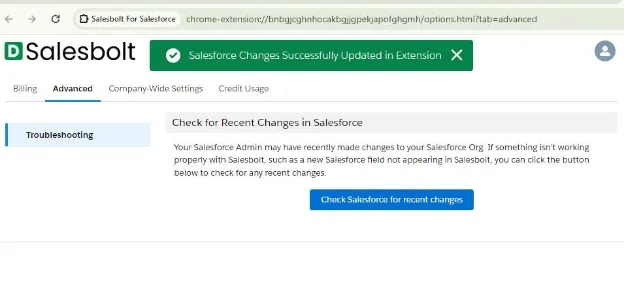
Click on Check Salesforce for recent changes button in the Advanced tab and the changes done in Salesforce will be synced with Extension
Open the Salesbolt Extension and open any profile to create record
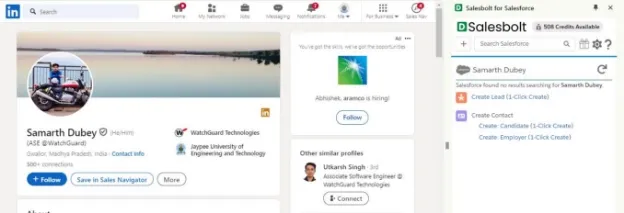
Click on the record type for which Global Quick Action is created. In this example, a layout is created for the Candidate so when clicking the Create: Candidate button, the below layout will open for the Candidate record type. The layout will have the fields that are present in Global Quick Action created for the record type
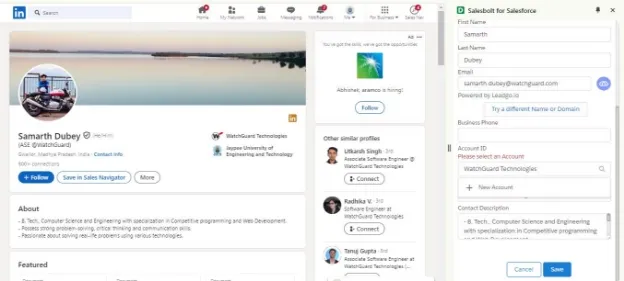
- Click on the record type for which Global Quick Action is not created. In this example, Global Quick Action is not created for Employer so when clicking the Create: Employer button, the default layout will open for Employer record type