API_CURRENTLY_DISABLED error
Your Salesforce Org, or your User, might have the API Disabled. If so, you will see this error message when opening the extension:
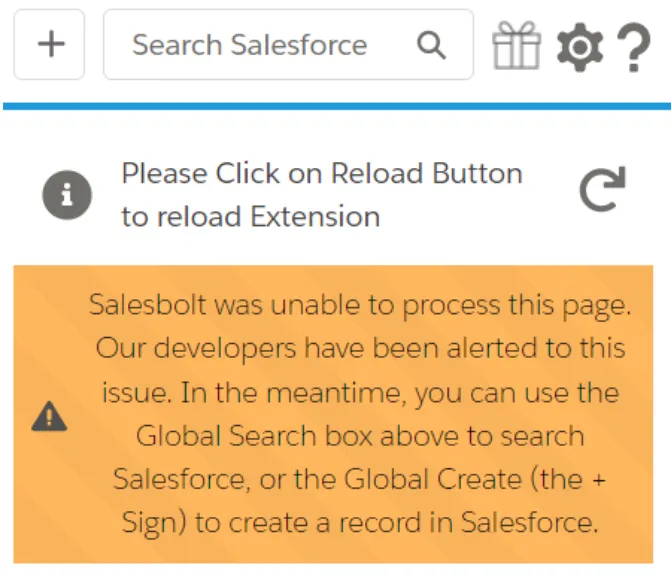
You will need a Salesforce Admin account to fix this issue.
To fix this issue:
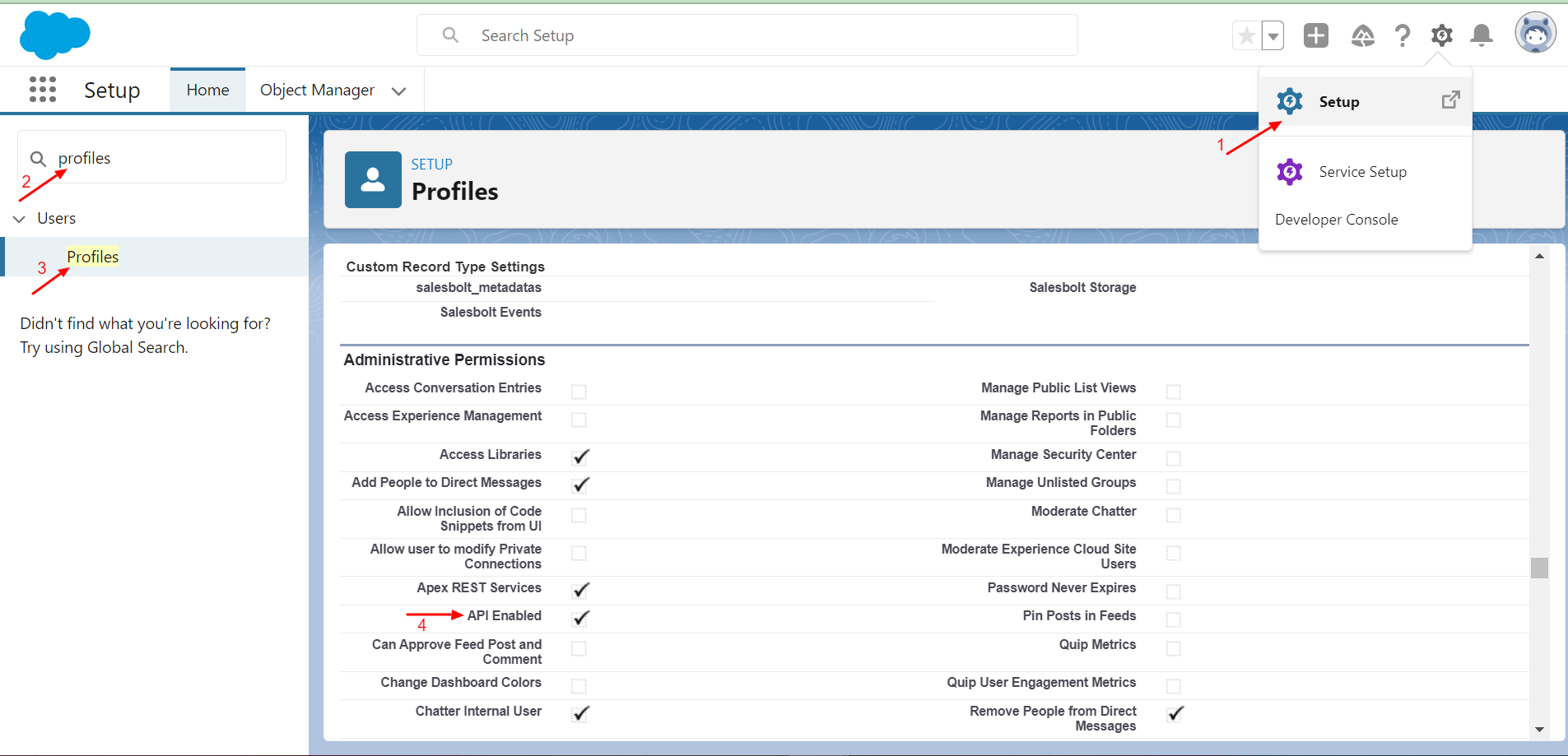
- Go to the Salesforce Setup. In Lightning, that's the Gear icon in the upper right.
- In Quick Find, search for Profiles.
- Go to that particular Users profile and click on Edit.
- In Administrative Permissions, API Enabled should be checked.