---
title: Call Result (Wrap-Up)
slug: voice/call-result-wrap-up
description: Complete call result and wrap-up codes in Unaric Voice to keep accurate Salesforce activity records.
docTags:
createdAt: 2024-03-12T17:28:53.641Z
---
After a call ends, Unaric Voice allows you to log a **Call Result**, also known as a **Wrap-Up**. The Call Result serves two key purposes:
- It is saved in a **dedicated field** within the call activity.
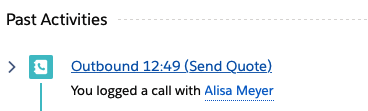
- It appears in the **Subject** line of the call record (this is configurable).
This feature is commonly used to track outcomes such as *Got Voicemail* or *Meeting Scheduled*. In this way, you can categorize the outcome of the interaction and consequently track call performance across teams.
## Flow
```mermaid
graph TD
A[Call Ends] --> D{Call Direction?}
D -->|Outbound| E[Outbound Picklist
Got Voicemail, Meeting, No Answer]
D -->|Inbound| F[Inbound Picklist
Callback, Transfer, Resolved]
E --> G[User Selects Call Result]
F --> G
G --> H[Call Result Saved]
H --> I[Dedicated Field
in Call Activity]
H --> J[Subject Line
of Call Record]
I --> K[Sales Engagement
Cadence Influenced]
J --> K
classDef teal fill:#08496B,color:white,stroke:none,font-family:Arial,font-size:18px
classDef matisse fill:#1B7EA1,color:white,stroke:none,font-family:Arial,font-size:18px
classDef diamond fill:white,stroke:#1B7EA1,color:#08496B,shape:diamond,font-family:Arial,font-size:17px
classDef rectangle fill:white,stroke:#1B7EA1,color:#08496B,font-family:Arial,font-size:18px
class A teal
class D diamond
class E,F,G,H,I,J rectangle
class K matisse
```
## Wrap-up picklists
Unaric Voice supports separate **picklists** for **inbound** and **outbound** calls to ensure relevant options are presented depending on the call direction:
| **Call type** | **Result examples** |
| ------------- | ------------------------------------------------------ |
| Outbound | *Got Voicemail, Out of Office, Meeting, No Answer* |
| *Inbound* | *Requested Callback, Transferred to Support, Resolved* |
## Call result UI
After the call is terminated, you can benchmark the call by selecting a call result. It is saved in an own field in the activity of the call and is also visible in the subject line of the phone call.
::Image[]{src="https://api.archbee.com/api/optimize/10Nod6Ww95R3dPr0k0TCJ/4_whQ4tUnqNtg10JUZKqN_image.png" size="46" width="279" height="464" position="center" caption="Call Wrap-Up picklist" darkWidth="800" darkHeight="1330" showCaption="true"}
## Call wrap-up time
Once a call ends, a **Wrap-Up timer** begins. This gives the user time to log the Call Result and complete any post-call notes or actions.
### How it works
- The **wrap-up time** duration is defined in the **Call Center Setup**.
- The user can **extend** the timer:
- Hover over the 🕒 icon to see how much time is left.
- Click the icon to extend the wrap-up period for the current call.
- If the user manually changes their **presence status** (e.g., to DND), the wrap-up timer is skipped, and the selected status takes effect immediately.
- Wrap-Up Time does **not apply** to outbound calls that were not answered (unsuccessful calls).
## Configuration options
Admins can tailor how Wrap-Up works to meet specific requirements:
- **Wrap-Up groups** can be created to provide different result lists for different use cases (e.g., sales vs. service, or product-specific outcomes).
- The **Call Result** field can be:
- **Mandatory**
- **Optional**
- **Disabled**
- A **default value** can be set for the picklist.
:::hint{type="info"}
You must enable both Call Wrap-Up and Create Record During Call features in the softphone layout for this functionality to work.
:::