---
title: Wildix
slug: voice-german/wildix
docTags:
createdAt: 2024-03-19T21:54:45.791Z
---
### Step 1 - install CTI Data Connector - TAPI Link
### Download at [Install CTI Data Connector - TAPI Link on the local PC](docId:8AhWgo_AFKmGC3vmmk_qq)
To configure for Wildix, download the TAPI driver extensions.
### Step 2 - install Wildix TAPI
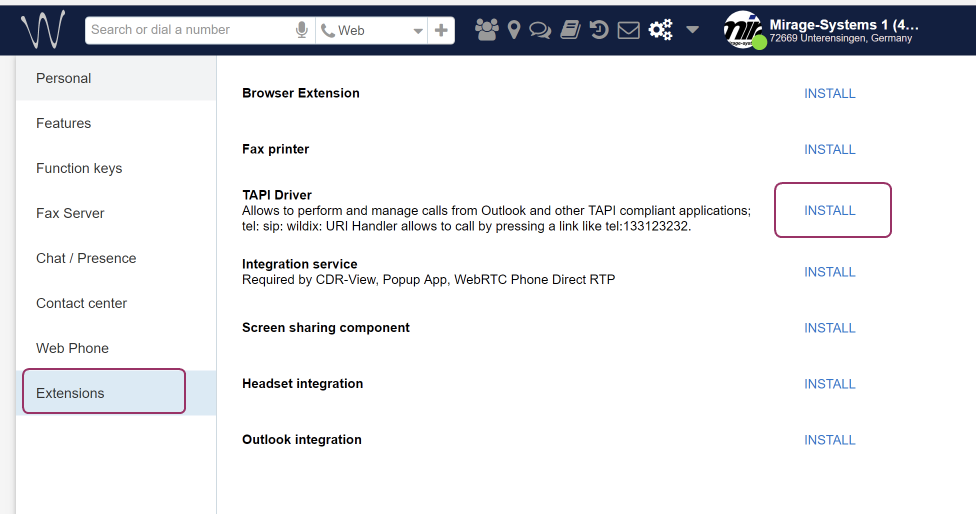
Then open [Phone and Modem option](https://helpserver.biz/onlinehelp/cdc/sf/5.0/help2000/howto_where_do_i_find_the_tapi_driver.html) and click on the button: *Configure*
Type in:
•Wildix PBX address: Typically the same address you use in the web interface
•User: typically the extension number
•Password: typically the password you use to login into your Wildix SoftPhone but could also be a different password
•Check: **Secure connection**
:::hint{type="warning"}
You need a license for the TAPI driver. Contact the Wildix partner
:::

Once this is done you have to **reboot the computer**. Then download and install CTI Data Connector - TAPI Link