---
title: Microsoft Teams - CC4ALL (no longer supported)
slug: voice-german/microsoft-teams-cc4all-no-longer-supported
createdAt: 2024-03-19T15:23:46.219Z
---
This setup is no longer supported.
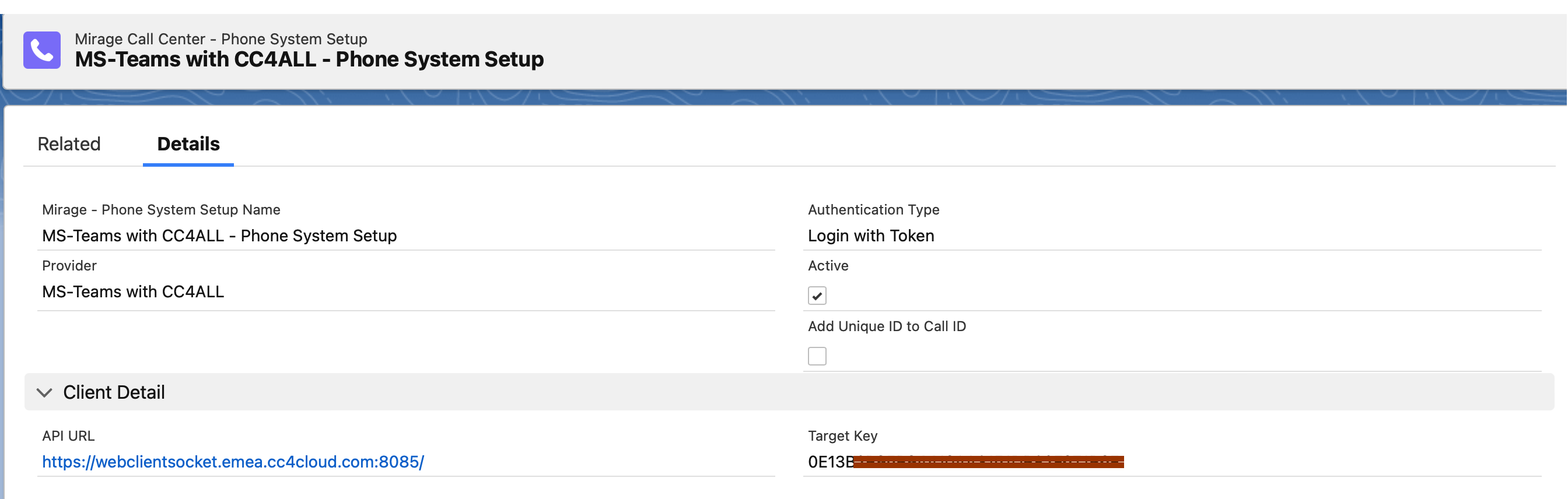
Select the Call Center Configuration - MS Teams with CC4ALL - this will automatically add all required default values for CC4ALL.
## Configure Dial via API
Check: Active
### Authentication Type
There are 2 options
•*Login with Token* (recommended). The Microsoft Office user name is used here
•*Login with Username.* A separate user name with additional password is used
### API URL / Token
You get API URL and the Target Key from CC4ALL.
### Client IT / Redirect URL / Tenant ID
Only visible in **Edit mode** and only if **Login with Token** is selected.
You will get this information from CC4ALL.

:::hint{type="info"}
Additional Configuration: [Dial by E-Mail Address](docId\:ZVKxBOZz7vaZi_VYEEvQv)
:::